
Skip to content
English
  • There are no suggestions because the search field is empty.

Can-Am 2020+ Defender Turbocharger 195 Upgrade System — Install Guide

Can-Am · 2020+ Defender · SKU 604FC0096 (Non AC no CodeShooter), 604FC0098 (AC no CodeShooter),


Installation

1
Remove the bed for this installation. With a 13mm socket remove all (4) nuts. Unplug the electrical connector for the taillights or any other accessories you may have installed. Disconnect the box shock. Remove bed.
2
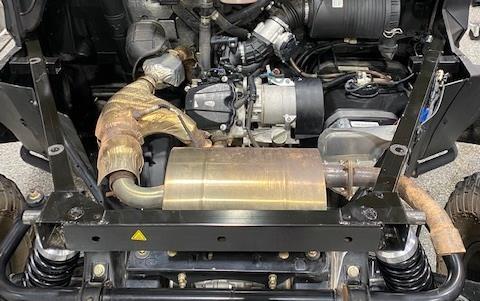
Remove the exhaust muffler using a 13mm wrench. (2) bolts and (1) bushing. Loosen the exhaust clamp fasten to the down pipe. You may need to remove some heat shield.
Can-Am Defender installation
3
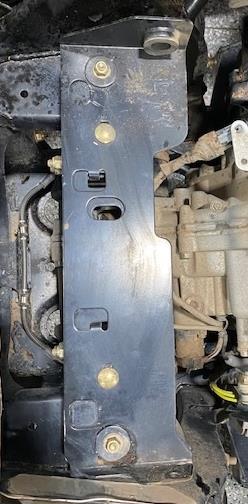
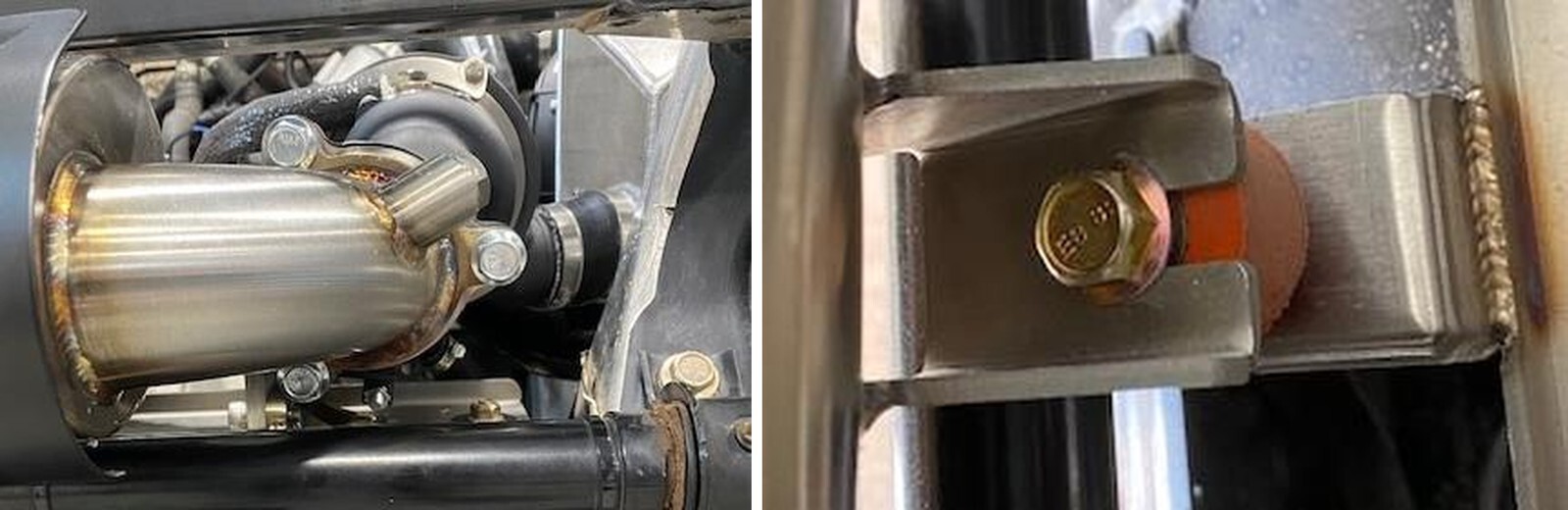
Remove the exhaust muffler bracket using a 13mm socket. There are (2) carriage bolts and (2) normal bolts. When removing from the vehicle you need to twist (2) tabs to fully remove the bracket.
4
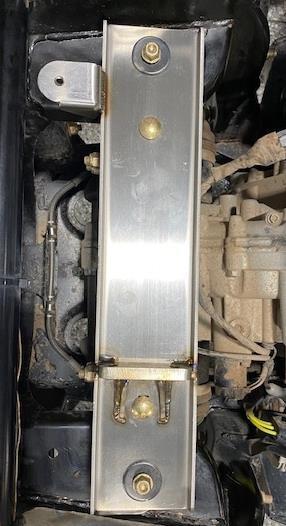
Install the new supplied turbocharger/muffler bracket in the OEM placement. Reuse OEM hardware but don’t tighten down. Keep plate loose for now.
Can-Am Defender installation
5
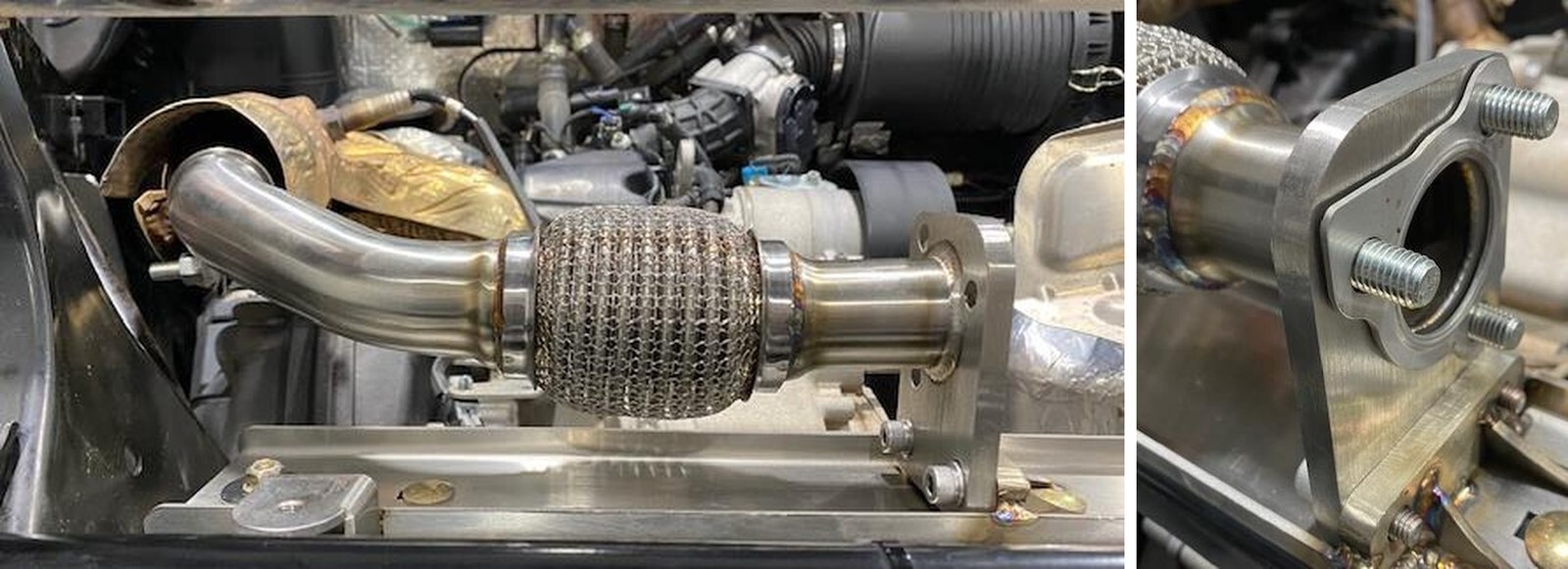
Install the supplied exhaust clamp onto the exhaust inlet pipe. Install the exhaust pipe onto the vehicle. Applied anti-seize to the threads of (2) M8x30 screws. Install the M8x30 screws with M8 washers to the muffler/turbocharger bracket. Fasten down the exhaust bracket after using a 13mm socket. Fasten down the exhaust clamp with a 15mm socket. Fasten down any heat shields you may have loosened.
6
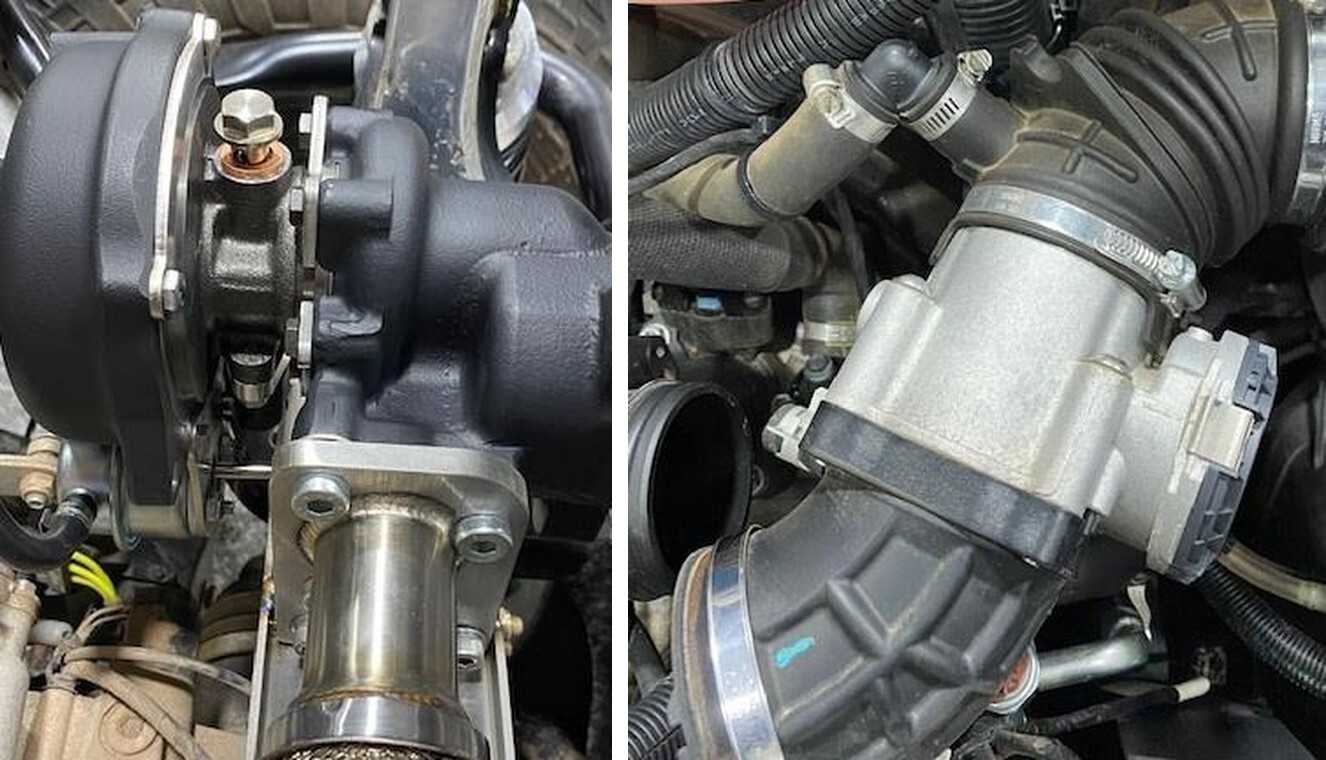
Install the turbocharger exhaust gasket and (3) M10x30mm low profile Allen screws. Apply anti-seize on the thread of the bolts. Install the turbocharger and fasten bolts down to 38 ft/lb. A 7mm ball end nose Allen wrench works best.
Can-Am Defender installation
7
Remove the boot between the throttle body and plenum. Loosen hose clamp. Remove the crankcase breather tube from the throttle body rubber port.
8
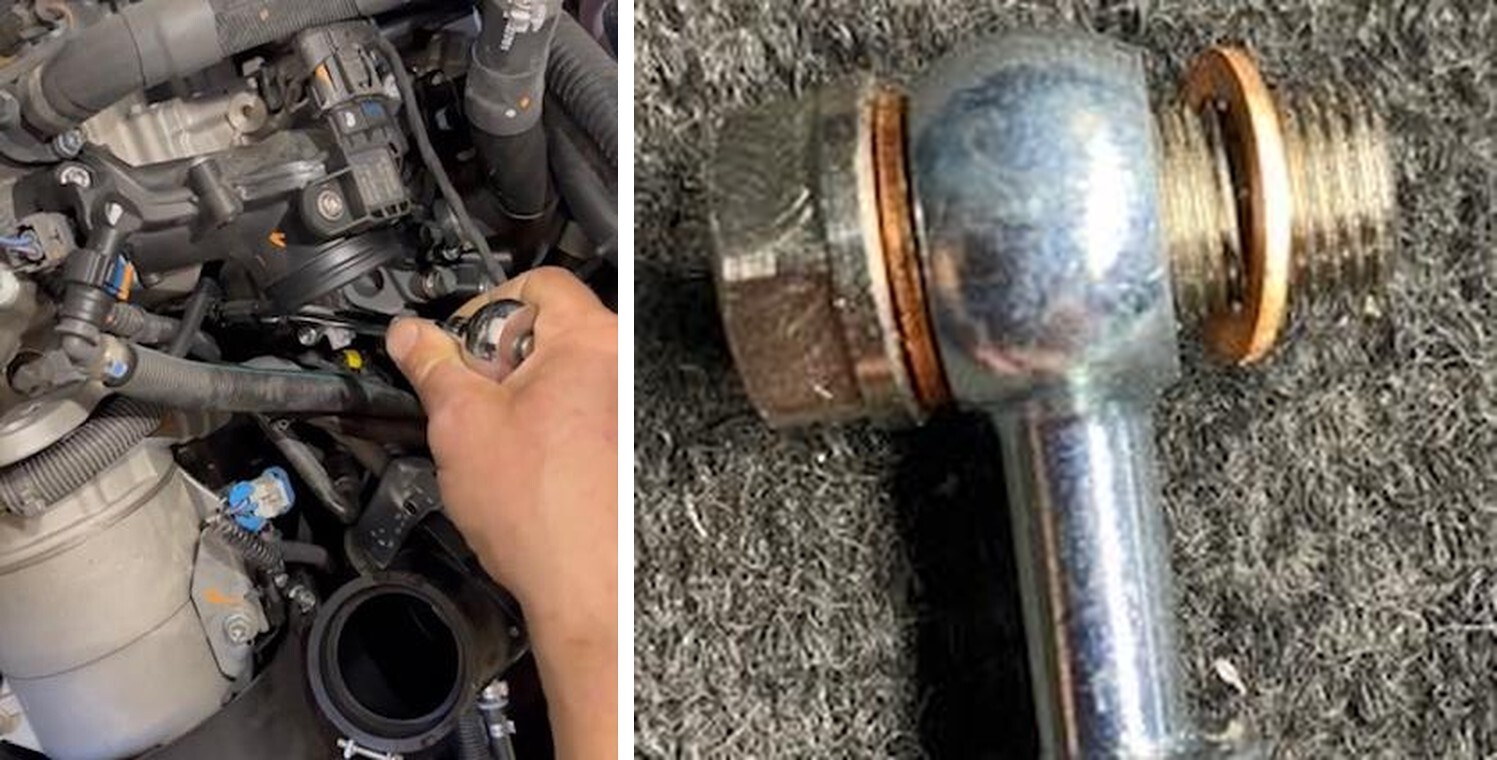
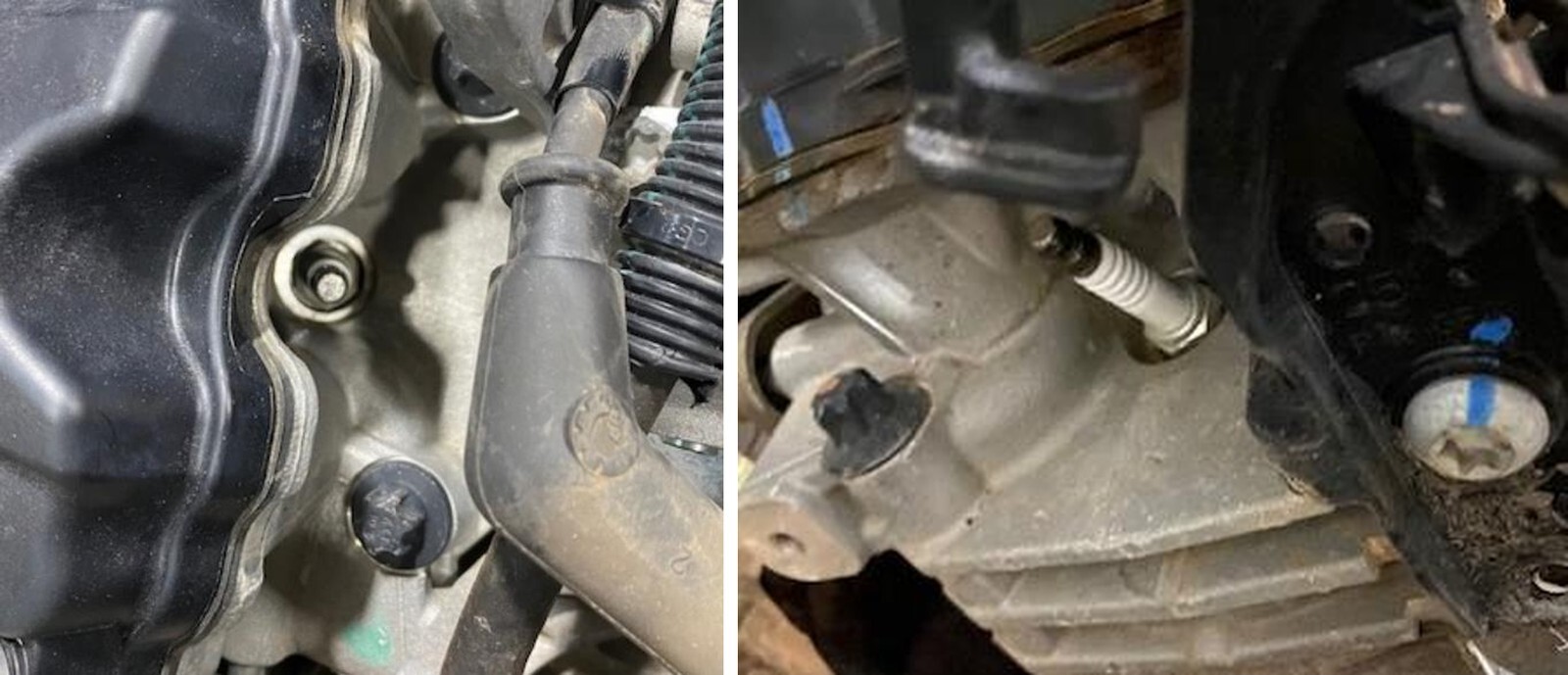
Underneath the plenum, you will locate a M5 Allen on top of the engine block. Remove the Allen with a M5 socket. Be careful it is a tight space. A swivel may be needed.
Can-Am Defender installation
9
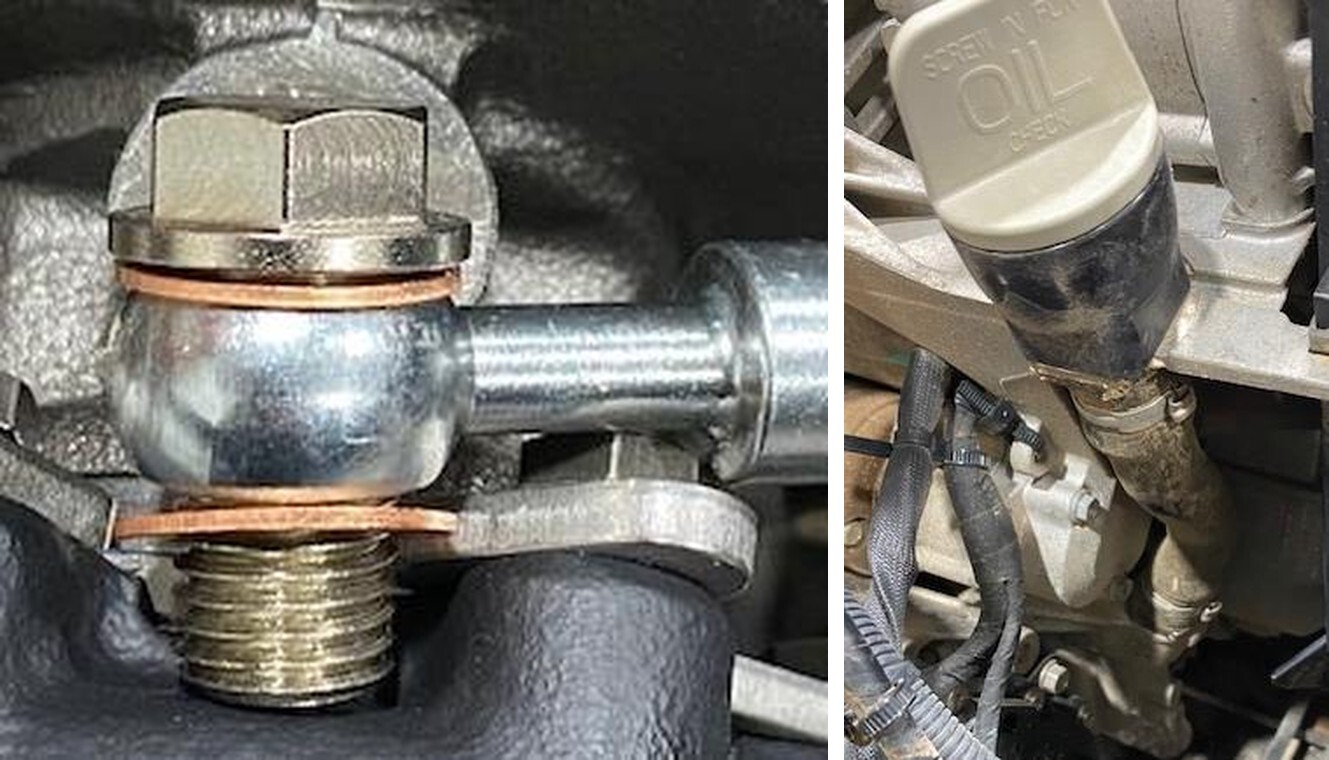
Install the oil return line where the M5 Allen was removed from. Install all components in order like shown below. From left to right; copper washer, oil feed line banjo, copper washer. Route the oil line towards the passenger side of the vehicle and back towards the turbocharger.
10
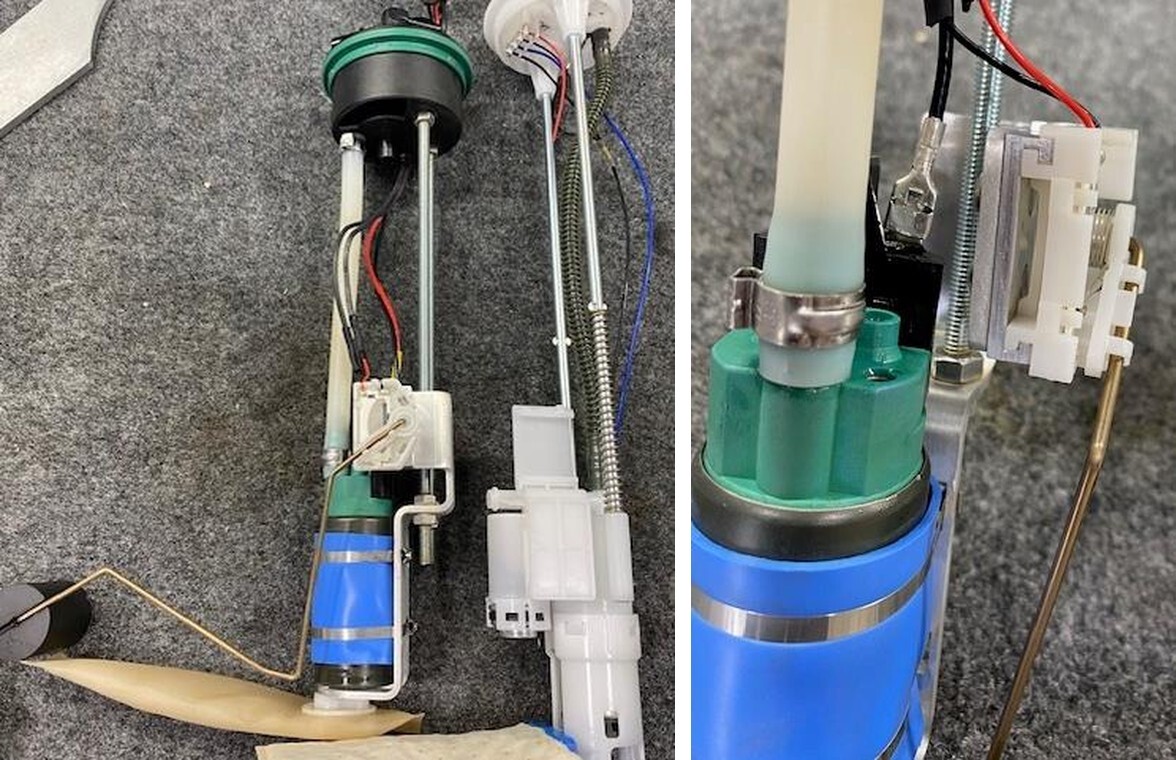
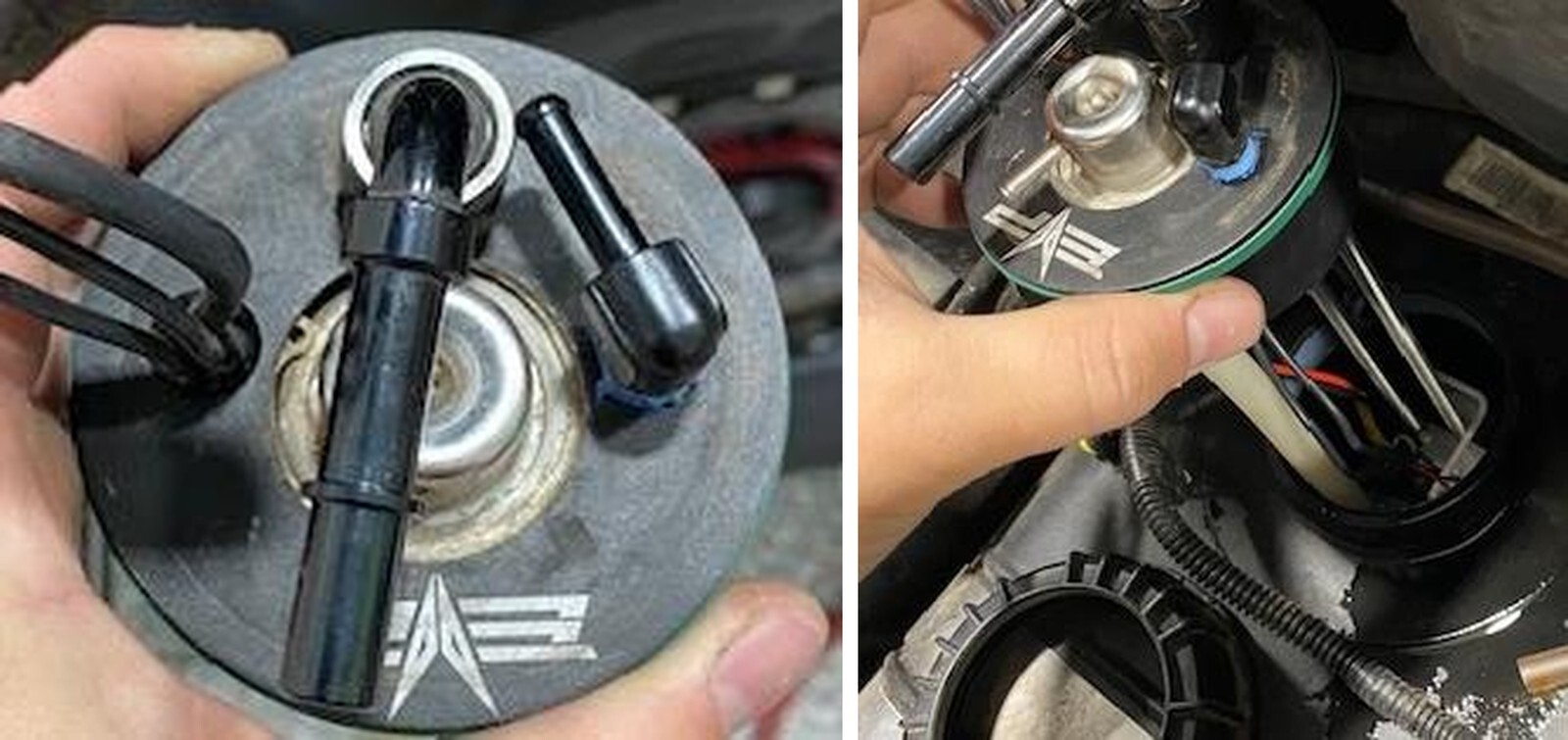
Remove the fuel put nut and disconnect the fuel hoses. Remove the fuel pump assembly and place on a clean work bench. Remove the fuel float and cut the wires, transfer the float over to the new fuel pump assembly. Soder the float wires to the new fuel pump. Remove the OEM green seal and install onto the new billet hat.
Can-Am Defender installation
11
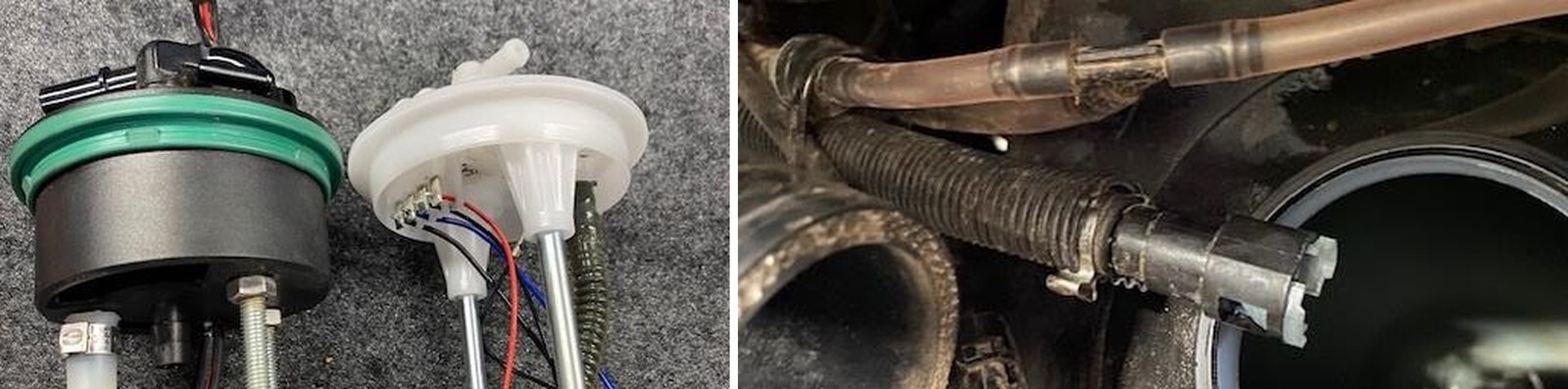
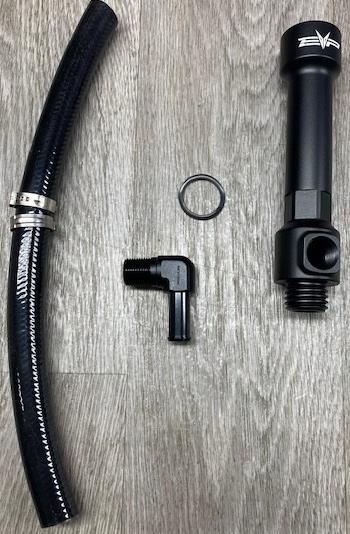
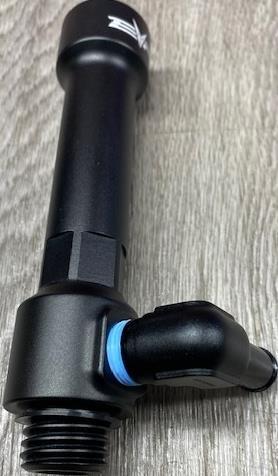
Install the supplied quick connect fuel connector onto the OEM fuel hose, use supplied pinch clamp to tighten down.
12
Turn all the fittings inward so the fuel nut will fit over the billet hat.
Can-Am Defender installation
13
Install the fuel pump assembly into the fuel tank. The sock and float should face backwards.
14
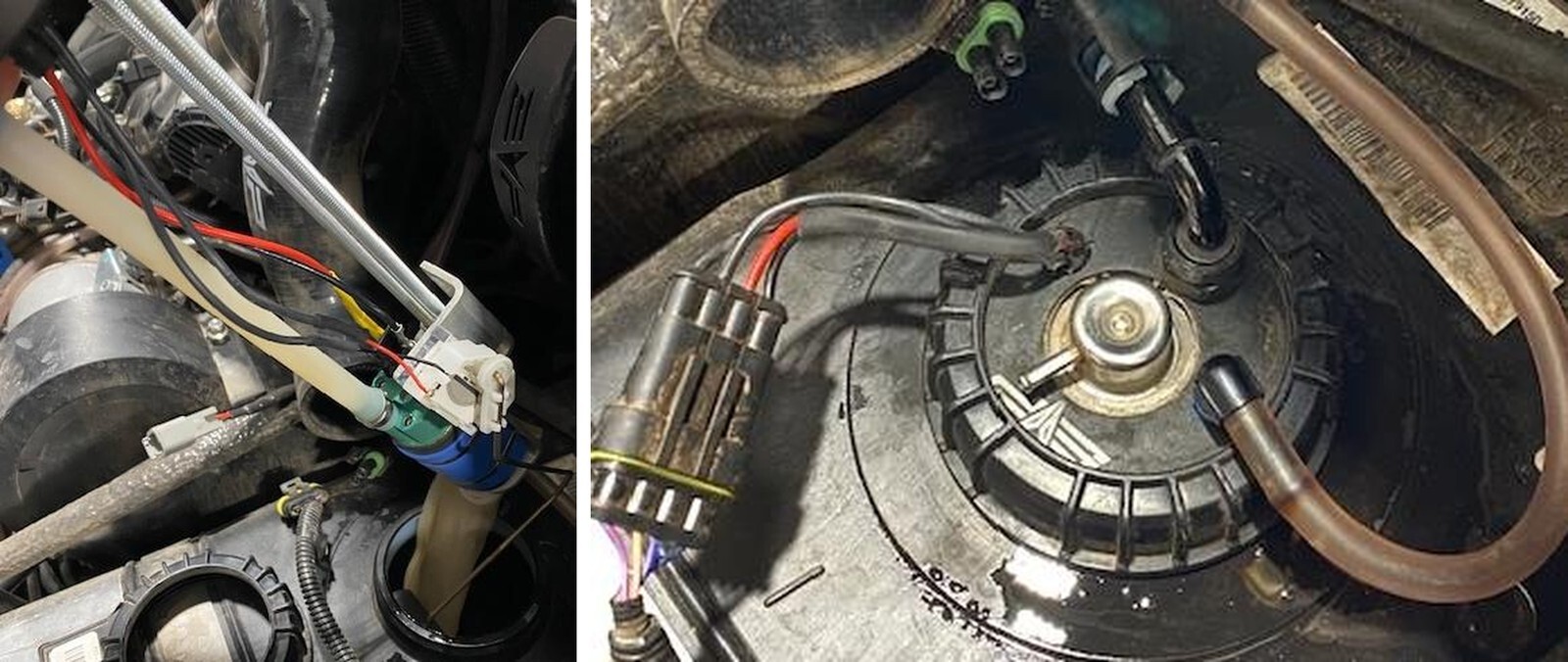
Tighten the fuel pump nut and install the hoses as shown below.
Can-Am Defender installation
15
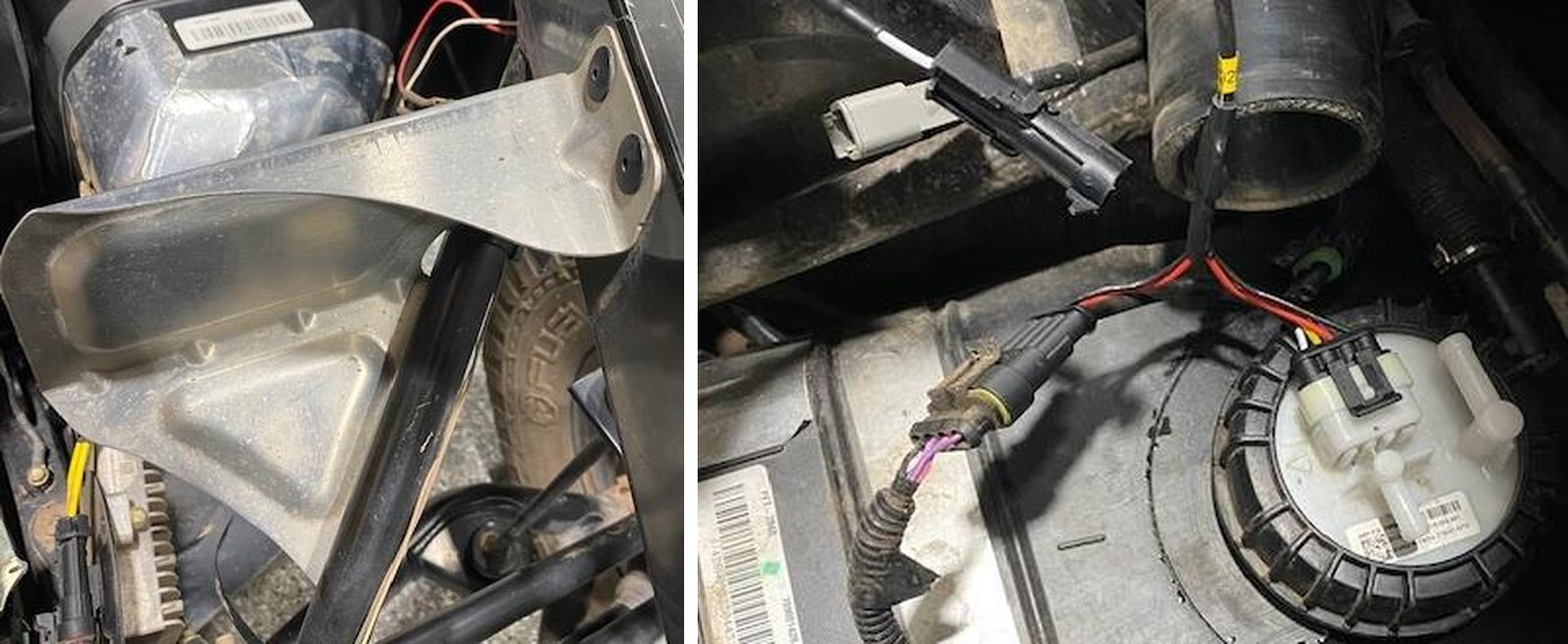
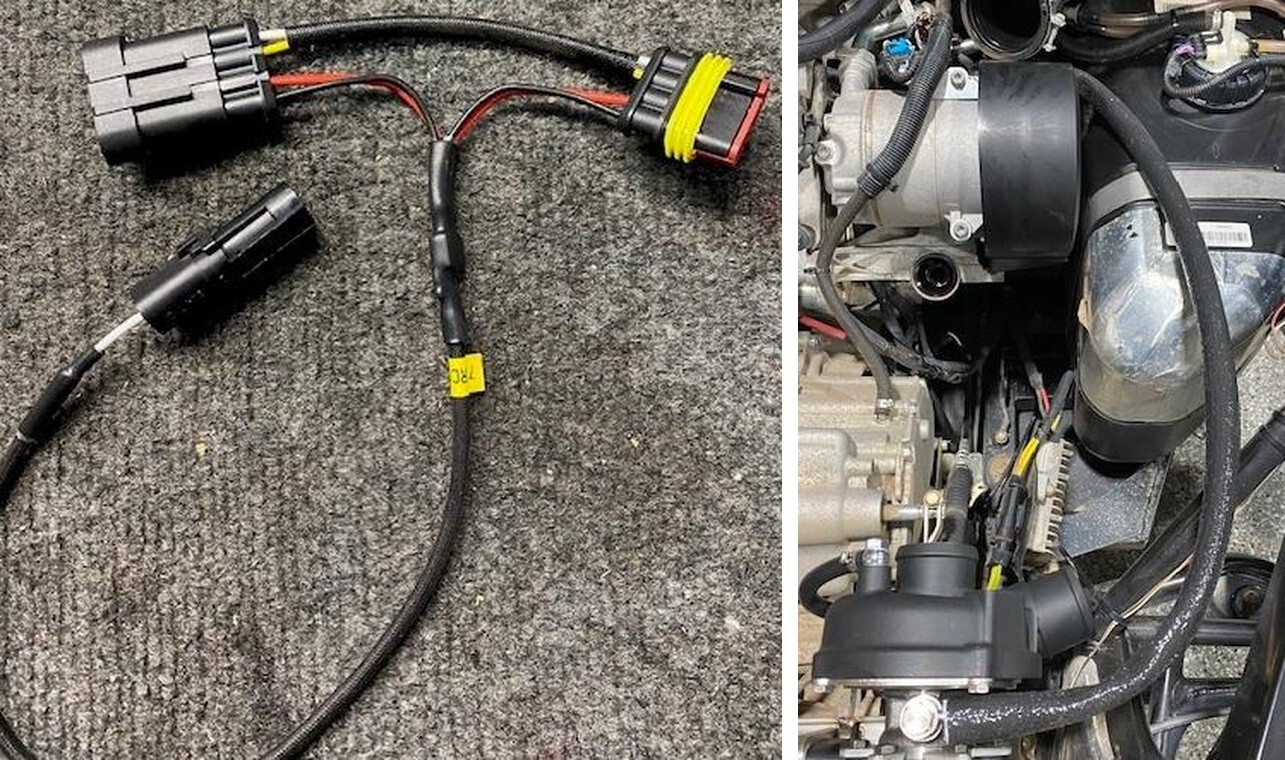
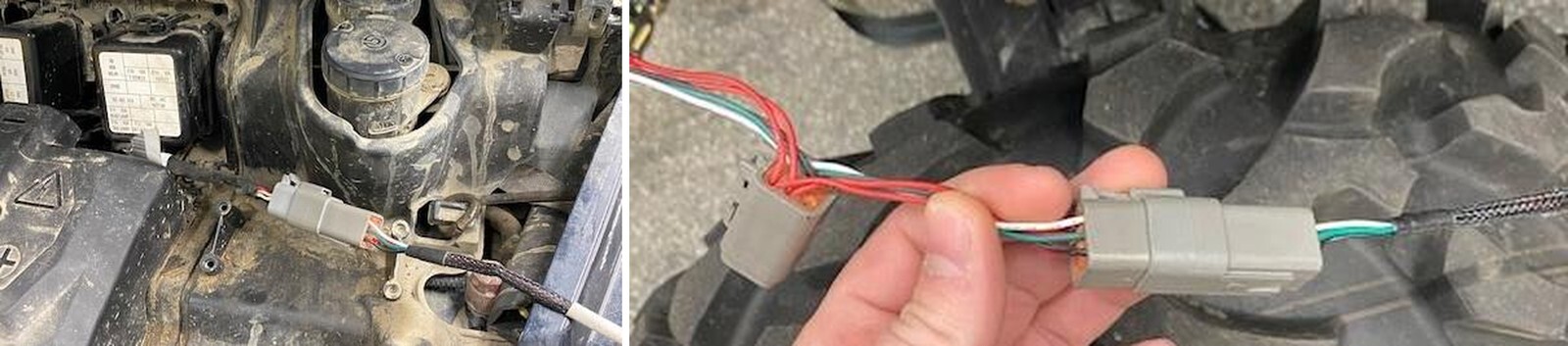
Install the fuel pump “Y-harness” onto the fuel pump. The male end will connect to the fuel pump hat and the female connector will plug into the OEM harness. The one pin connector will be used later. Keep free for now.
16
With a 3/16” drill bit, drill out (5) rivets holding the heat shield onto the frame.
Can-Am Defender installation
17
Install 36” of fire sleeve onto the oil feed line. Install the oil feed line to the turbocharger with supplied banjo bolt and sealing washers on each side of the oil line.
18
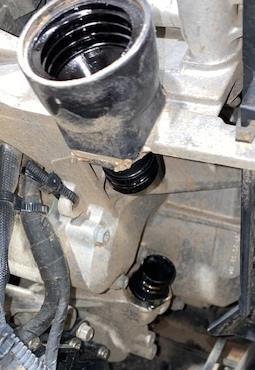
Removing the oil dip stick housing will be different for AC and NON AC models. For AC Models remove the dip stick from the rubber housing, remove both pinch clamps on the OEM rubber housing and remove from the vehicle. On a NON AC Model, remove the dip stick from the plastic housing and remove the entire plastic housing from the engine block. It will be threaded into the block.
Can-Am Defender installation
19
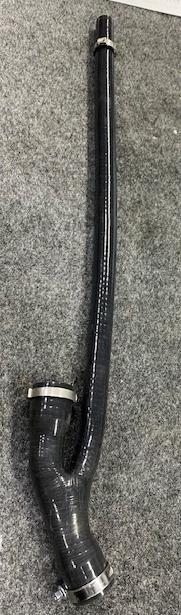
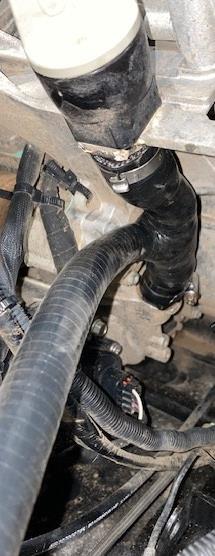
For both AC and NON AC models, run the 1/2" high temperature silicone tube from the dipstick to turbocharger oil drain. Use a pinch clamp to secure.
20
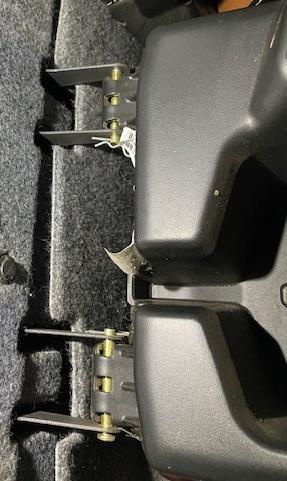
Remove the interior and seats if a single cab. Remove the rear interior sound damping and seats if a crew cab. The top of the seat pop off from rubber grommets. The lower seats remove with (2) 13mm nuts and bolts per seat. The center console has (2) cotter pins.
Can-Am Defender installation
21
Remove all the sound damping material. There are two layers. Remove using a push dart tool and T-25 socket. You may need to remove the rear glass supports to fully remove the damping material.
22
After the damping material is removed you will remove the rear access panel using a T-30 socket. There will be (8) screws total. This will allow access to the engine bay and ECU.
Can-Am Defender installation
23
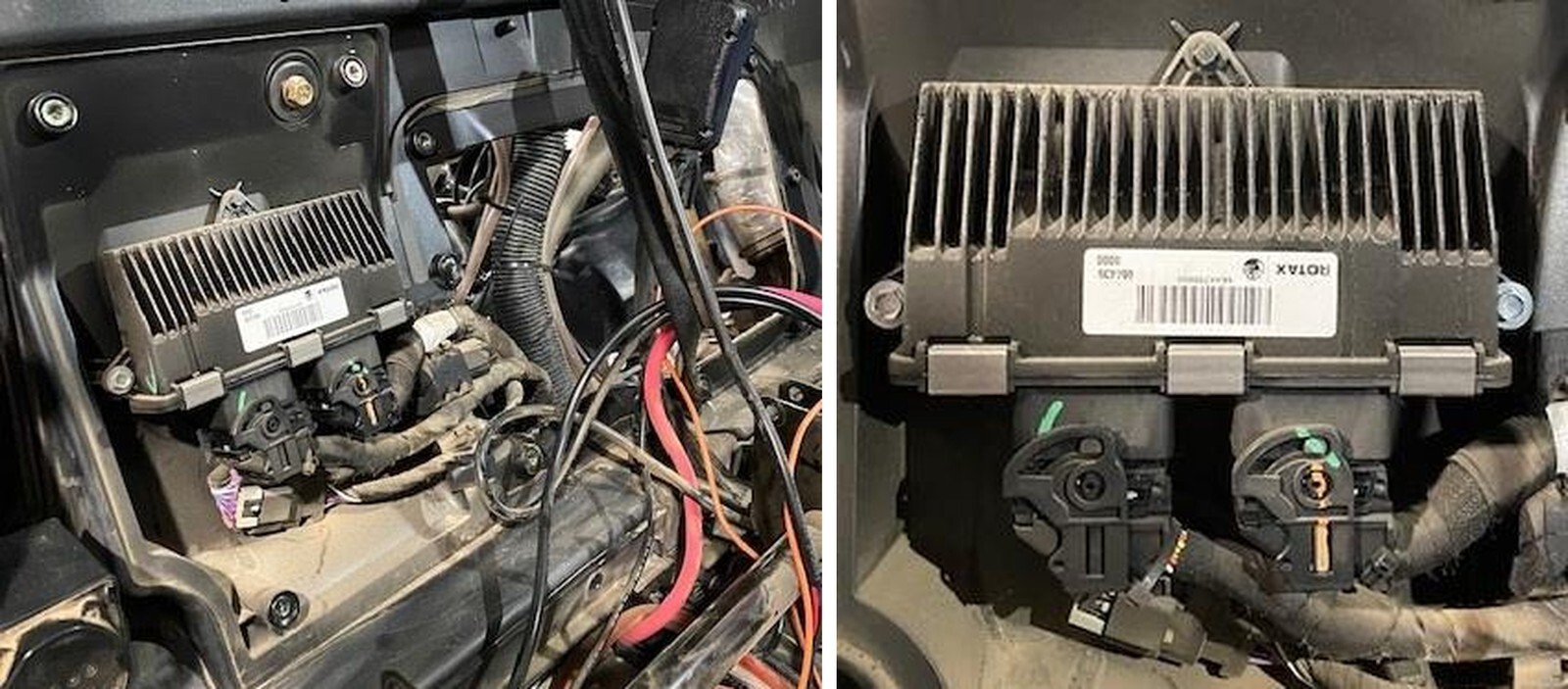
Remove the ECU from the firewall. Use a 8mm socket. You will need to access a bolt behind the ECU. Keep the ECU plugs connected.
24
If your vehicle is equipped with a snorkel kit, remove (3) hoses connected to the snorkel box. Lay them to the side.
Can-Am Defender installation
25
On the inside of the cab, above the ECU, remove the (2) bolts using a 13mm socket. This will remove the snorkel box (if your vehicle is equipped with it.).
26
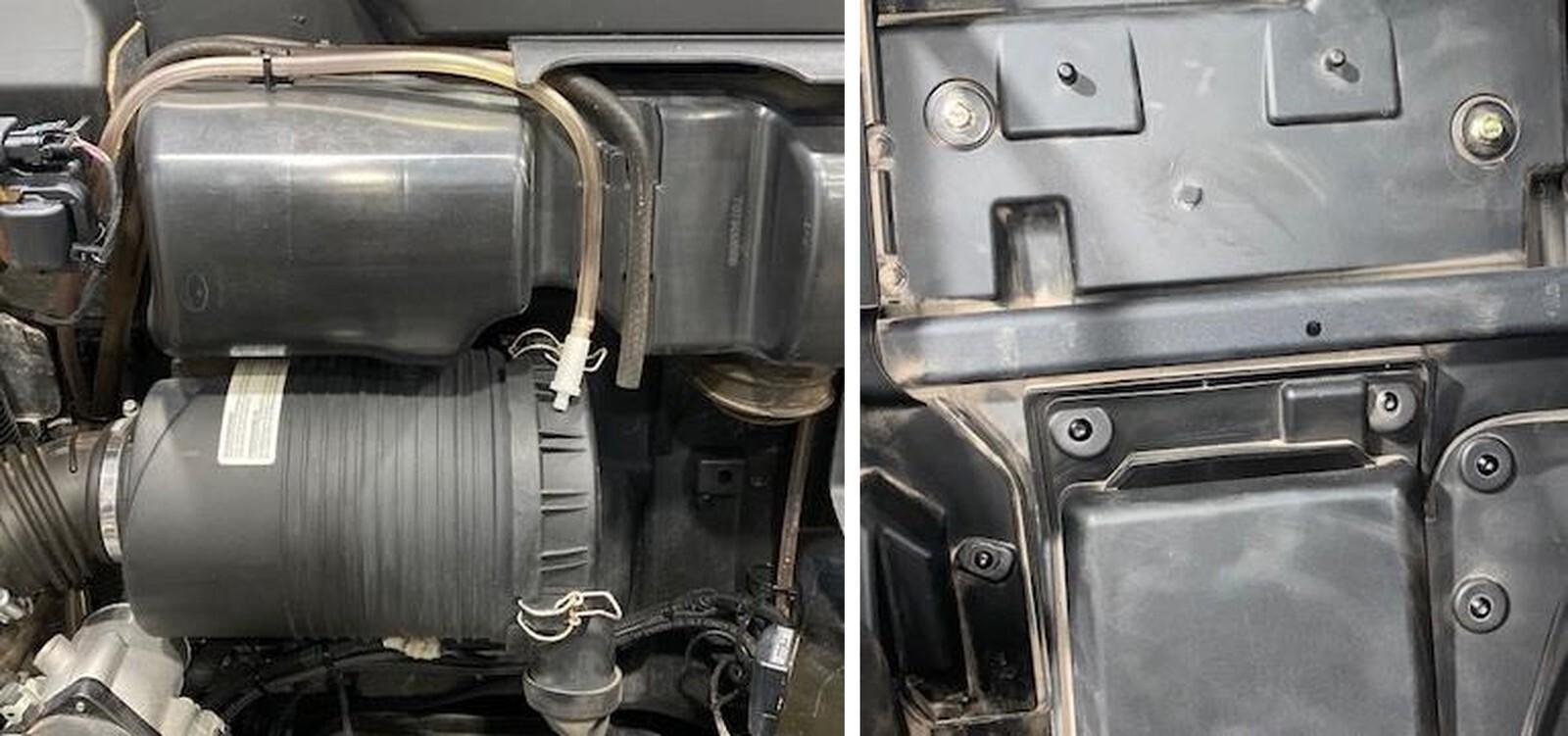
On the inside of the cab, behind the ECU you previously removed, remove (2) bolts using a 13mm socket. This will remove the airbox.
Can-Am Defender installation
27
With the airbox removed, remove the rubber boot attached to the inlet.
28
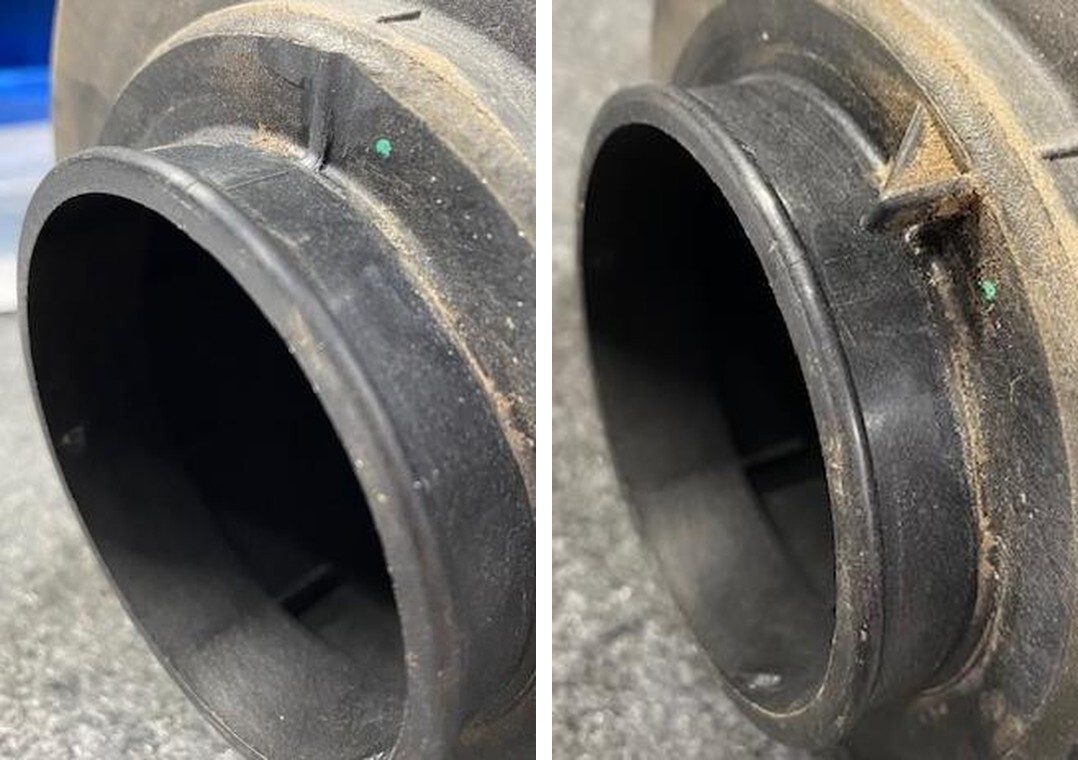
(OPTIONAL HFI Instructions below) On the inlet of the airbox you will find a tab. Grind or sand this tab off.
Can-Am Defender installation
29
Remove the old air filter and blow out the inside of the airbox. Install the supplied air filter and pre filter. Resecure the airbox lid.
30
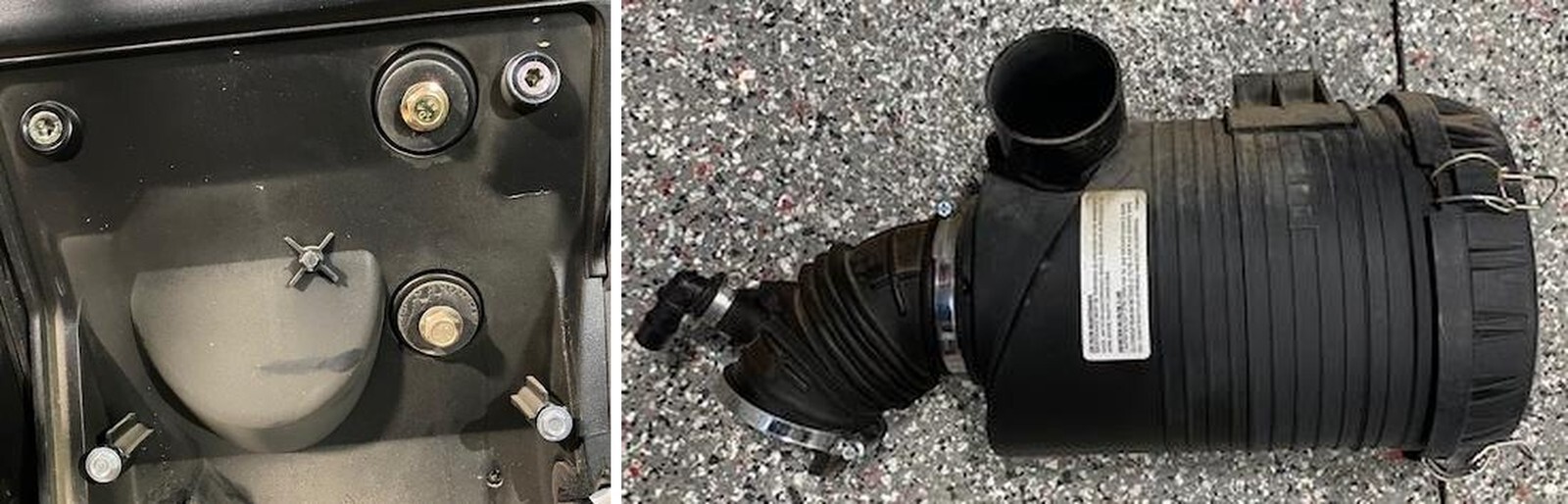
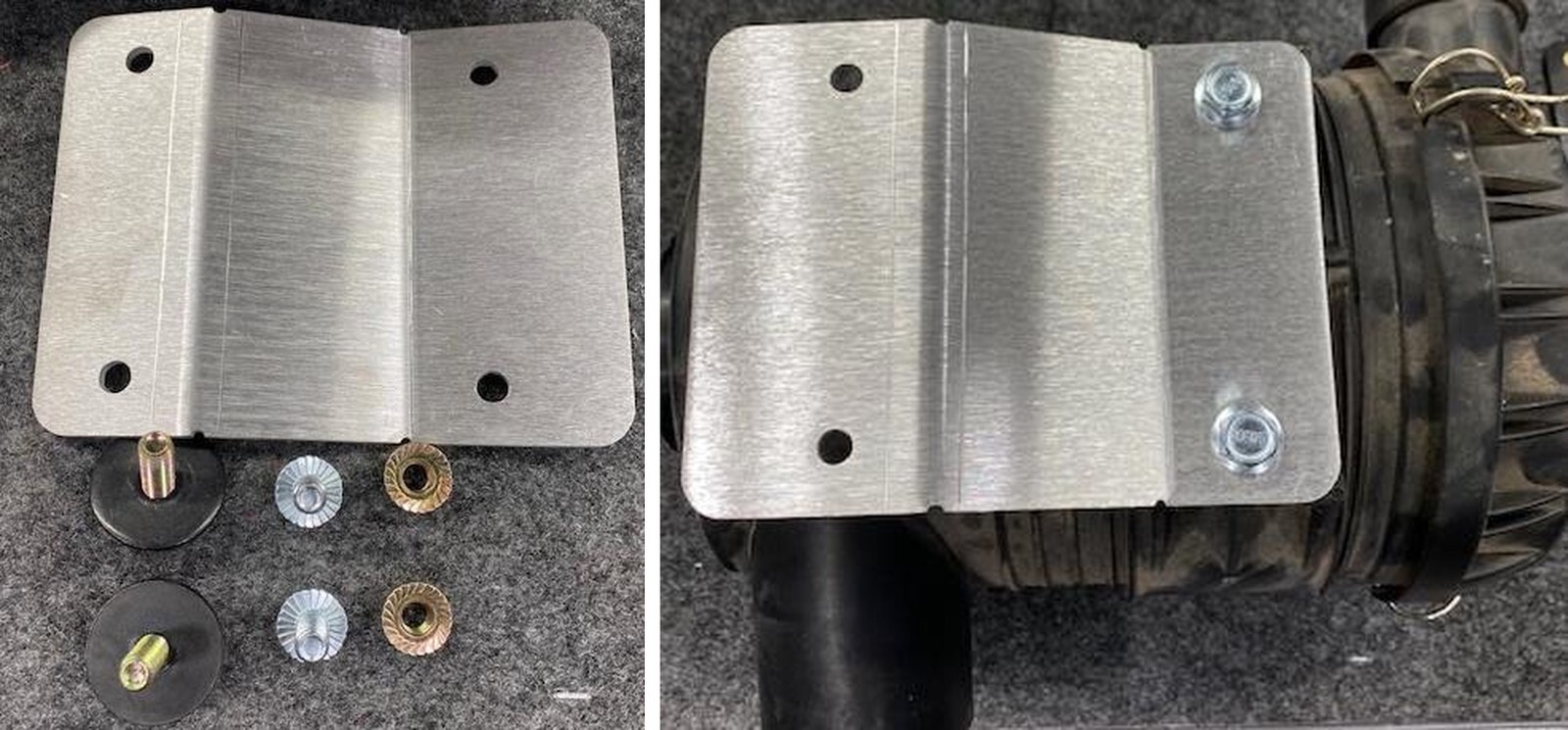
Open the airbox relocation kit that was supplied. You will reuse (2) OEM airbox bolts and washers.
Can-Am Defender installation
31
Install the airbox relocation plate onto the airbox. Use (2) M8x20mm screws.
32
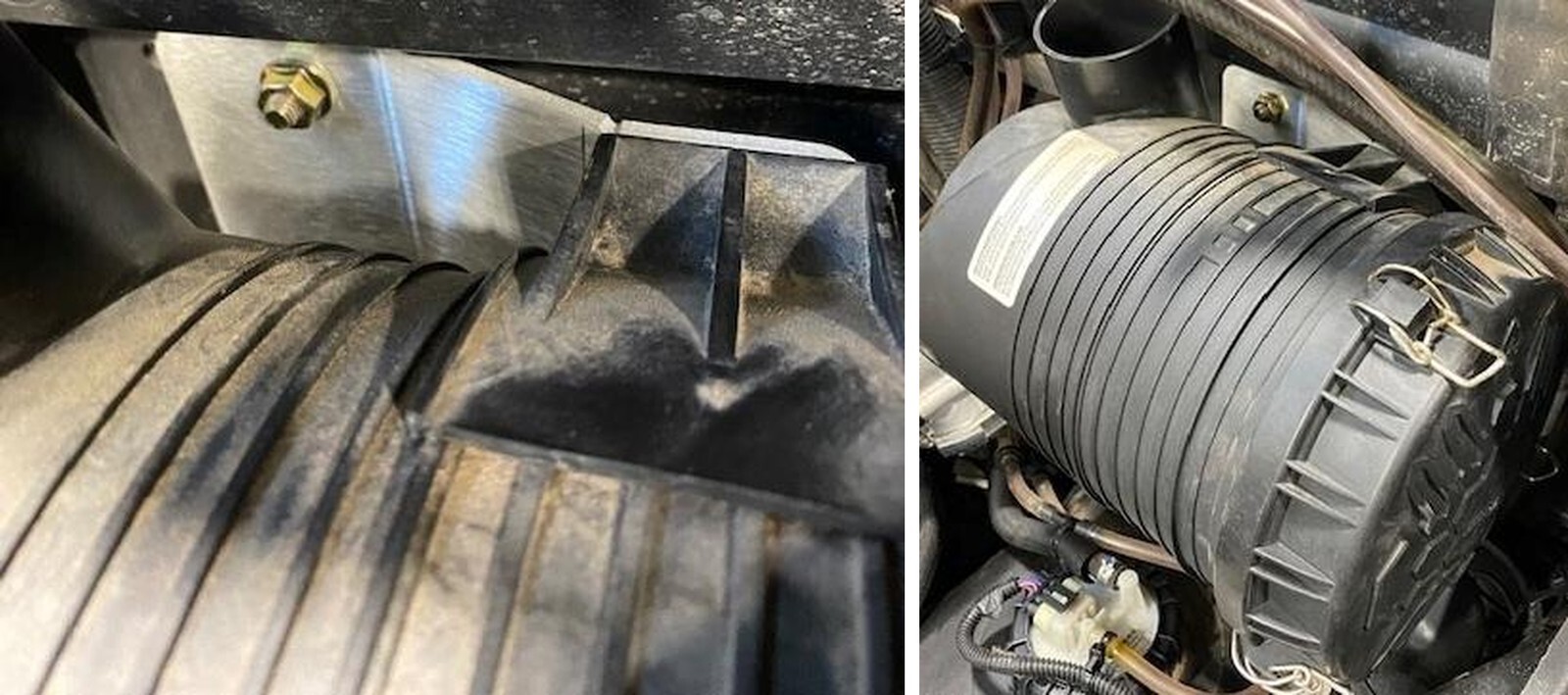
Install the airbox with relocation bracket into the vehicle. Reuse (2) OEM bolts and washers from the inside of the vehicle into the engine bay. Use (2) supplied M8 nuts to fasten down the bracket. Make sure the steel sleeves are still in the firewall.
Can-Am Defender installation
33
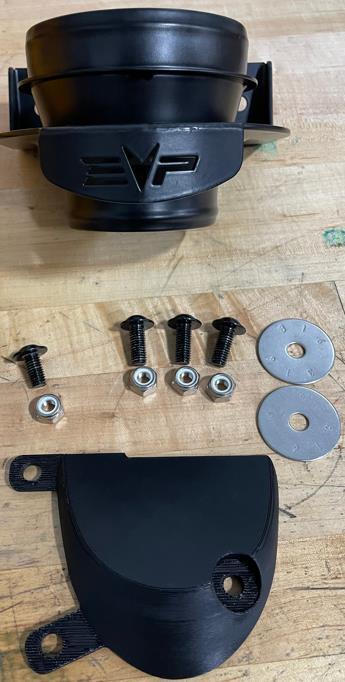
(OPTIONAL) High Flow Intake. Install the high flow intake bracket and hardware where the OEM airbox was removed from.
34
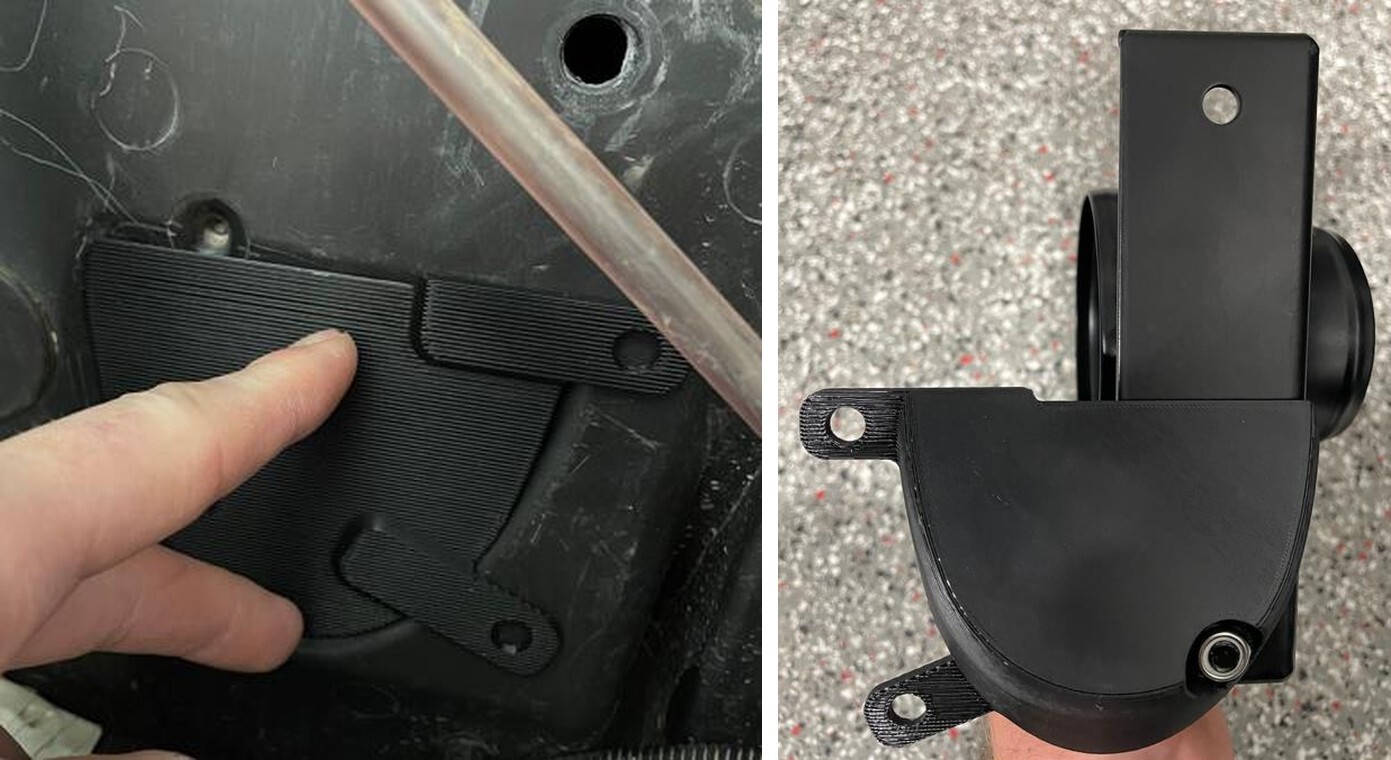
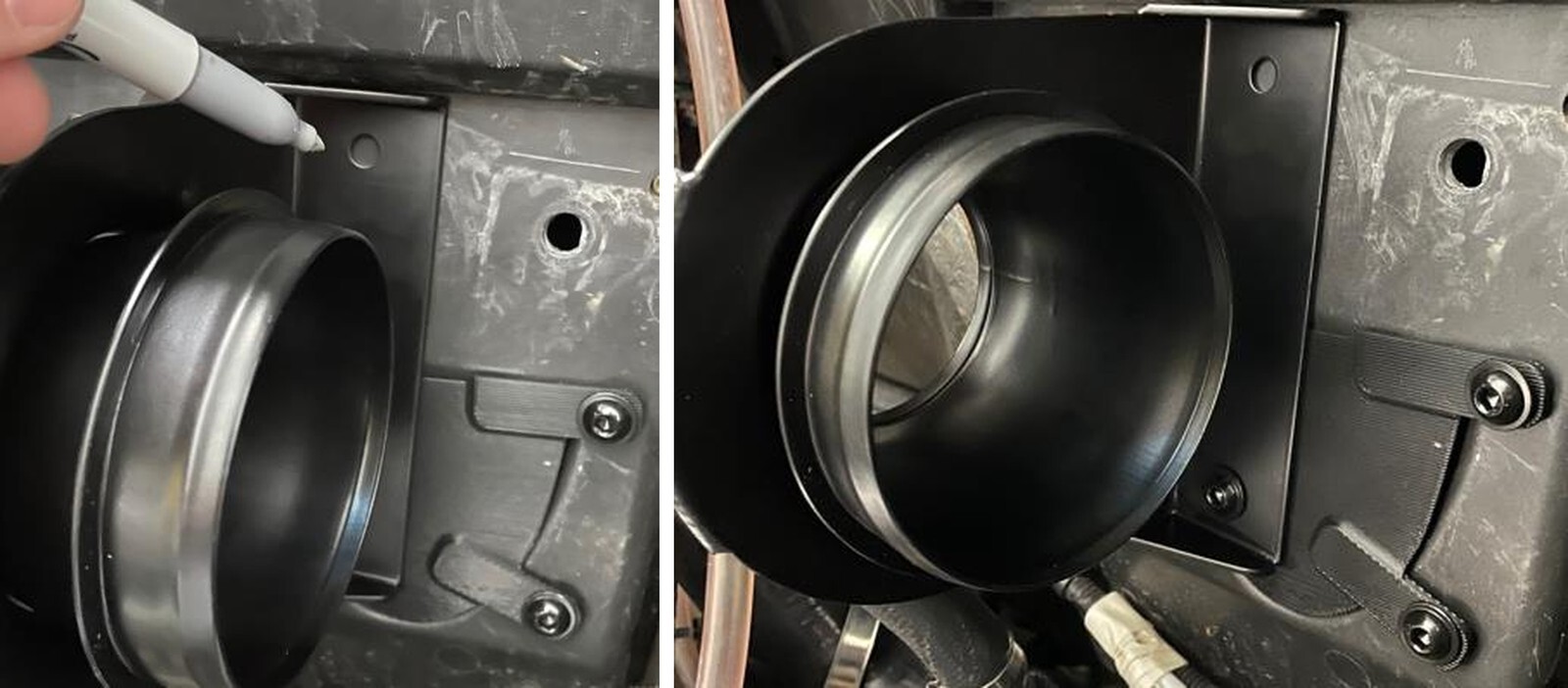
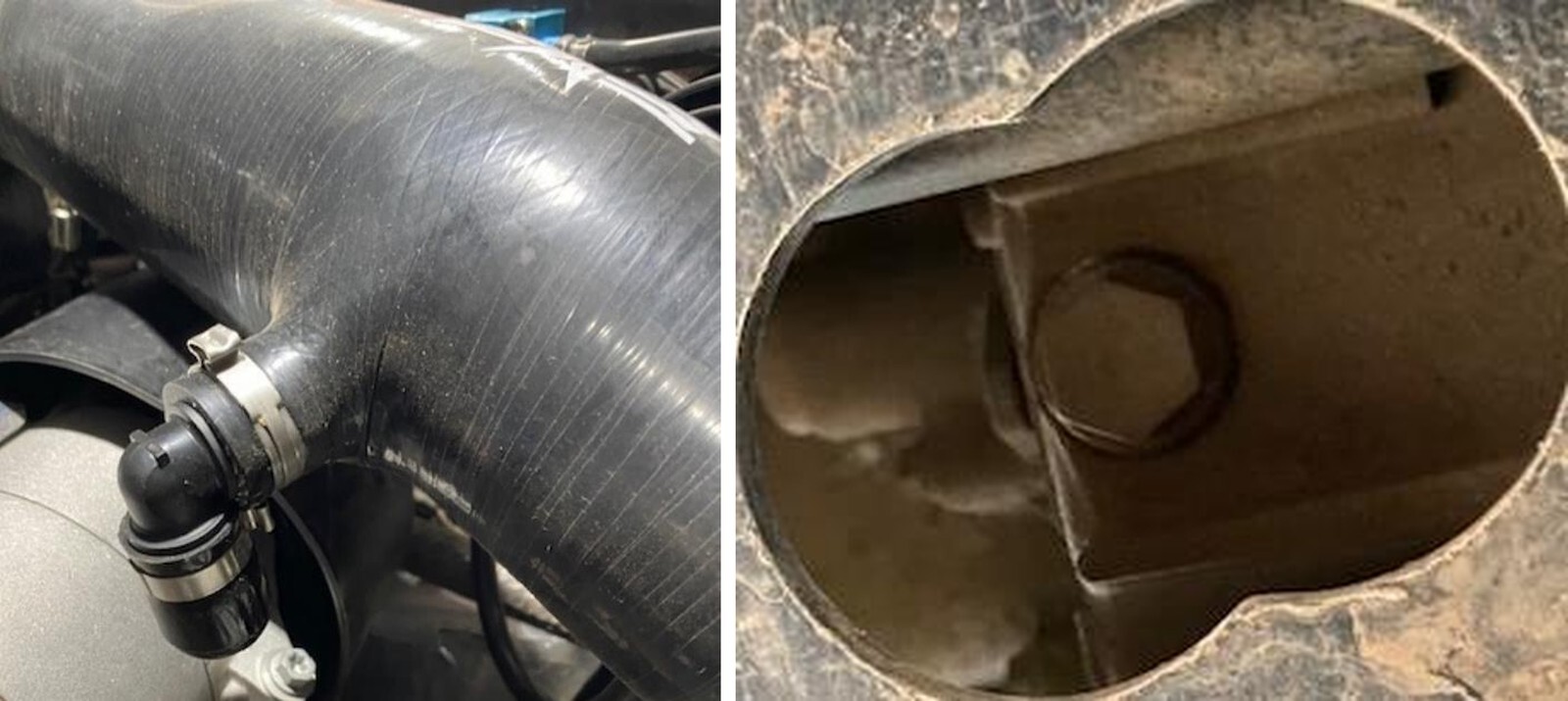
Hold the shim into the pocket of the firewall. Mark both holes with a silver sharpie and drill with a 7/16” drill bit. NOTE: Make sure your ECU is removed first!
Can-Am Defender installation
35
Mount the high flow bracket to the shim using a M8x16mm and M8 locknut. Tighten down straight.
36
Mount the bracket back to the firewall and with a silver sharpie mark the top hole on the bracket. Drill with a 7/16” drill bit.
Can-Am Defender installation
37
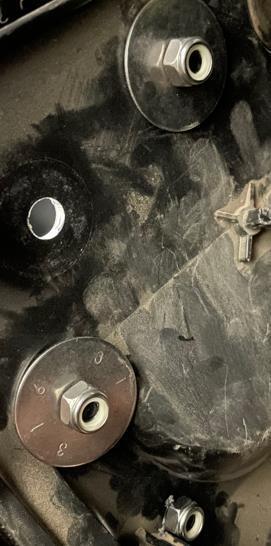
Mount the bracket using the remaining M8x20mm screws, locknuts and oversized washers. No oversized washer on the lower screw. See below.
38
Reinstall the ECU to the firewall. Use a 8mm socket, do NOT over tighten the plastic screws.
Can-Am Defender installation
39
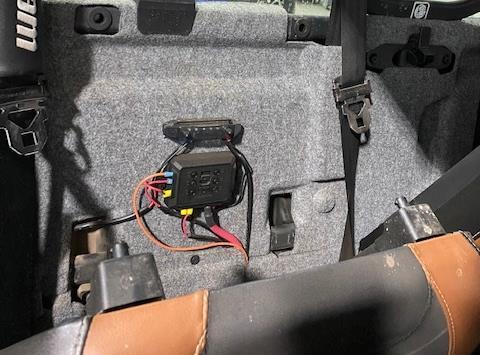
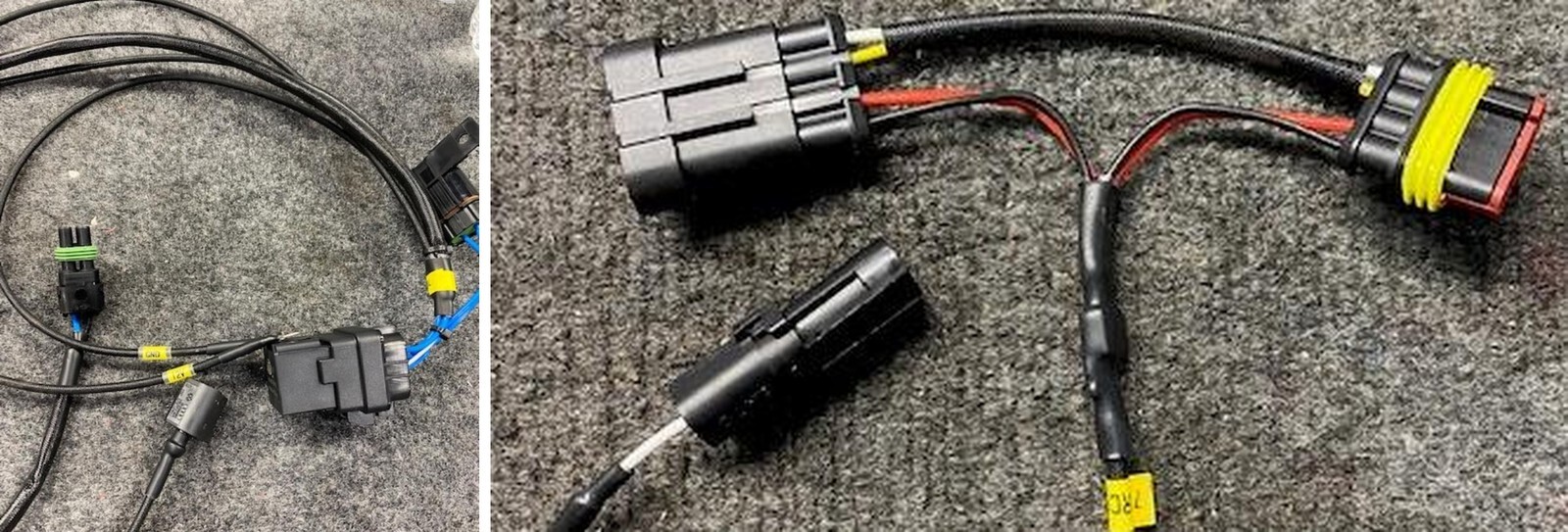
Install the supplied intercooler fan harness. Power and ground will be connected directly to the battery. The relay can we mounted to a stud or zip tied. The other two ends will go through the engine access panel. One lead is for the fuel pump Y-harness and the other is for the intercooler fans.
40
Route the fuel pump plug away from heat source and connect to the fuel pump “Y- harness previously installed in step 15. Zip tie any excess wire.
Can-Am Defender installation
41
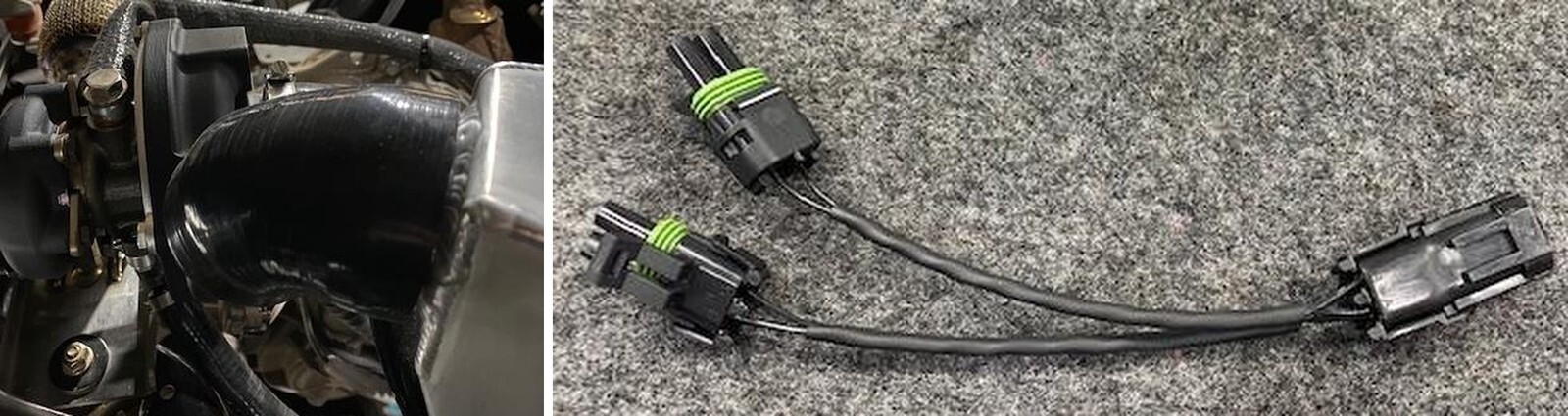
Install the Kaizen relay module down by the battery and run the larger grey connector underneath the floor up to the front dash. This will plug into the diagnostic port replicator. Run the small grey connector through the fire wall and towards the intercooler. This will connect to the boost control module.
42
Plug in the EVP diagnostic port replicator into the OEM diagnostic port found under the front hood. 2020-2021 Defenders will use the diagnostic port replicator with a black stripe over the part number. 2022+ Defenders will use the diagnostic port replicator with no stripe over the part number. Route this into the cab.
Can-Am Defender installation
42
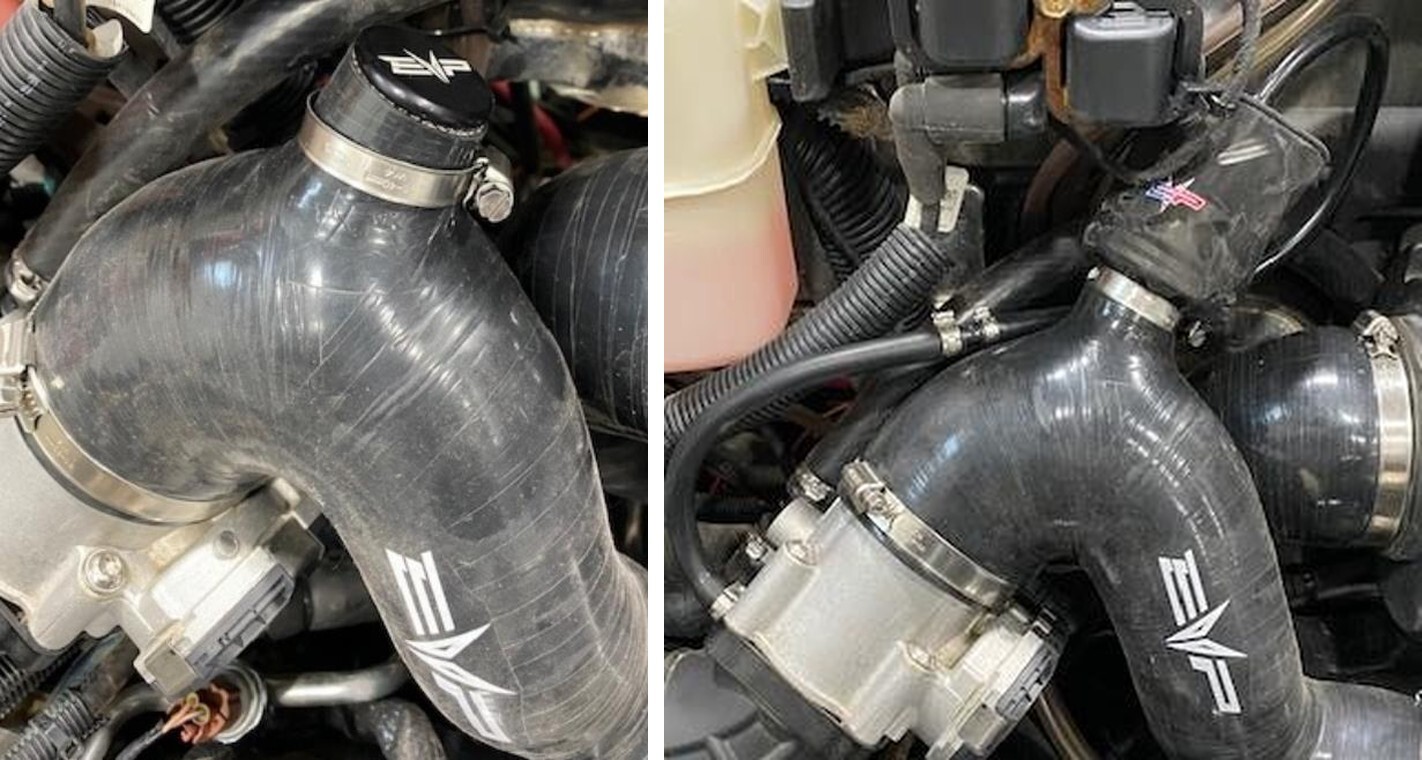
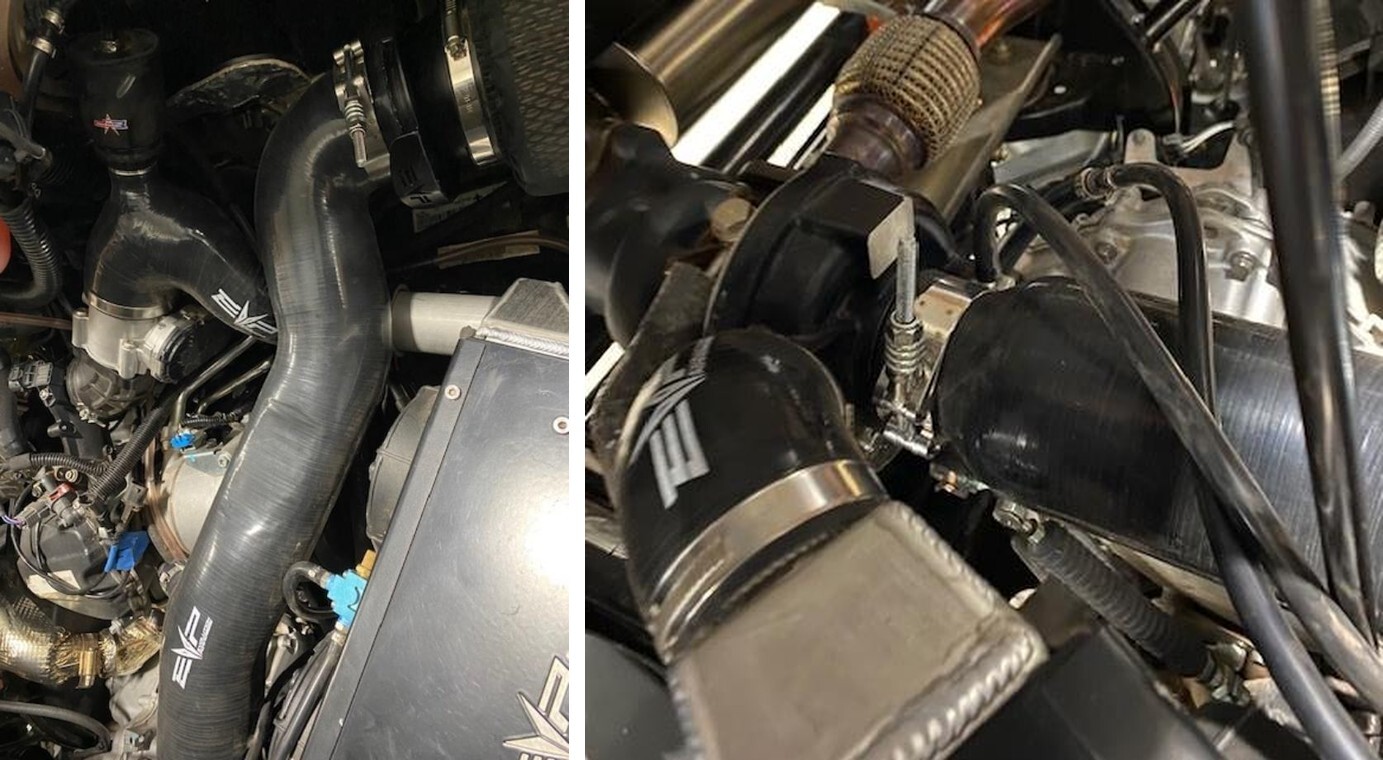
Install the intercooler assembly into the vehicle. Install the throttle body to intercooler (shaped like a “7” with a BOV port) and turbocharger to intercooler (small 4” long 45- degree) silicone pieces, loosely, no clamps required yet. Make sure the throttle body is clamped down to the plenum. Change out the OEM clamp with supplied 50- 70mm. Check fitment, make sure the intercooler is centered with no excess pressures on the charge tubes.
43
With a silver sharpie, dot the center of all (3) intercooler mounting locations. Remove the intercooler and silicone once complete.
Can-Am Defender installation
44
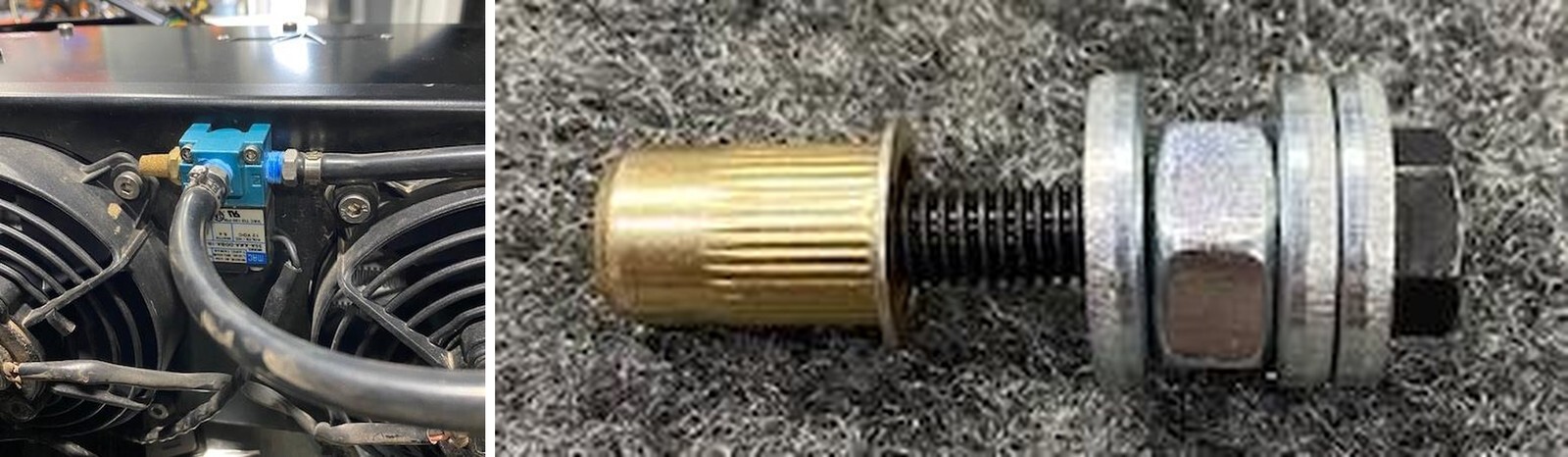
Remove the fan shroud and mount the boost control module between the fans. Use a small drill bit and mount with supplied hardware.
45
Drill (3) pilot holes over your sharpie marks. Next drill with a 25/64” drill bit all (3) holes. Do NOT auger the holes out.
Can-Am Defender installation
46
Insert the supplied nutserts and install with a nutsert tool. If you do not have a nutsert tool, grab the supplied (1) M6x40mm bolt, (3) oversized M6 washers and (1) M8 nut. Install the hardware together like shown below.
47
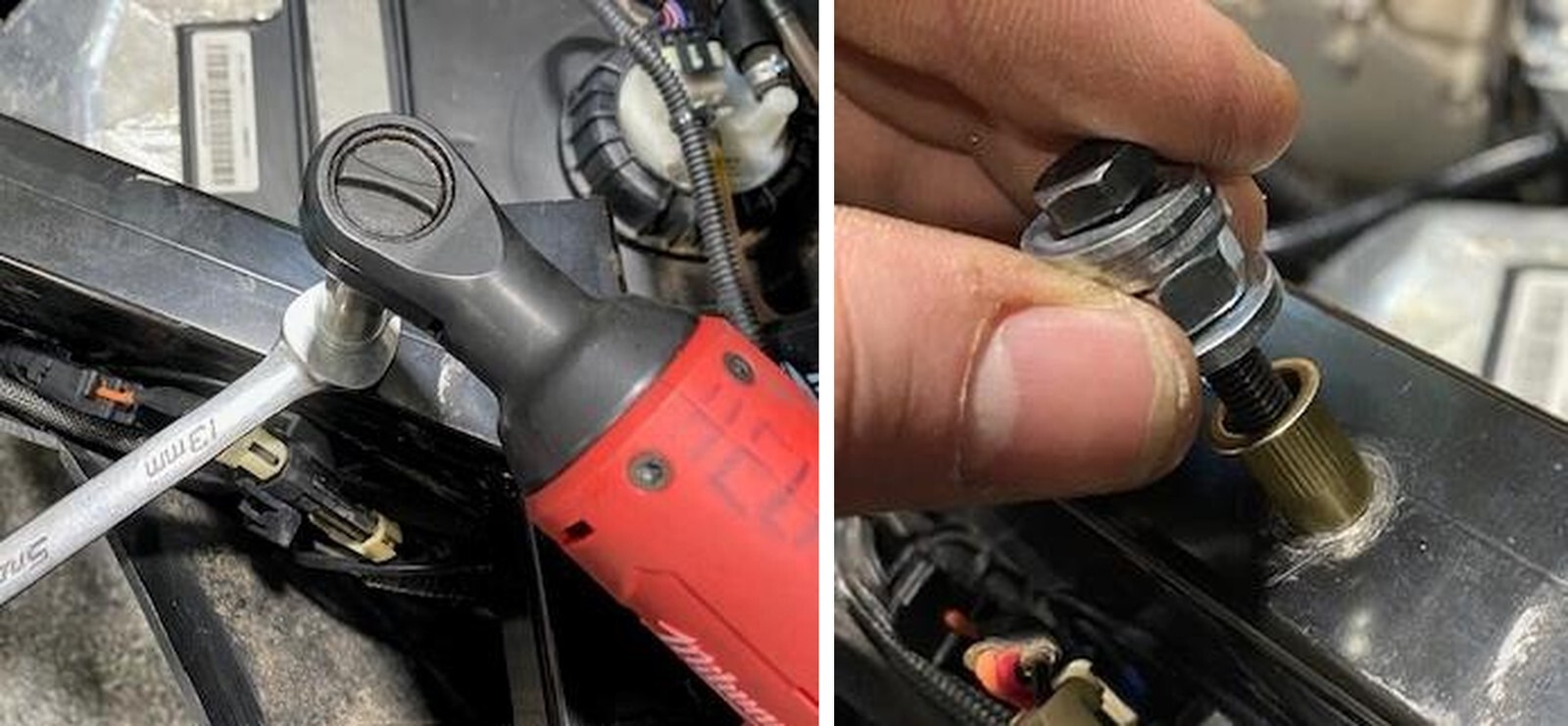
Install the nutsert and hardware into the hole previously drilled. Use a 12mm open end wrench to hold the M8 nut and a 10mm socket paired with a lite duty ratch wrench. Press down on the open end wrench and tighten the M6x40mm bolt with the ratch wrench. Apply decent pressure but don’t over tighten. Once complete, remove the M6x40mm bolt and hardware. Check to make sure the nutsert was compressed completely. Do the following (2) nutserts the same way.
Can-Am Defender installation
48
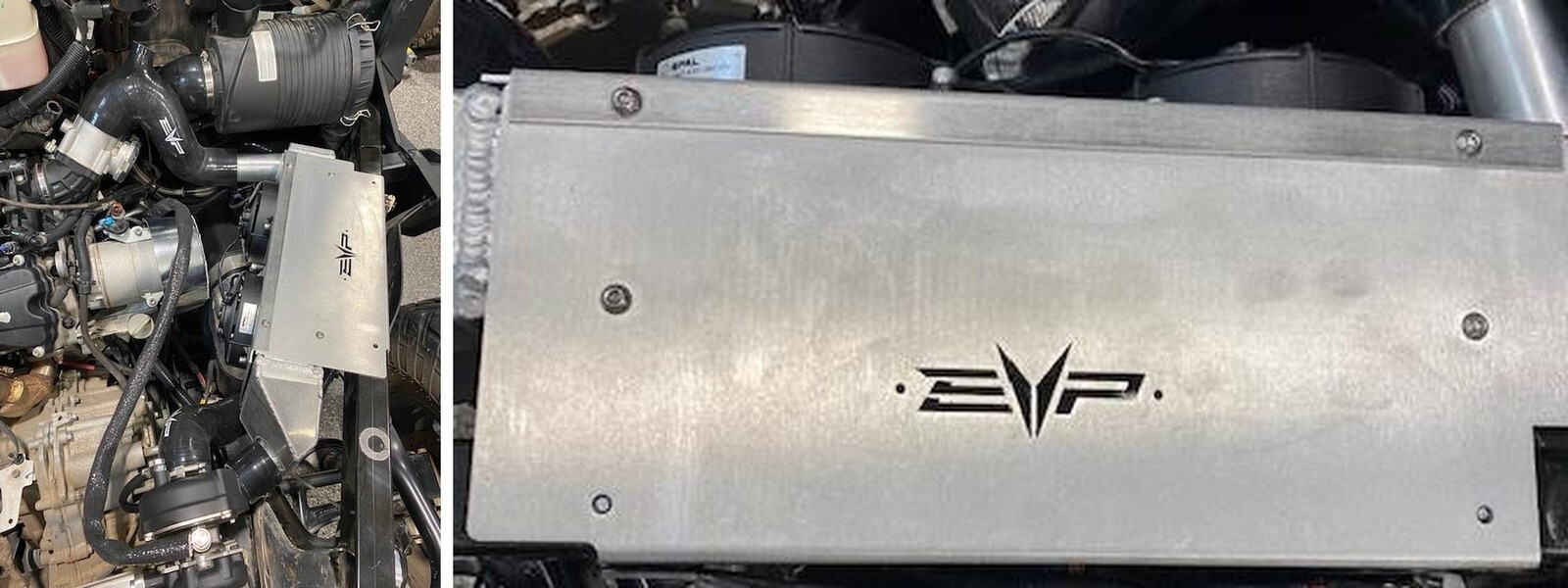
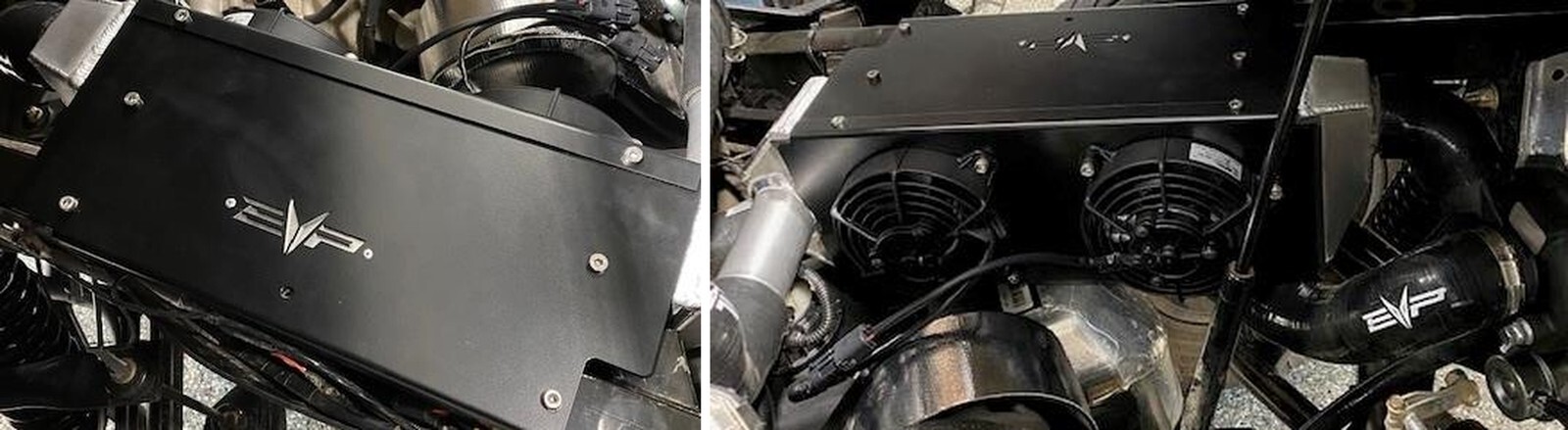
Install the backing plate onto the “EVP” cut out on the intercooler shroud. Use supplied 1/8” rivets.
49
Reinstall the intercooler and silicone. Fasten down the intercooler with (3) M6 low profile button head screws. Fasten down the turbocharger to intercooler hose with (2) 40-60mm clamps. Fasten down the throttle body to intercooler hose with (1) 50-70mm & (1) 60-80mm clamps.
Can-Am Defender installation
50
Install the intercooler “Y” harness to the intercooler fans. Connect the other end of “Y” harness to the relay harness we fed through the firewall.
51
If you are NOT installing a BOV install the supplied BOV plug and tighten down with a 25-40mm clamp. If you are installing a BOV, install the prefilter onto the BOV and install into the charge tube. Fasten down with a 25-40mm clamp. Locate the throttle body and remove the rubber plug. Install the 6mm vacuum line onto the throttle body port. Install 3mm vacuum line onto the BOV. Connect the vacuum lines with supplied coupler. Use pinch clamps to fasten down all vacuum line.
Can-Am Defender installation
52
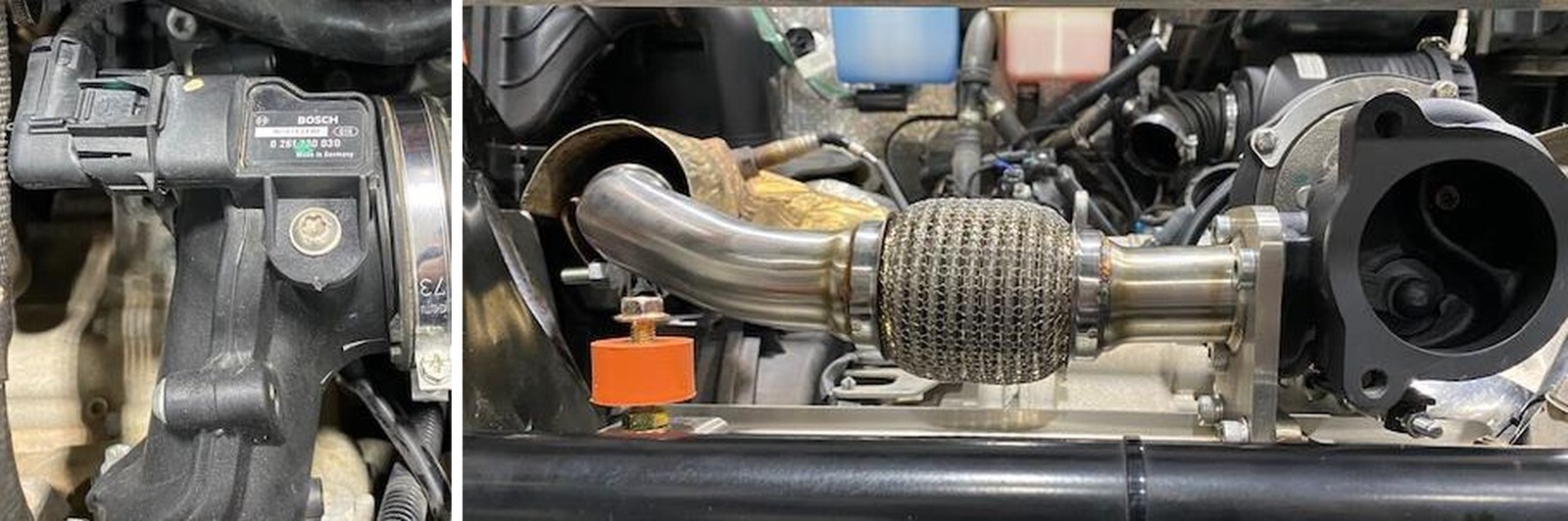
Locate the MAP sensor on top of the plenum. Remove the connector and screw using a T-30 socket. Install the supplied MAP sensor, apply dielectric grease on the O-ring. Reconnect the electrical connector and screw.
53
Locate both spark plugs, remove the spark plug boots and spark plugs using a 5/8” socket. Install supplied EVP spark plugs. You can apply anti seize on the threads.
Can-Am Defender installation
54
Install supplied M8 nut to the rubber isolator, install the isolator onto the muffler support bracket. Install M8x25mm screw into the top of the isolator.
55
Install the exhaust gasket onto the muffler with (3) M10x20mm screws. Install the muffler to the turbocharger and rubber isolator. Torque bolts to 38 ft-lb. Tighten the rubber isolator screw.
Can-Am Defender installation
56
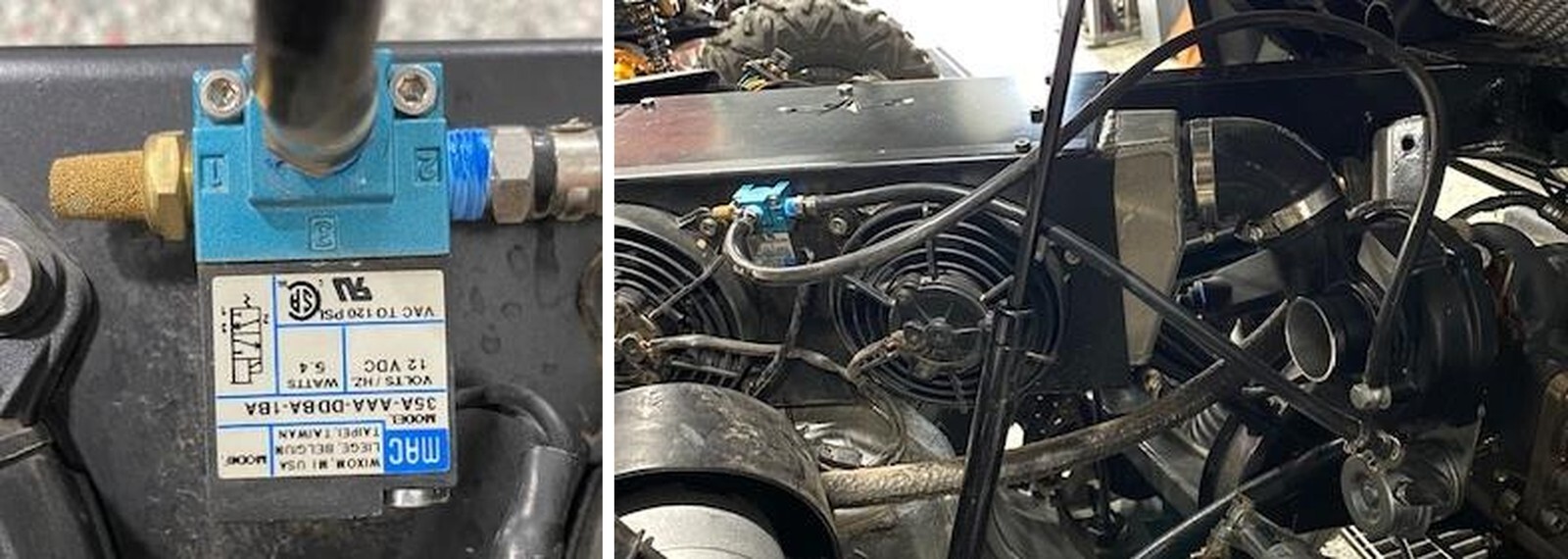
Connect the boost control solenoid to the turbocharger. Port 1 is the muffler. Port 2 will connect to the wastegate. Port 3 will connect to the turbocharger.
57
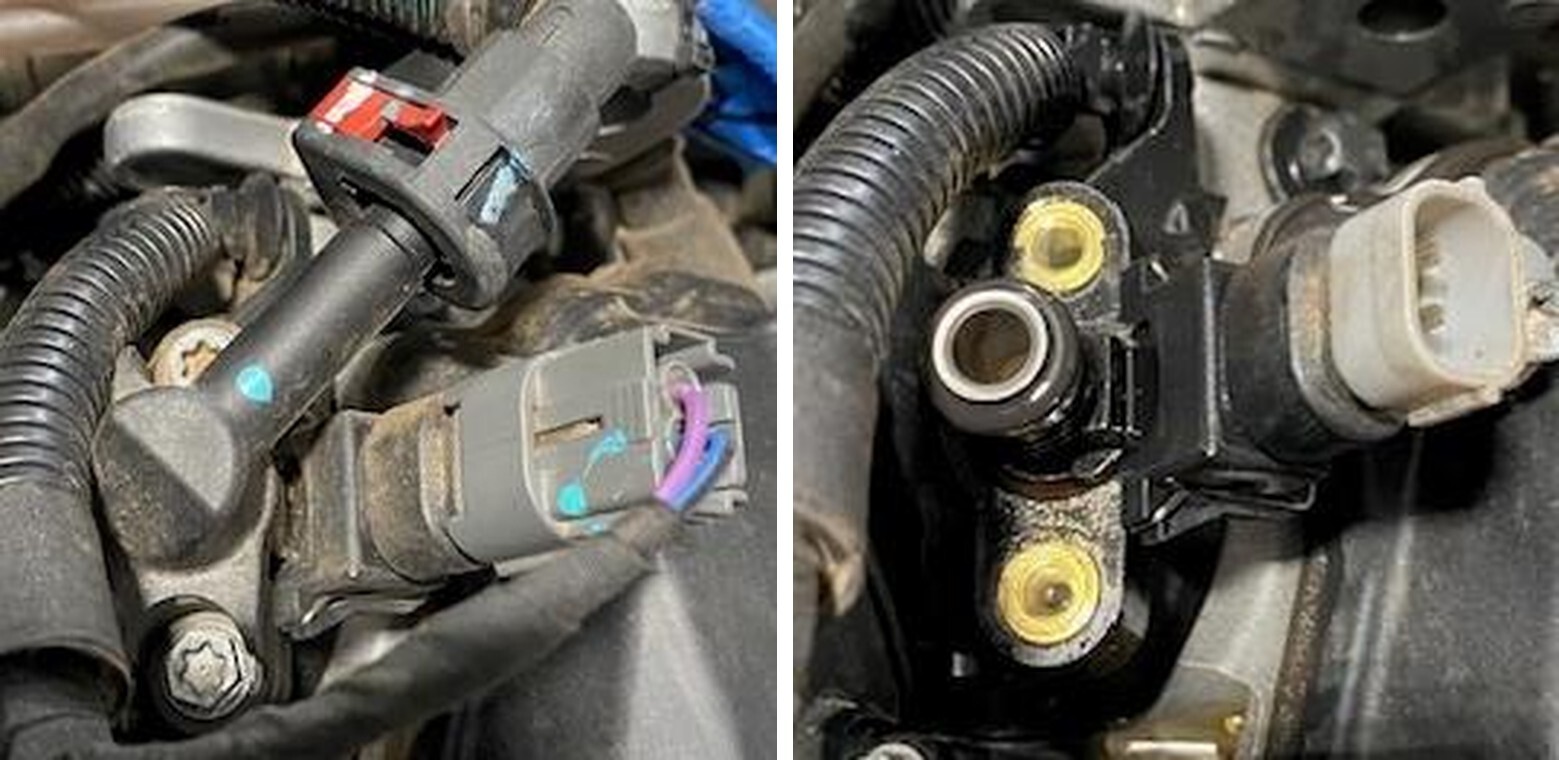
Locate the injectors, remove the electrical connector and remove the (2) screws with an 8mm socket.
Can-Am Defender installation
58
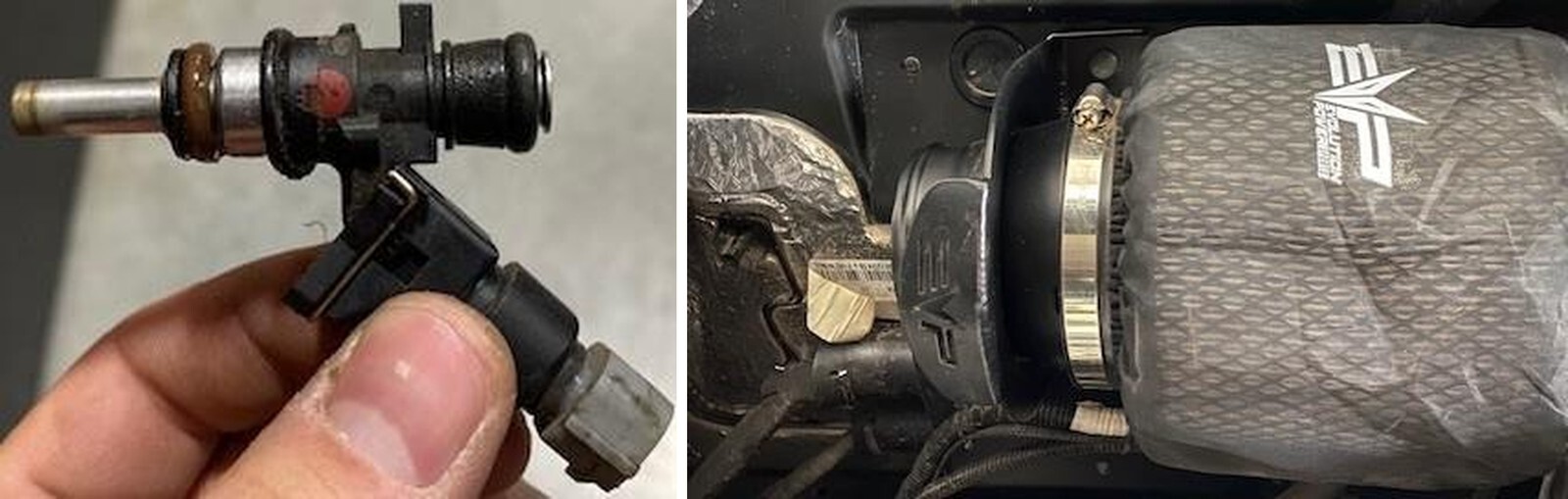
Remove the stock injector and install the supplied EVP injector. Use dielectric grease on the O-rings.
59
Install the high flow air filter onto the bracket.
Can-Am Defender installation
60
Install the high flow intake tube onto the turbocharger and air filter bracket. Fasten down with supplied clamps.
61
If you’re running a catch can, cap this port off. If you’re not running a catch can, connect your 5/8” supplied hose from the crank case to this port.
Can-Am Defender installation
1
Remove the oil dip stick.
2
Underneath the car you will locate the oil drain plug. Use a 17mm socket to remove the drain plug and sealing washer. Use a drain pan to catch the oil.
Can-Am Defender installation
3
With the firewall access panel removed (from turbocharger installation) locate the oil filter. Remove (3) 8mm bolts holding the oil filter cap on. Remove the filter.
4
Install the new oil filter and O-ring on the oil filter cap. Reinstall the oil filter cap.
Can-Am Defender installation
5
Remove the old sealing washer off the drain plug. Install supplied sealing washer and reinstall the oil drain plug.
6
With a funnel installed in the oil dip stick tube, add 2 full liters of oil.
Can-Am Defender installation
7
Locate the diagnostic port and hook up your CodeShooter device. Follow the step by step process to flash your vehicle.
8
Once the vehicle is flashed, start the engine. Check your oil level, the vehicle will take a little over 2 liters. Now is a good time to overlook your work and check for leaks.
Can-Am Defender installation
9
Reinstall the full interior, zip tie any loose or extra wires.
10
Reinstall the bed.
Can-Am Defender installation

Note: This product is exempt from the emission standards and related requirements of 40 C.F.R. § 1051 as provided by 40 C.F.R. § 1051.620, and California law [e.g., vehicle code§§ 27156 and 38391]. This product is sold only for use in connection with EPA certified, purpose-built, nonroad vehicles used solely for closed course, nonroad competition/racing and not used for any recreational purpose or on public highways or right of ways maintained by and open to the public. This product is sold only in connection with machines that do not fall under state and/or federal noise or emission standards/regulations. Purchasers who/that purchase this product represent and warrant that the product is purchased only in connection with EPA -certified, emission-regulations-exempt and noise- regulations-exempt competition/racing vehicles as interpreted under applicable state and/or federal law. Questions: Call Evolution Powersports at (715) 247-3862.