
What's in the Box
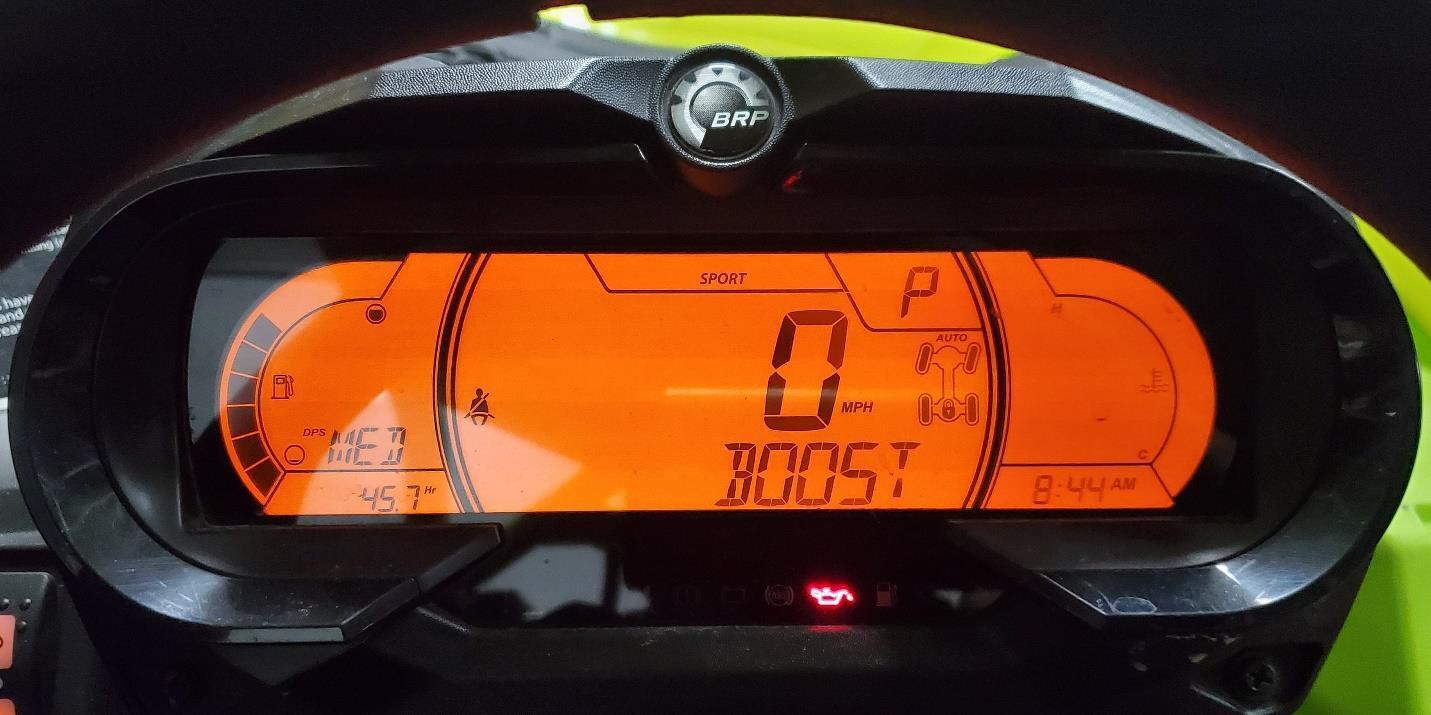
The EVP Dash Cluster Reflash (DCR) allows you to display boost on your OEM cluster. Optionally, addition modules can be purchased that allow you to display Air Fuel and/or Belt temperature as well. All dash clusters flashed after Feb 1st 2020 have all programming necessary for the optional AFR and Belt Temp modules – if you originally just purchased just boost and want to add belt temp and/or AFR, you only need to purchase the modules. You DO NOT have to send your dash cluster back to us.
Instructions for Boost Flash
- Reinstall your Dash Cluster into your vehicle after receiving it back from us
- To display boost on the top spot of your dash, press the menu button until it displays on the dash as shown in the picture below.
Instructions for AFR Module
- Reinstall your Dash Cluster into your vehicle after receiving it back from us
- Weld bung into exhaust system (if your exhaust has only one AFR sensor port)
- Run cabling from AFR sensor through tunnel up to the glove compartment
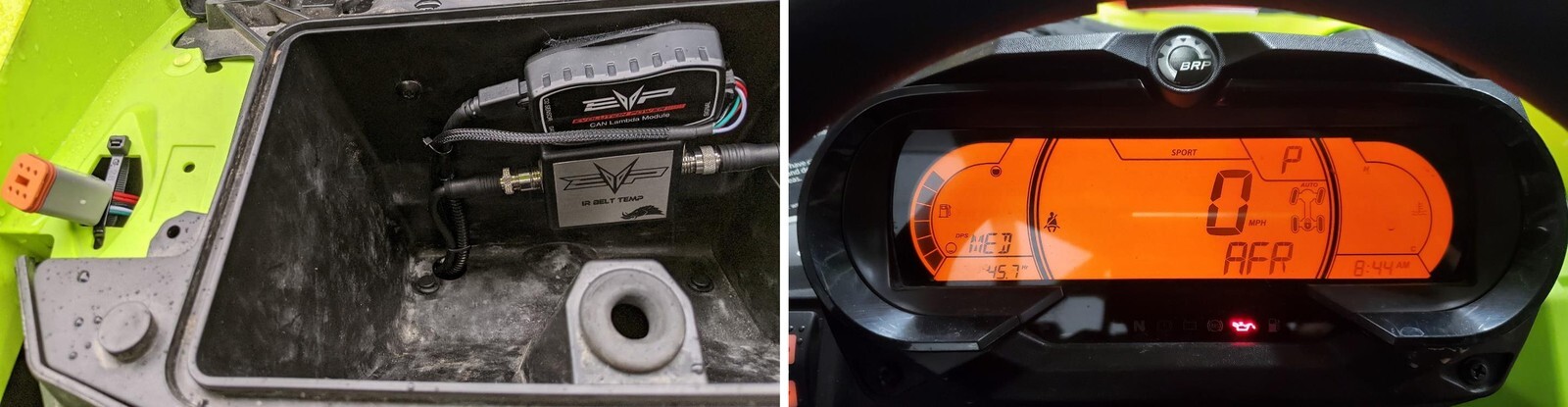
- Using velcro, install AFR module in glove compartment (AFR Module is not waterproof and must not be exposed to water)
- Plug in EVP port replicator and run them under the dash by the glove box so that you are able to run one OBD port to the hole next to the glove box so it is accessible (as shown in the picture below)
- Plug in AFR module into one of the three ports on the port replicator.
- To display AFR on the dash you will use the menu button and press it until you see AFR show on the dahs as shown in the picture
Instructions for Belt Temp Module
- Remove clutch cover and drill a ½” hole into the clutch housing directly above the center of the belt. The hole should be perpendicular to the surface of the belt and as close to the center between the primary and secondary clutches.
- Use the supplied locknuts to secure the sensor – use loctite on the nuts.
- Run cabling from belt temp sensor through tunnel up to the glove compartment
- Using velcro, install belt temp module in glove compartment (the belt module is not waterproof and must not be exposed to water)
- Plug in EVP port replicator and run auxiliary ports into Glove compartment
- Plug in AFR module into one of the free ports on the port replicator.
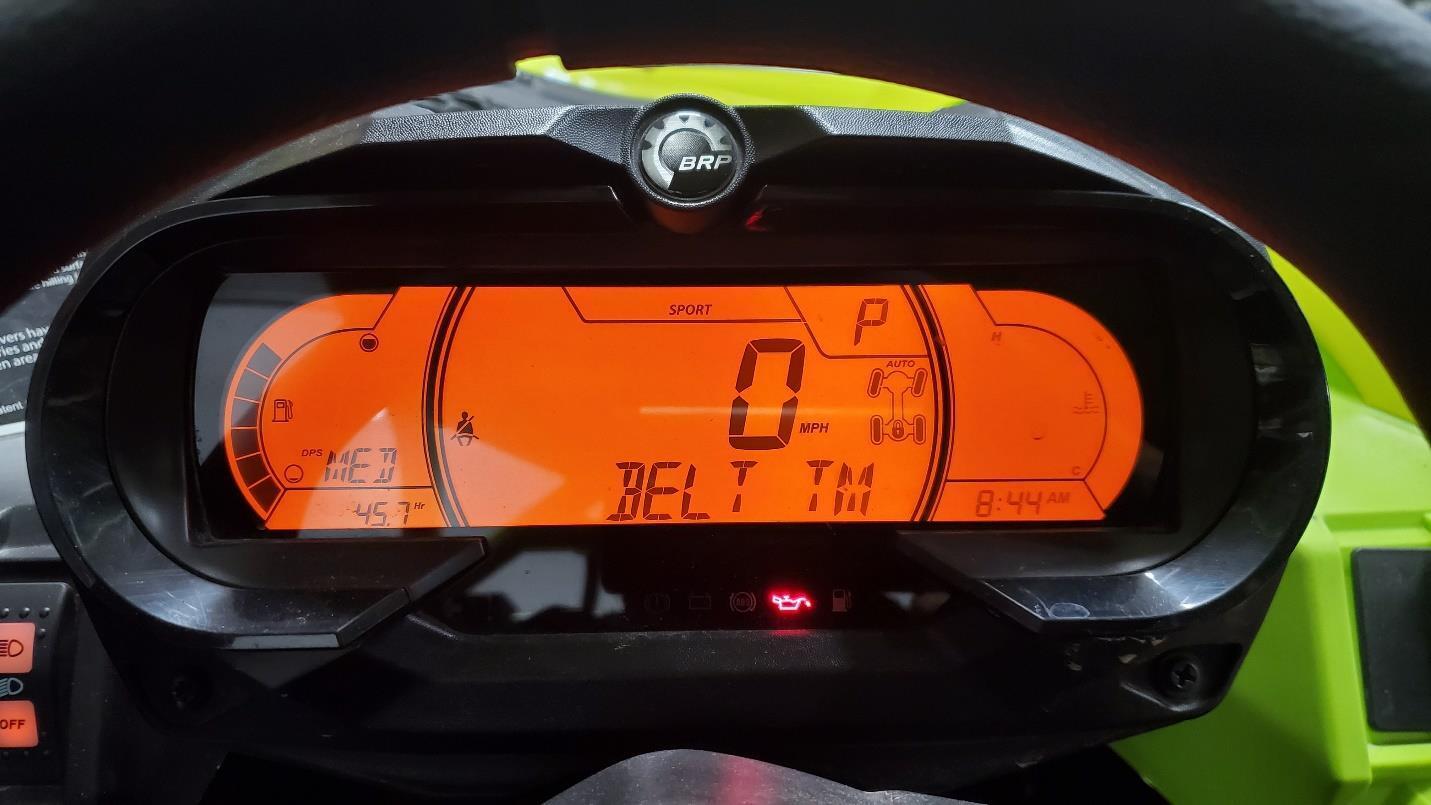
- To display belt temp, press the menu button until you see the belt temp show up as shown in picture below
Note: This product is exempt from the emission standards and related requirements of 40 C.F.R. § 1051 as provided by 40 C.F.R. § 1051.620, and California law [e.g., vehicle code§§ 27156 and 38391]. This product is sold only for use in connection with EPA certified, purpose-built, nonroad vehicles used solely for closed course, nonroad competition/racing and not used for any recreational purpose or on public highways or right of ways maintained by and open to the public. This product is sold only in connection with machines that do not fall under state and/or federal noise or emission standards/regulations. Purchasers who/that purchase this product represent and warrant that the product is purchased only in connection with EPA -certified, emission-regulations-exempt and noise- regulations-exempt competition/racing vehicles as interpreted under applicable state and/or federal law. Questions: Call Evolution Powersports at (715) 247-3862.