Installation
1
Remove panel between the seats that allows access to the turbocharger.
2
Remove and label vacuum lines from the boost control solenoid going to the wastegate actuator, boost reference, and air box (corresponding colors). Boost solenoid located in the yellow box.
3
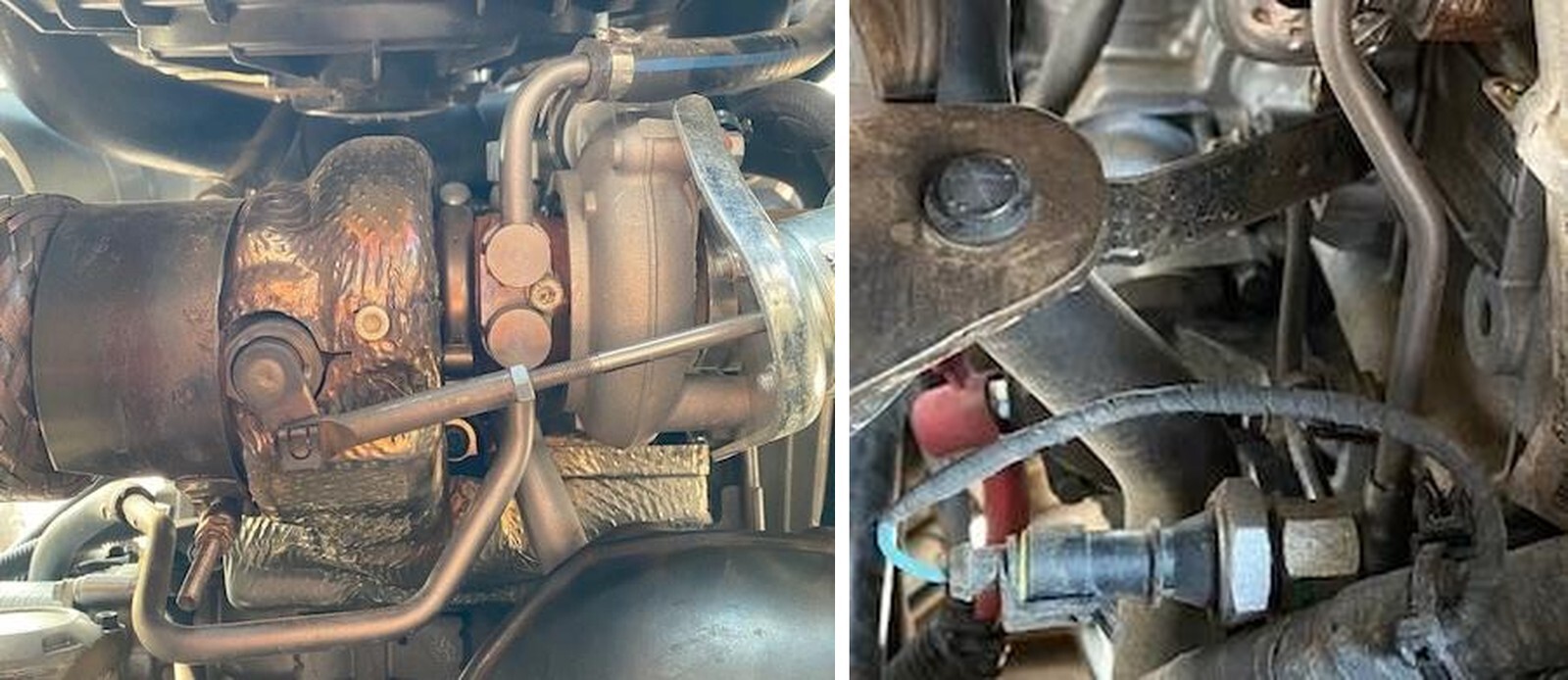
Remove the worm drive clamp holding the intake tube onto the turbo. (Shown in photo above).
4
Remove the worm drive clamp on the top of the air box.
5
Using a 13mm socket remove the 2 bolts behind the driver seat holding the air box to the firewall.
6
Remove the worm drive clamps or t-bolt clamps holding the charge tubes on. Intercooler to turbocharger and intercooler to throttle body. Remove from vehicle.
7
Using a 10mm socket, remove the (4) fasteners holding the intercooler in place. Be sure to unplug the intercooler fan. Remove intercooler assembly from vehicle.
8
Remove the nut on the V-band clamp holding the exhaust onto the turbo. You may need to use penetrating oil.
9
Remove the worm drive clamps holding the heat shielding on to the mid-pipe. Remove heat shields from mid-pipe.
10
Remove oil drain line from turbocharger by cutting the OEM clamp.
12
Remove oil supply line from top of the turbocharger.
14
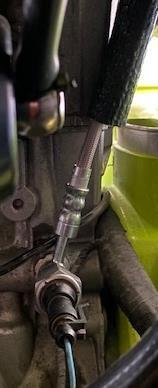
Using a soft grip vise grip, pinch off the soft coolant lines that supply/return water to the turbo. About 2 inches from the hardlines.
15
Cut the OEM clamps holding the soft coolant line to the hardline. Remove the soft coolant lines from the hard lines. The hardlines will come out with the turbocharger.
17
Remove bolts securing exhaust manifold heat shields – lower heat shield can be removed. Upper heat shield must stay on until the turbo is loose.
18
Using a 10mm socket or T40 Torx remove the fasteners holding the exhaust manifold to the engine and remove the turbo from the vehicle.
19
Remove oil pressure sensor and OEM oil line (be sure to save the copper washers).
1
Slide the supplied oil feed line through the 5/8” supplied fire sleeve. Reinstall the OEM oil pressure sensor through the banjo side of the EVP oil feed line. Install the OEM copper washers on each side of the banjo fitting. See figure 1.
2
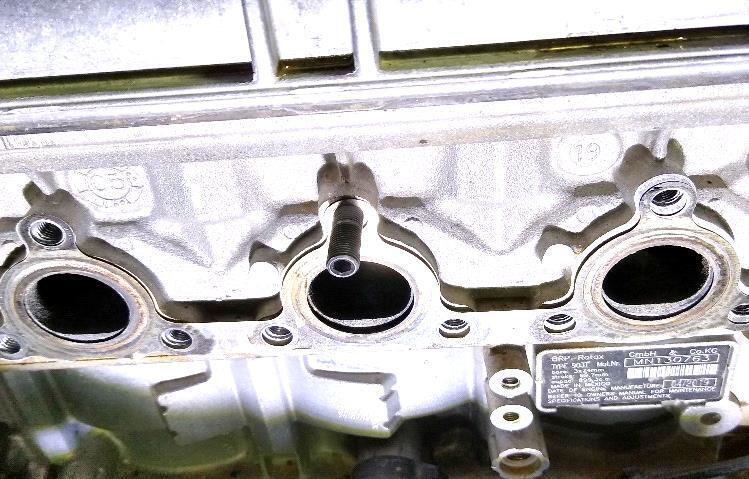
Install the M8 x 1.25 stud into the top hole of the center exhaust port. Thread the stud all the way in then back it out one full turn. Hang the OEM manifold exhaust gasket on the stud. See figure 2. NOTE: If you have a P46/50 install the second stud on the top right hole.
3
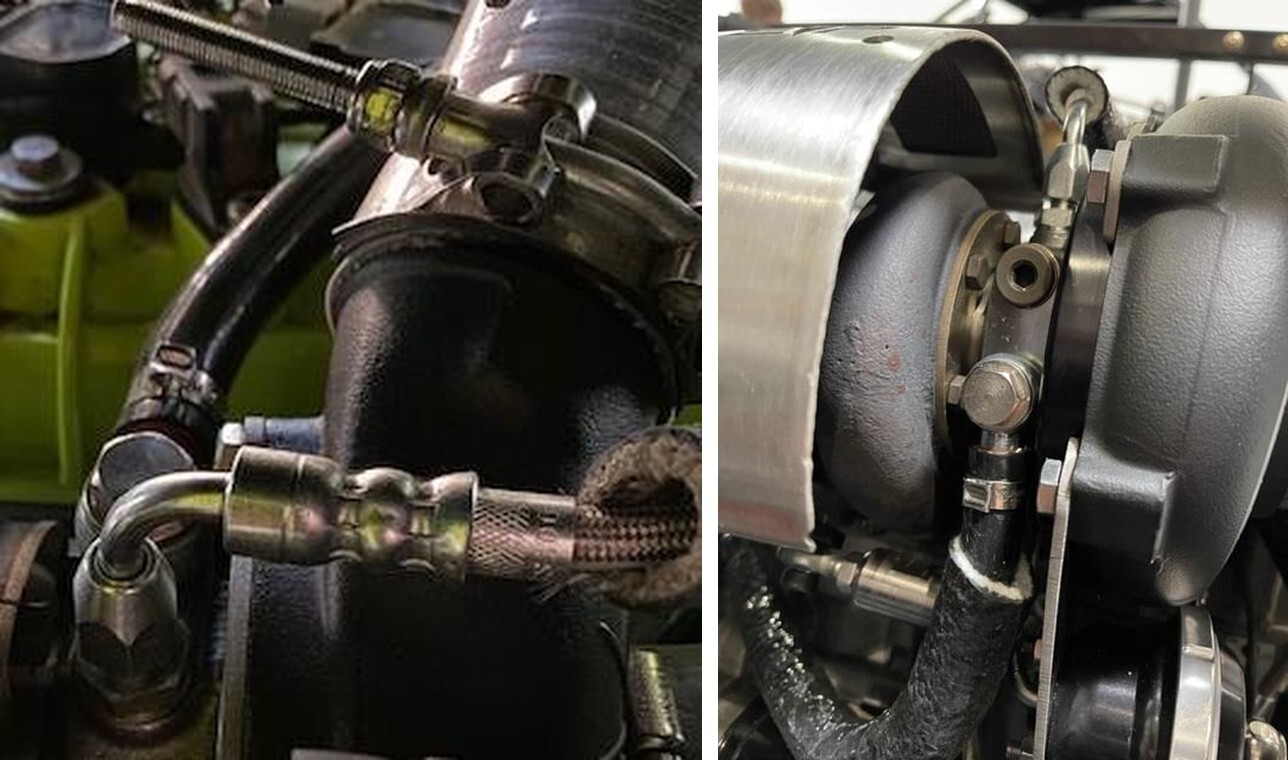
Install the new turbocharger reusing the OEM fasteners. Sequence 1: Torque the (2) retaining screws to 44 in-lb (4 ft-lb). Sequence 2: Torque the all (9) retaining screws to 17 ft-lbs. (23 Nm). Install the M8 x 1.25 copper flange nut onto the stud. Use a 4mm Allen wrench to hold the stud while torquing to 17 ft-lb. See figures 3-4.
4
Connect the EVP oil supply line to the top of the turbocharger. Remove the safety red cap before installing.
5
Connect the OEM rubber drain hose to the Paragon oil drain. Use the supplied 27mm pinch clamp to secure it.
6
Install both 3/4" fire sleeves onto each 3/8” silicone water hoses. The shorter fire sleeve will connect to the rear of the turbocharger coolant fitting and run to the “T” underneath the coolant resivor. Use (2) 18mm pinch clamps. The longer fire sleeve with silicone hose will connect the the front barb coolant fitting and connect back to the OEM soft coolant line using the supplied 3/8” hose barb. Use (3) 18mm pinch clamps.
7
Install the 3/4-3/4 barb into the V-Flow and secure with a pinch clamp. NOTE: If using a catch can, cap the hose barb with supplied cap. Install the V-Flow to the turbocharger and air box. Reinstall the (2) 13mm bolts securing the airbox to the firewall. Tighten the V-Flow down.
8
Reinstall the (3) vacuum lines coming off the boost control solenoid. Use the (2) 3/16” 90-degree hose barbs and (2) 7inch vacuum hoses to connect the wastegate and boost reference port. Reuse the OEM airbox vacuum line and clamp and connect to the V- Flow.
9
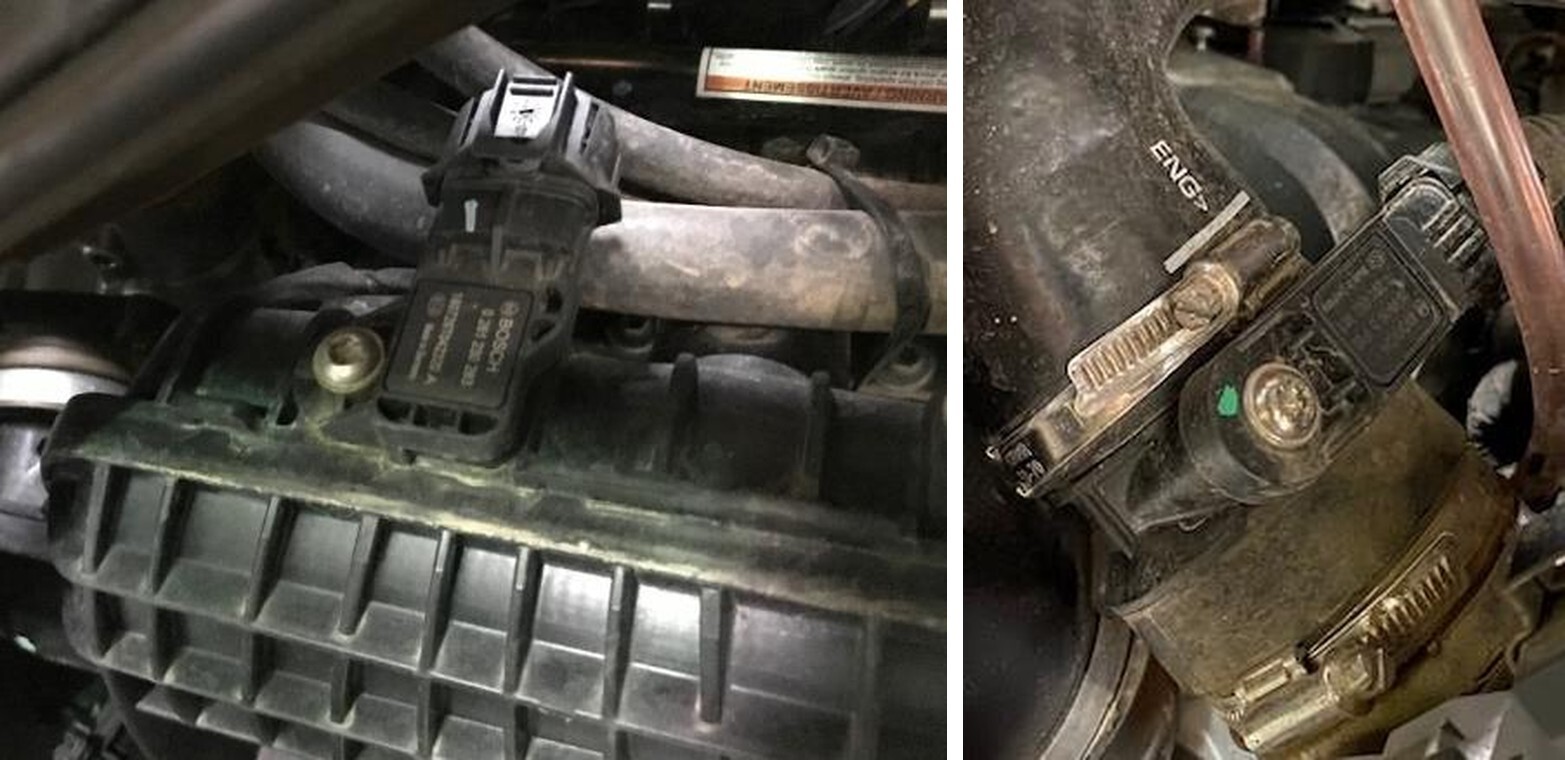
Install the (2) supplied MAP sensors. One is located on the throttle body; one is located on the intake plenum. (See Figure 8-9). The MAP sensor on the throttle body will use supplied MAP sensor harness. NOTE: Use dielectric grease on the green O-rings for installation. If you are getting MAP sensor codes, 180 the plug. NOTE: Tighten both OEM throttle body clamps or it will pop off when boost is built.
10
Install the lower charge tube onto the throttle body, don’t tighten down yet.
11
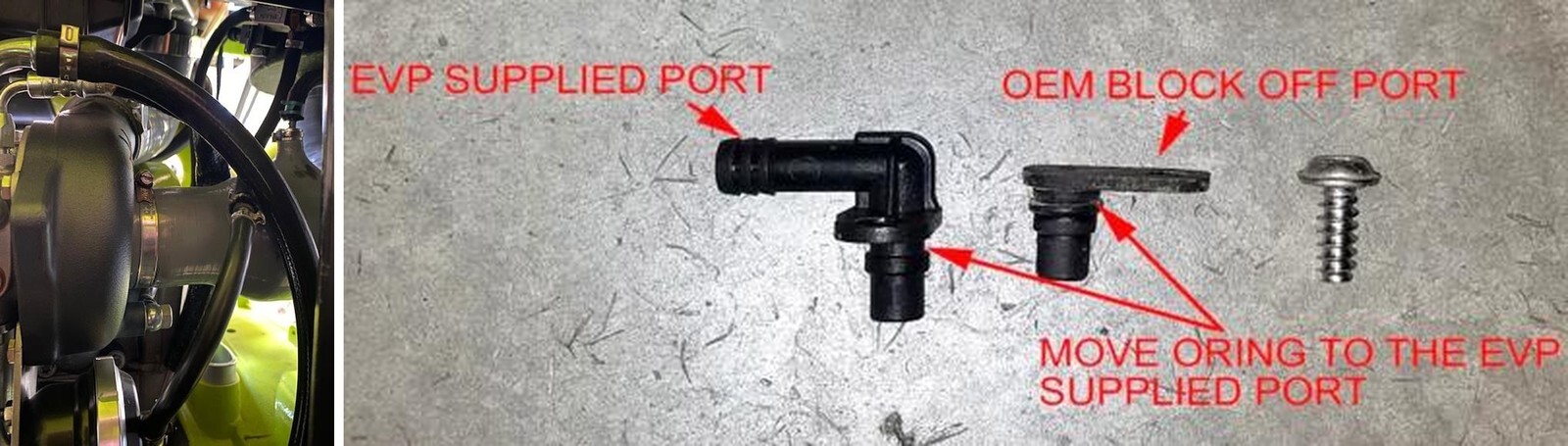
Install the Blow Off Valve into the charge tube. Run the vacuum line from the BOV to the plenum. Install the supplied plenum barb, reuse the OEM torx screw. (Fig 10).
12
Install the EVP plenum brace onto the OEM plenum. The brace will only fit on one- way. This is a girdle for the plenum. If you have any questions, please reference “the clamp” instructions on our website. NOTE: you can upgrade to a EVP plenum if you don’t want the brace.
13
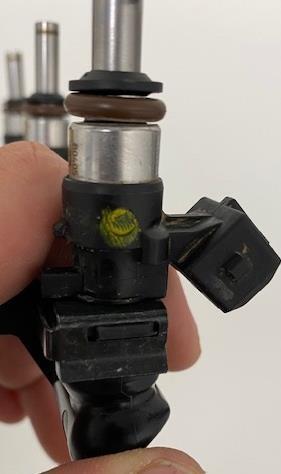
With brake cleaner, spray around all (3) injector ports and fuel rail. Wipe debris away with a rag. Turbo and Turbo R models press the metal clip down and remove the connector from the injector. Remove the fuel hose from the fuel rail. Push the connector in and spread left/right side away from the fuel rail. Remove the fuel rail, keep the O- rings with the fuel hose. Remove the (2) fuel rail screws.
14
Remove the injector clip, once the clip is removed you can pull the injector out of the fuel rail. Install the EVP injectors, use dielectric grease on the o-rings allowing for easier installation. Place the injector clip back onto the fuel rail, make sure the clip is in both grooves. Reinstall the fuel rail in reverse order.
15
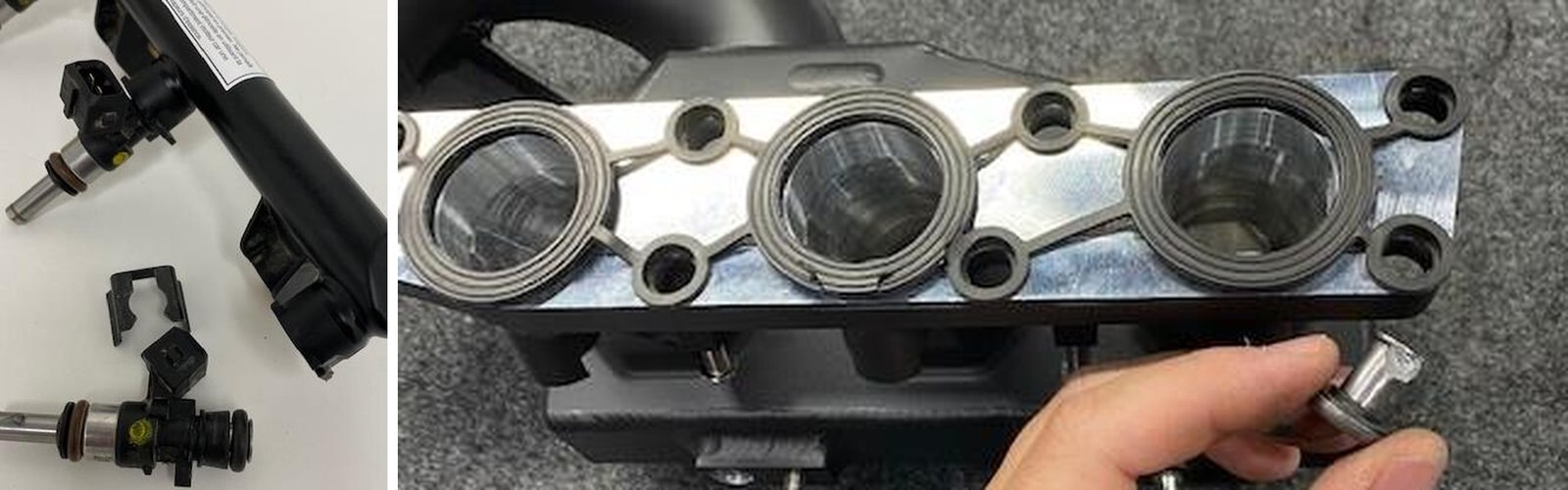
Remove the OEM plenum from the vehicle. The “Torrent F” plenum will reuse the OEM gasket and gasket sleeves. Clean the gasket before installation. Use Di-electric grease to push in all (8) gasket sleeves. (Figure 13).
16
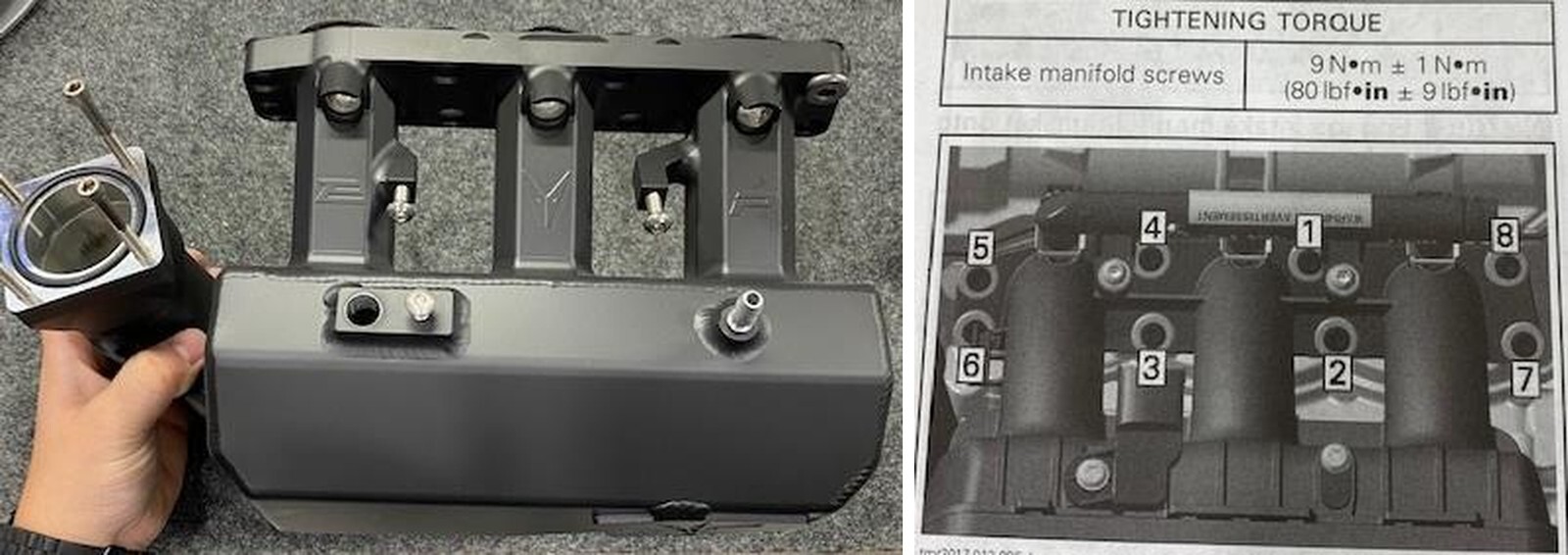
The “Torrent F” plenum comes with a hardware kit including: (4) throttle body mounting screws, (1) throttle body O-ring, (2) fuel rail mounting screws, (1) MAP Sensor mounting screw, (1) Intake manifold pressure barb. (Figure 14).
17
Remove all (3) spark plug coil connectors. Remove all (3) retaining screws and ground connectors. Pull the ignition coils out of the block. Now the spark plugs can be accessed and changed out with supplied EVP plugs. Torque the new spark plugs to 97 in-lb (11 Nm). Reinstall the coils, ground connectors and retaining screws.
18
If you’re installing 9mm ARP 2000 head studs please follow the instructions. If you’re NOT installing head studs please skip to step 19. Remove (1) factory head bolt and replace with (1) ARP 2000 Head Stud 9mm. Apply supplied assembly lube to the top of the stud threads and both sides of the washer and nut. Install washer first, then thread nut onto the top of the stud - torque nut to 45 ft lbs. Be very careful not to drop anything into the engine! NOTE: Do this process one at a time for all remaining head bolts. Never loosen more than (1) head bolt without replacing and torquing with a stud. This will ensure the cylinder head gasket does not lose its seal. Once all factory bolts have been replaced with studs, torque the head according to the “REPLACEMENT” pattern and torque steps below. When all studs have been torqued to the final value, re-torque to the final value (3) more times.
19
Installing the EVP race intercooler and stock intercooler will be the same process. Place the intercooler into the tray and install the (4) intercooler bolts loosely. Connect the intercooler fan to the vehicles wiring harness. Connect both upper and lower charge tubes to the intercooler. Tighten all (4) intercooler bolts and all (4) charge tube clamps.
20
Reinstall your free-flowing exhaust or if you have purchased on of our EVP handcrafted exhaust kits please find those installation instructions on our website. Install the EVP turbo heat shield: one v-band clamp and bracket.
21
Remove plastics covering fuel tank. See fig 14 below for location.
22
Unplug electrical connector going into the top of the pump.
23
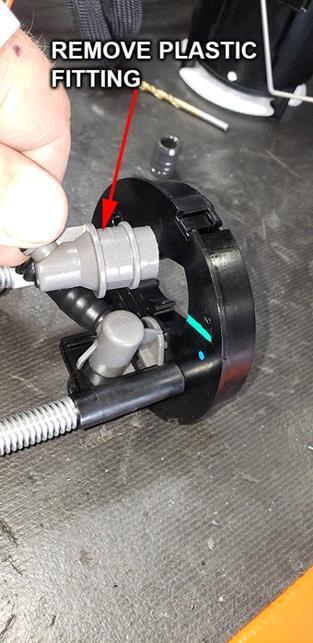
Unhook fuel hose by removing the red/blue clip from the connection. Then push down on the black clip while pushing in on the back side of the fitting – then lift the fitting off the pump assembly.
24
Rotate pump assembly cap counterclockwise and remove from the tank.
25
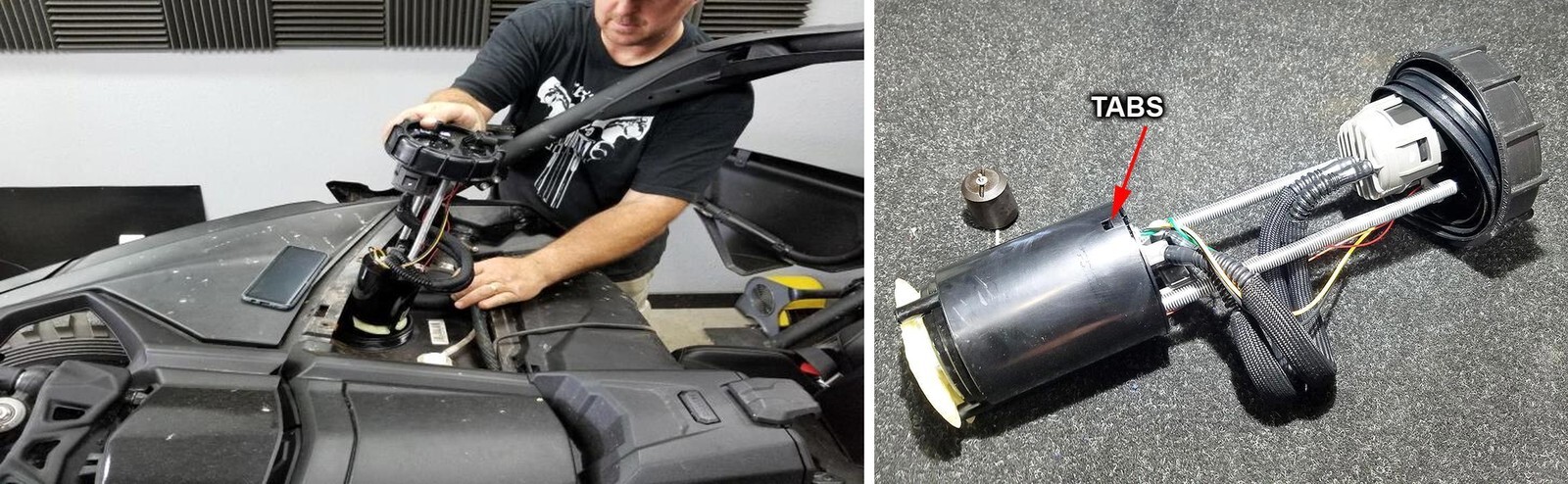
With the fuel pump on a workbench and all the fuel drained out of the pump assembly, press in on the (3) tabs to release the housing covering the tank.
26
Install fuel pump assembly back into tank in the reverse order from its removal.
27
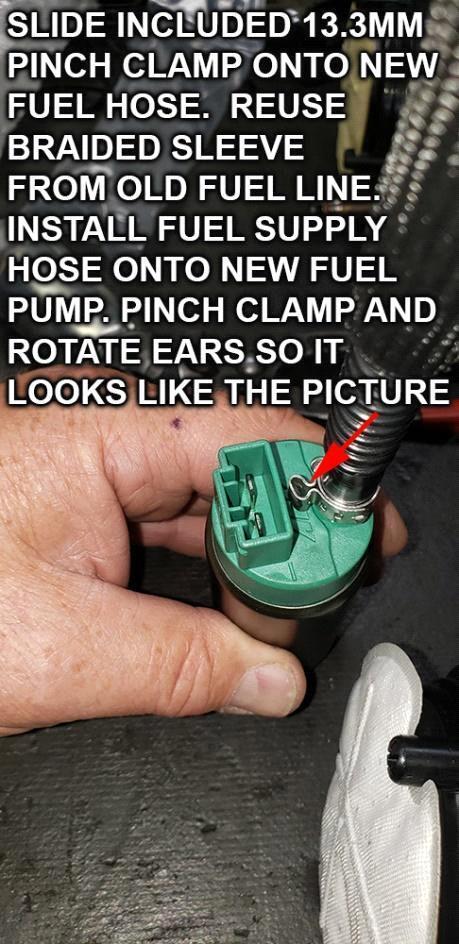
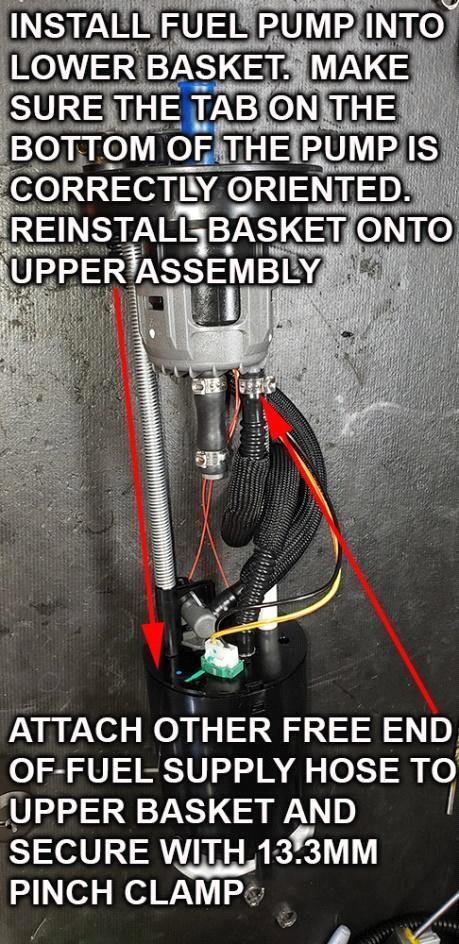
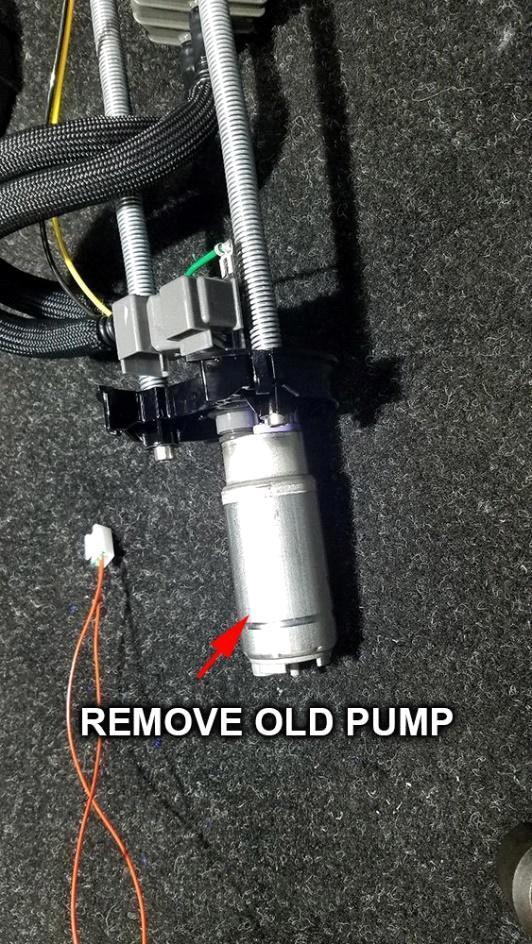
Install the EVP supplied fuel pump into the surge tank that was removed in . Make sure the pump is oriented and fitted correctly into the bottom of the housing When properly oriented, the pump will drop into place and it will not rotate.
28
Plug the electric connection into the pump.
29
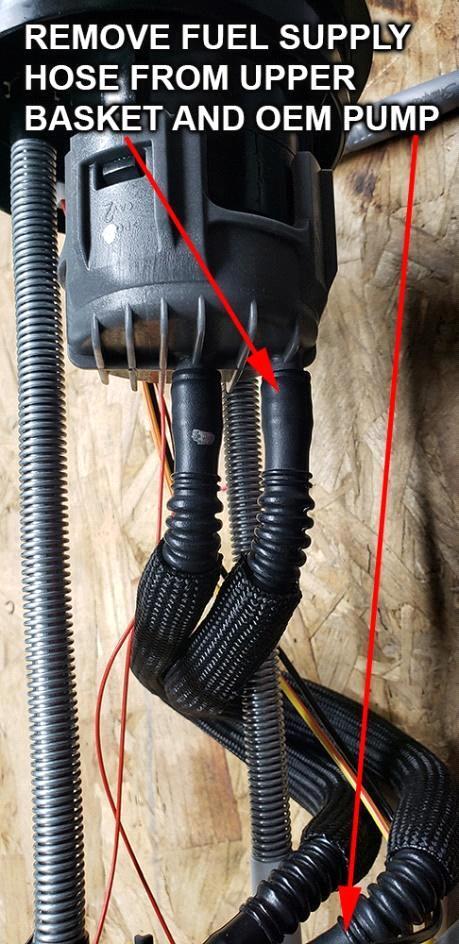
Carefully align the tabs and reinsert the cap into the housing – do not force it – if it does not fit in with moderate pressure, something is not correct – recheck. See picture below of fuel line and electrical connection.
30
Reinstall pump assembly.
31
Install EVP Plug-N-Play fuel pump relay harness.
32
Connect the yellow wire with the ring terminal and the relay to one of the bolts that secure the fuel pump protector strap to the frame. Make sure the ring terminal is grounded to the frame.
33
Replace OEM fuel pump fuse with the supplied 20-amp fuse in location F5.