Skip to content
English
  • There are no suggestions because the search field is empty.

Can-Am 2021 X3 Turbo RR Ultimate Shift-Tek Clutch Kits — Install Guide

Can-Am · 2021 Maverick X3 · SKU ST-2021RR 3R-91 (402FC0049), ST-2021RR 3R-93, (402FC0050), ST-2021RR 4X


Installation

1
Remove clutch cover and drive belt.
2
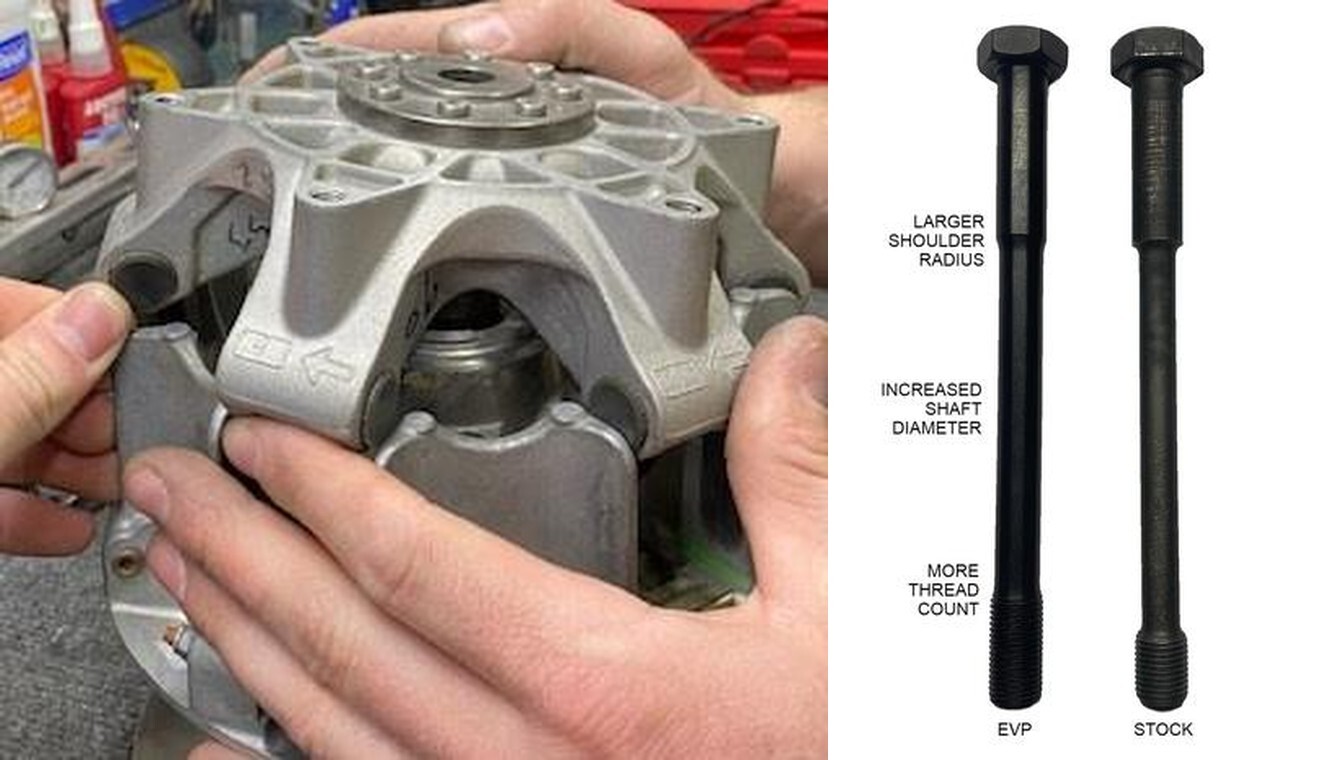
For OEM cam arm removal, use a T25 Torx bit on one end of the pin and an 8mm socket on the other and remove the nut.
3
Remove the pin.
4
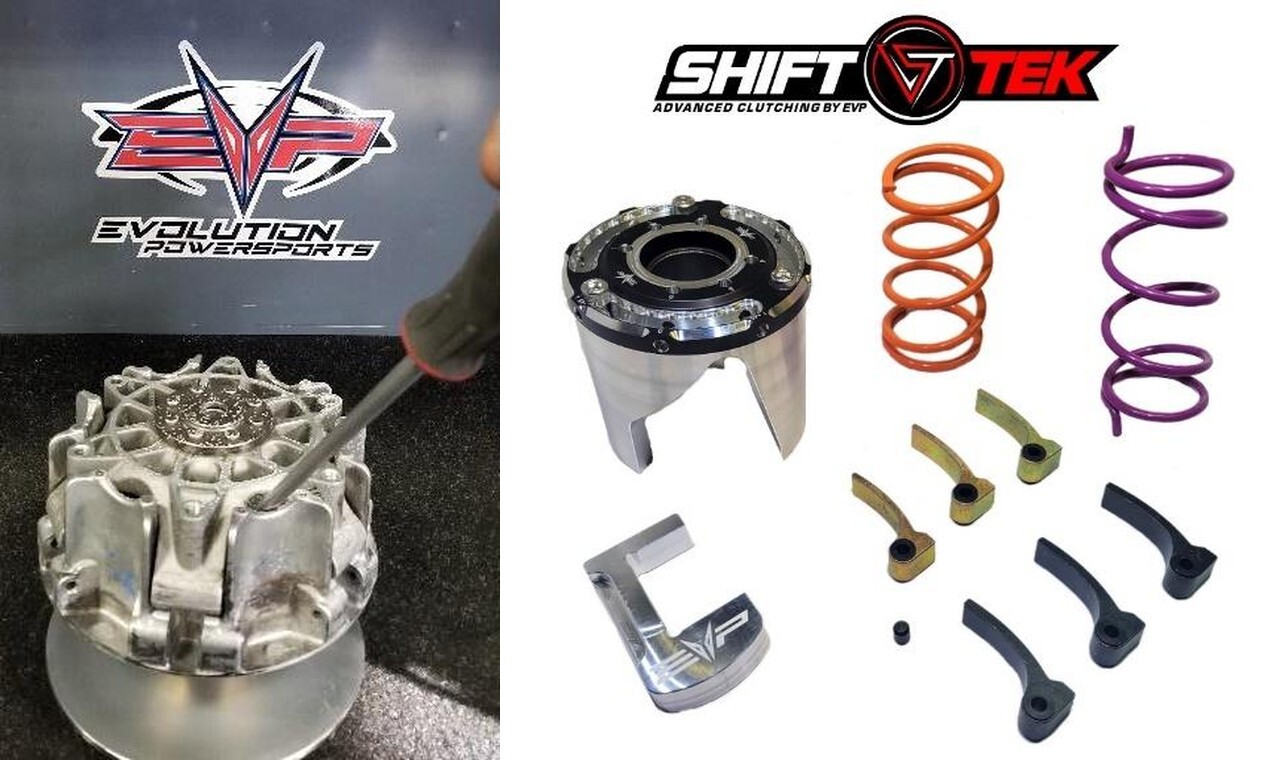
Use a screwdriver to open the sheaves and a magnet to retrieve the cam arm SEE PICTURES BELOW– be careful to save the washers that are installed on both sides of the arm – these will be needed if you ever use the stock weights again. They are NOT needed for the installation of the EVP weights.
5
To install the new cam arms, slide an arm into the location where the previous arm was installed. Use a magnet to position the arm so the pin can be reinstalled. Reinstall nut onto pin.
Can-Am Maverick X3 installation
1
Remove clutch cover and CVT drive belt.
2
Remove primary bolt using a 22mm socket. Remove primary clutch bolt.
3
Use a primary clutch removal bolt and remove the clutch, move to a clean workspace.
4
Place clutch puller bolt into the primary clutch, hand tighten until its 1 1/2" from the clutch housing. NOTE: Put anti-seize on the top of the bolt. This will help NOT damaging the head.
5
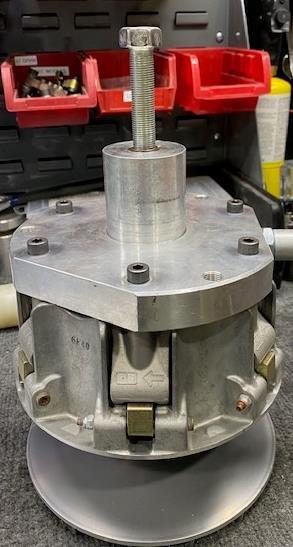
Place the service tool onto the primary, hand tighten (6) M6 Allen screws into the clutch basket. Hand tighten the service tool bolt into the clutch until it hits the head of the clutch puller bolt, which has anti-seize on the head. (Figure 1).
Can-Am Maverick X3 installation
6
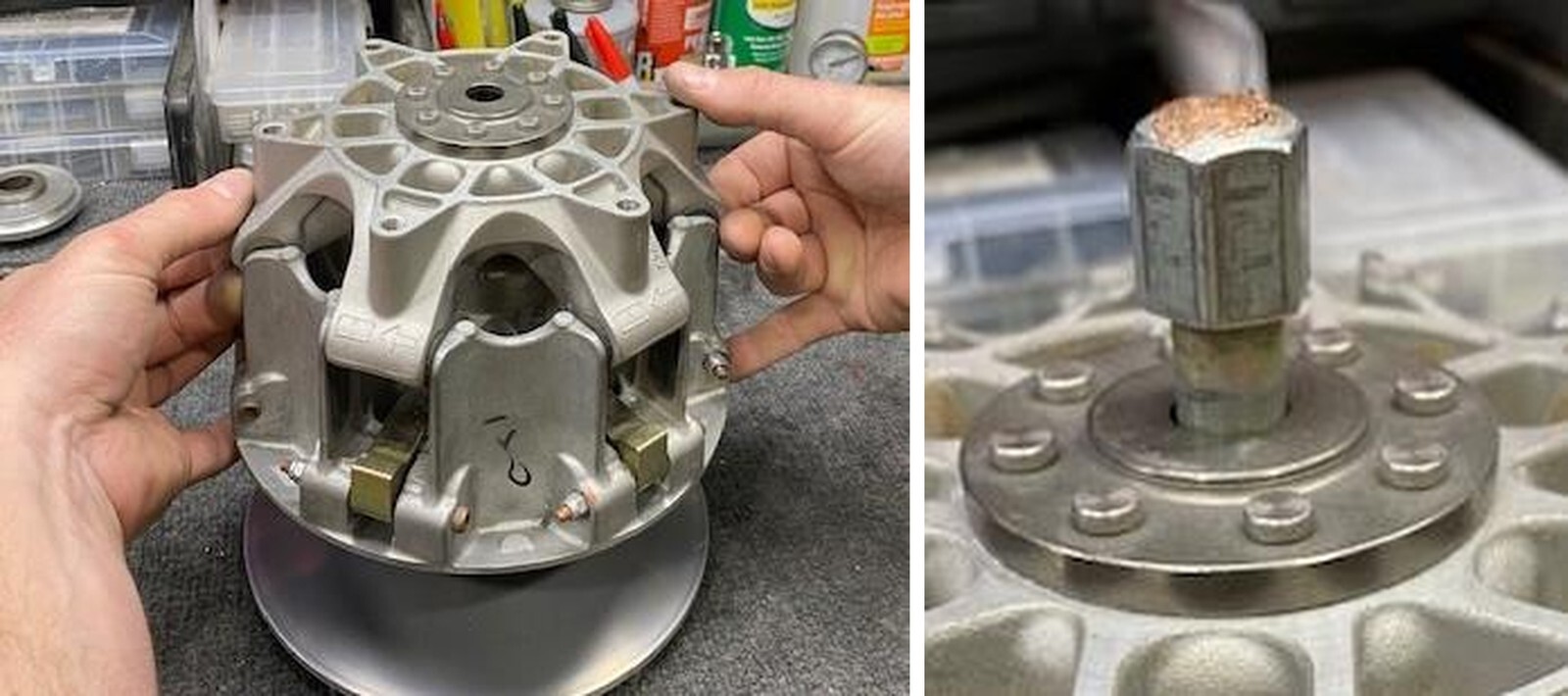
With an impact and 24mm socket, tighten down the service tool bolt until you hear it pop. This is removing the basket of the clutch from the stationary sheave.
7
Remove the spider from the basket, keep all (6) rubber caps. (Figure 2).
8
Remove the basket from the stationary sheave, and place into a clutch compression tool.
9
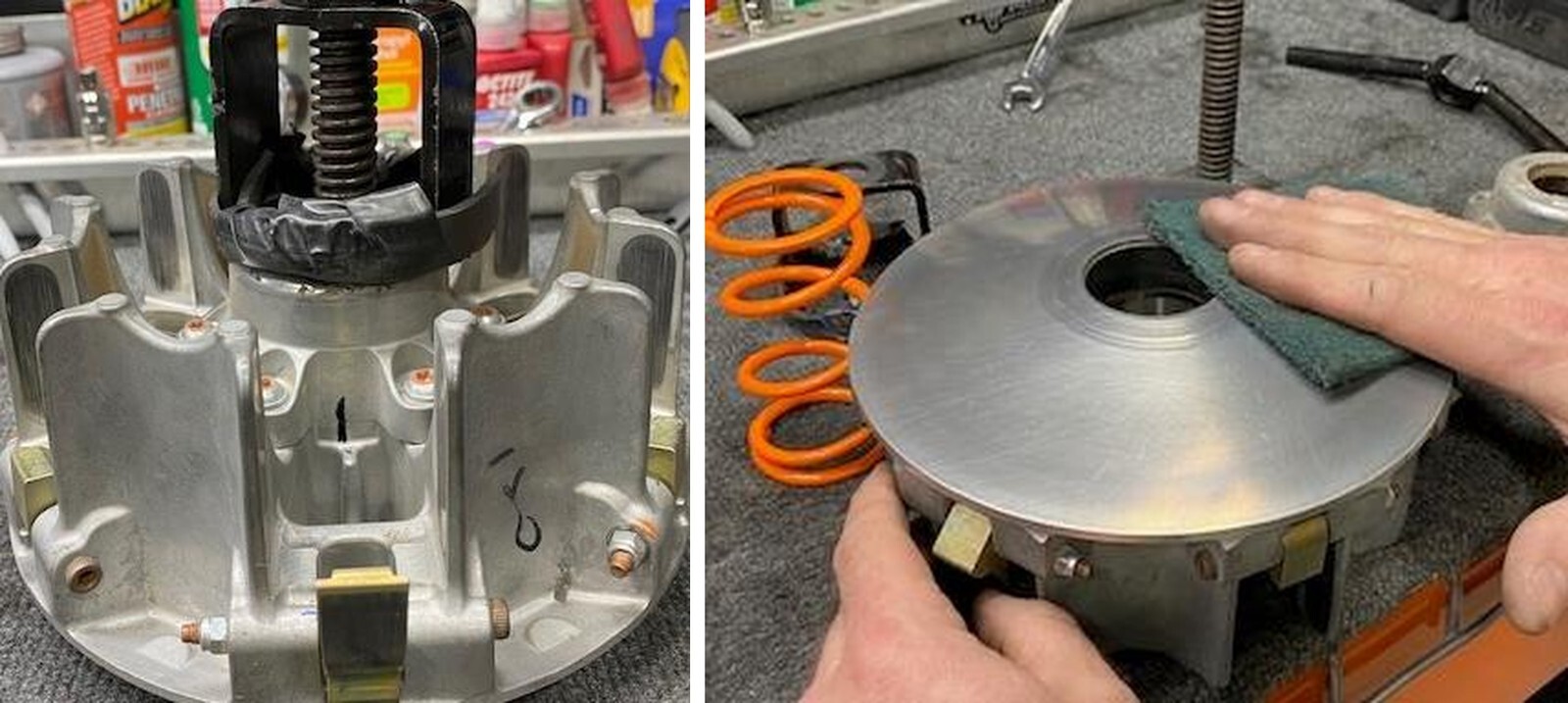
With a sharpie, draw an alignment mark from the spring cap to the spider. This will ensure proper alignment when reassembling. (Figure 3).
10
With a T-30 Torx, loosen all (6) bolts securing the spring cap.
Can-Am Maverick X3 installation
11
Loosen the clutch compression tool. Remove spring cap and primary spring.
12
Blow out the primary basket with compressed air. With green scotch brite pads, clean the inner surfaces of both sheaves. Whip down with a clean rag and brake cleaner. (Figure 4).
1
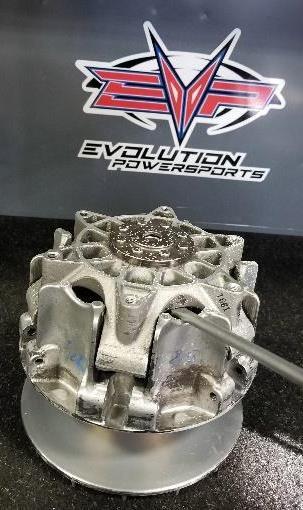
With an 8mm socket and T-25 Torx, loosen one weight pin at a time.
2
Remove the weight pin, remove the weight. NOTE: OEM weights have (2) bushings, keep these if you ever want to reuse the OEM weights. They are NOT needed for EVP weights. (Figure 5).
3
Install the new EVP weight and reuse the OEM pin and Nylock nut. Tighten down till the pin is snug, we want the weights to move effortlessly.
Can-Am Maverick X3 installation
4
Do step 1-3 for the rest of the weights. NOTE: Primary clutches need to be perfectly aligned. If you place a gold weight in the clutch, across from it needs to be a gold weight. Same for black weights. FOR EXAMPLE: ST-2021RR 3R-91 gold.
  • 3 Black, 3 Gold.
  • The EVP cam arms need to be staged as 1 black, 1 gold, 1 black, 1 gold, 1 black, 1.
1
Place the basket back into the clutch compression tool. Place the EVP Orange primary spring into the clutch and spring cap. Compress the spring cap and make sure the alignment marks line up. (Figure 6).
2
Use Blue Loctite on (6) T-30 Torx securing the spring cover. Torque to 9Nm or 80 in-lb.
3
Remove the basket from the clutch compression tool, place basket onto stationary sheave.
4
Place the spider into the basket, make sure all rubber caps are installed before seating. (See figure 7).
Can-Am Maverick X3 installation
5
Place the clutch puller bolt back into the primary clutch and tighten down with a 19mm wrench. This will press the basket back onto the stationary sheave. Remove bolt and install the primary clutch back onto the machine.
6
Torque the primary bolt (22mm) down 89 ft-lb. If you are reusing the OEM bolt, torque the primary down to 89 ft-lb and drive the car 100-200 yards and hit 5,000rpms. Retorque the primary bolt to 89 ft lb. Do this three times.
1
Using the 17mm socket remove the secondary clutch from the vehicle.
2
Use the spring compression tool and align the clutch so you can get to the fasteners securing the helix.
3
Use 13mm socket to take 3 fasteners out of the helix and carefully loosen the spring compression tool to remove the stock helix.
Can-Am Maverick X3 installation
4
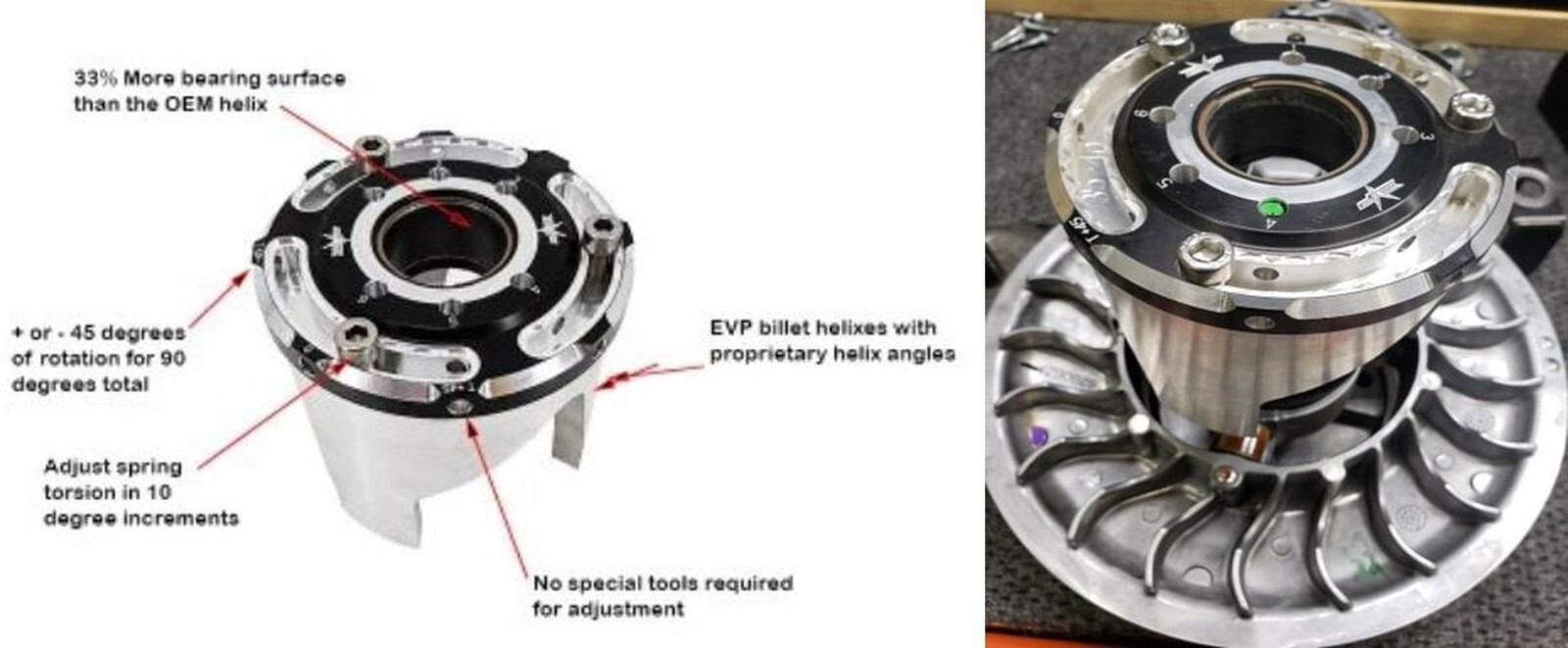
Install new helix with the billet end cap at - 45 adjustment. This will make installing the helix easier as there will be less rotational tension. Insert the spring tab on the #5 hole in the end cap and make sure the other end of the spring is properly seated in the hole on the clutch sheave. Use the clutch service tool to compress the spring while making sure the helix is rotated clockwise so the helix ramp goes over the clutch roller. (See picture to right) Roller Ramp.
5
Install the fasteners securing the helix in place using red Loctite.
6
Reinstall the clutch on the vehicle and torque secondary bolt to 52 ft-lbs.
7
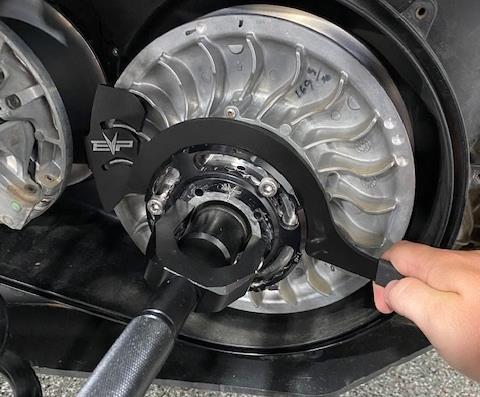
Install the secondary holding tool onto the secondary, align the tool in between the fins. Allow the handle to rest against the primary bearing.
8
Install the helix wrench into a slot around the Shift-Tek helix cap.
Can-Am Maverick X3 installation
9
Loosen all (3) M6 Allen head cap screws (do not remove). Apply pressure onto the helix wrench. You can now turn the helix cap to add or subtract torsion pressure on the spring. Once complete tighten the (3) M6 Allen head cap screws.
10
Remove the helix wrench and secondary holder. Install the belt back onto the clutches. Remove the belt changing tool and spin the secondary a total of 5 times.
Can-Am Maverick X3 installation

Note: This product is exempt from the emission standards and related requirements of 40 C.F.R. § 1051 as provided by 40 C.F.R. § 1051.620, and California law [e.g., vehicle code§§ 27156 and 38391]. This product is sold only for use in connection with EPA certified, purpose-built, nonroad vehicles used solely for closed course, nonroad competition/racing and not used for any recreational purpose or on public highways or right of ways maintained by and open to the public. This product is sold only in connection with machines that do not fall under state and/or federal noise or emission standards/regulations. Purchasers who/that purchase this product represent and warrant that the product is purchased only in connection with EPA -certified, emission-regulations-exempt and noise- regulations-exempt competition/racing vehicles as interpreted under applicable state and/or federal law. Questions: Call Evolution Powersports at (715) 247-3862.