
This guide explains how to pair an unlocked MG1 ECU to your vehicle using the CodeShooter 2.0 device and the CodeShooter 2.0 app. Only perform the steps that apply to your situation; each step explains when it is required.
Overview
- Follow the steps listed below to pair your vehicle to your new unlocked MG1 ECU. Only perform the steps if they apply (each step may not be required). This document requires familiarity with the CodeShooter platform and CodeShooter 2.0 app.
- The full process consists of: 1. Backup ECU Data (pages 2-3); 2. Restore ECU Data (pages 4-5); 3. Flash Tune (pages 5-6); 4. TPS Relearn (page 7); 5. DCT Calibration (pages 8-9); 6. Ship your stock, locked ECU back to EVP for a refund of your core charge.
Determine Your Necessary Steps
- Steps 1 & 2 are required if you have purchased an unlocked ECU & tune from EVP and have not sent your stock ECU to EVP for the unlock service.
- Steps 3 & 4 are required for all MG1 ECUs.
- Step 5 is required if the vehicle has a DCT transmission.
To Begin
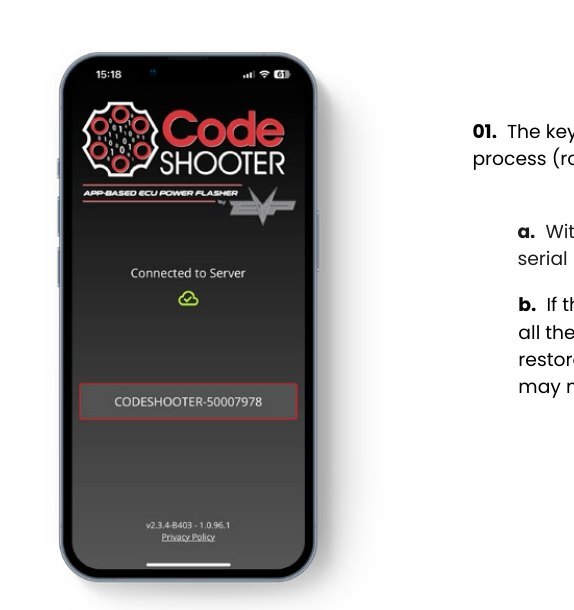
- Plug the CodeShooter into the vehicle diagnostic port and key-on.
- Open the CodeShooter 2.0 app and press the serial number that corresponds to your CodeShooter device.
- The main page of CodeShooter 2.0 will display.
- A firmware update may begin; this can take a couple of minutes. Leave the key-on, app open, and don't disconnect the CodeShooter. If this process isn't completed 100% then please update the firmware using our PC tool (Click Here For Instructions; evopowersports.com/pages/codeshooter-recovery-tool-user-guide).
Step One: Back Up ECU Data
- 01. Ensure the vehicle's stock ECU is connected.
- 02. Tap the three-bar menu icon to access menu screen.
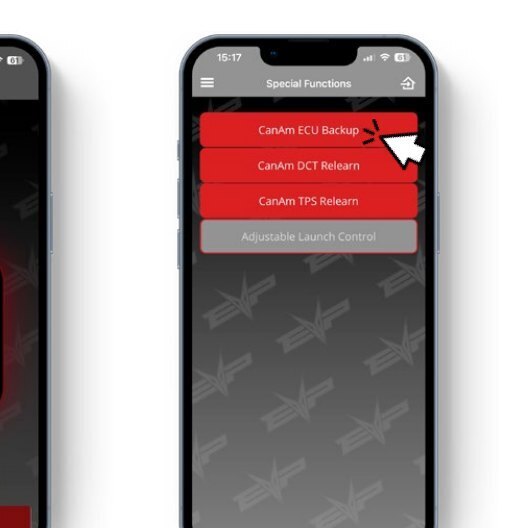
- 03. Select the Special Functions button.
- 04. Tap the Can-Am ECU Backup option.
- 05. Tap center to continue.
- 06. Tap OK to continue.
- 07. Please wait for the Backup to complete.
- 08. Once you've read through this screen press "all tasks done". Pressing ok twice will take you back to the start screen. Now perform the following tasks below:
- 08a. Unplug CodeShooter.
- 08b. Key-off the vehicle and wait for the dash to completely power down.
- 08c. Remove the stock ECU, take note of how it is connected to the wire harness and mounted to the vehicle.
- 08d. Reconnect CodeShooter. Install the unlocked MG1 ECU, make sure it is connected to the wire harness and mounted to the vehicle exactly like the removed stock ECU.
- 09. Proceed directly to the ECU restore step. This must be completed first before the vehicle will function.
NoteStep 09 is presented as numbered "09" on the page with sub-points a-d; step 10 ("Proceed directly to the ECU restore step...") follows. (Numbering reflects the printed sequence.)
Step Two: Restore ECU
- 01. The key-on button must be held during the whole ECU restore process (roughly 3 minutes depending on your cellphone data speed).
- 01a. With the Key-on button held down, select the CodeShooter serial number. The process should automatically begin.
- 01b. If the process isn't automatically started, then power down all the way and restart the CodeShooter 2.0 app. Then retry the restore ECU step again. If this doesn't work, then the stock ECU may need to be reconnected and retried from the Backup step.
- 02. Continue holding down the Key-On button and tap OK.
- 03. Keep holding.
- 04. Hold while the process is completing.
- 05. Hold while the process is verifying.
- 06. Once the "restoring successfully completed" is shown, then the key-on button can be released. Tap the button again and the vehicle should key-on similarly to the stock ECU.
Step Three: Flash ECU
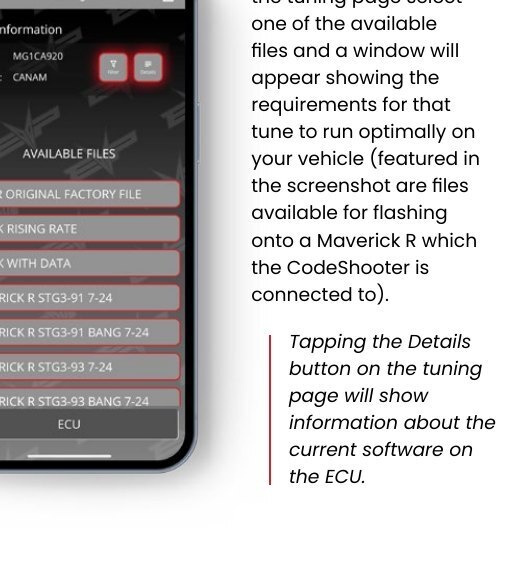
- 01. Tap the tuning button from the menu to go to the Tuning page.
- 02. To flash a tune from the tuning page select one of the available files and a window will appear showing the requirements for that tune to run optimally on your vehicle (featured in the screenshot are files available for flashing onto a Maverick R which the CodeShooter is created to).
- 03. Here is the tune requirement page to ensure your vehicle is properly equipped for the selected tune before scrolling down.
- 04. Tap the Shoot It! button to begin flashing the ECU.
- 05. The file will first transfer to the CodeShooter.
- 06. Once step 5 reaches 100% a second loading bar will begin. This is the flashing stage of the tune; wait for the new loading bar to reach to 100%.
- 07. Screen and CodeShooter light will coordinate in blinking GREEN and "FLASHING SUCCESSFUL" will display on app. Call tech support if it does not.
NoteTapping the Details button on the tuning page will show information about the current software on the ECU.
Step Four: TPS Relearn
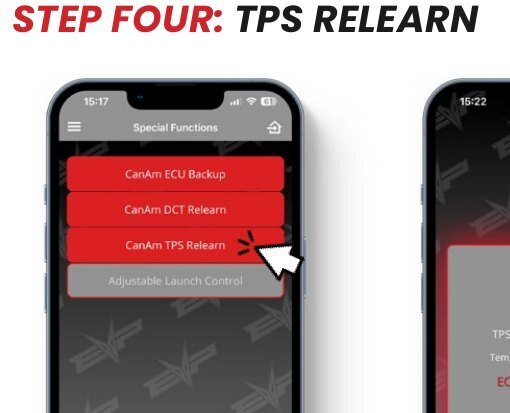
- 01. Navigate to the Special Functions menu and select Can-Am TPS Relearn button.
- 02. Check that the air temperature is above 41 degrees Fahrenheit.
- 03. Battery voltage should be at or above 11.8 volts.
- 04. The vehicle should only have Key-On.
- 05. Tap OK to begin the process.
- 06. The throttle will click during the process. The following message will let you know the process is completed successfully.
NoteIf the process fails double check the throttle is plugged in and all conditions are met before trying the step again.
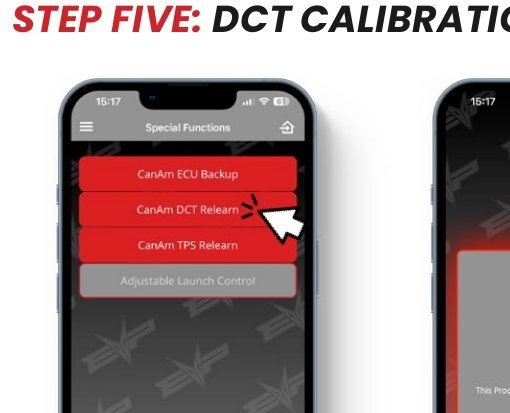
Step Five: DCT Calibration
- 01. With your vehicle running Tap Can-Am DCT Relearn button from the Special Functions menu.
- 02. Tap Yes or center to continue.
- 03. Vehicle must be placed into Sport Mode from the center screen.
- 04. Vehicle must be parked on level ground to properly calibrate. The process causes some lurching.
- 05. The oil temp must be above 50 degrees Celsius. This can be achieved by idling for several minutes.
- 06. Tap OK once the oil temp is ready.
- 07. Stage 1 calibration.
- 08. Stage 2 (this step takes a minute).
- 09. Stage 3 (this will also take a minute).
- 10. Stage 4 runs at higher RPM.
- 11. Stage 5 runs at higher RPM as well.
- 12. The calibration is complete. If process fails, then power cycle vehicle, CodeShooter, and app. Restart the DCT relearn step.