
If your CodeShooter does not appear in the app when connected to your vehicle, performing a soft reset may help the app recognize the device.
Use these steps if:
- Your CodeShooter is plugged into the vehicle
- The CodeShooter does not appear in the app
- The app is not detecting the CodeShooter
- You need to reconnect the device before starting the flashing process
How to Perform a CodeShooter Soft Reset
- Disconnect the CodeShooter from the vehicle.
- Plug the CodeShooter into an external power source, such as a phone charger, using the USB port.
- Open the CodeShooter app.
- Check to see if the app finds the CodeShooter.
- If the CodeShooter appears in the app, connect to the device.
- Once connected, close the app.
- Remove the CodeShooter from the external power source.
- Return to the vehicle, reconnect the CodeShooter, and start the process over.
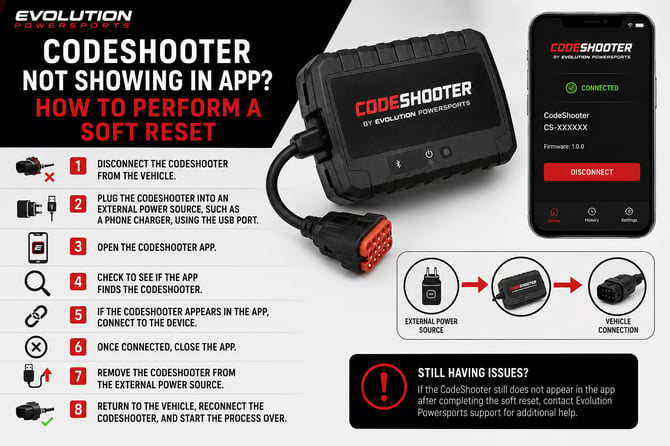
Still Having Issues?
If the CodeShooter still does not appear in the app after completing the soft reset, contact Evolution Powersports support for additional help.