Skip to content
English
  • There are no suggestions because the search field is empty.

Can-Am Maverick R Firewall Access Panel — Install Guide

Can-Am · Maverick R · SKU 925FC0999

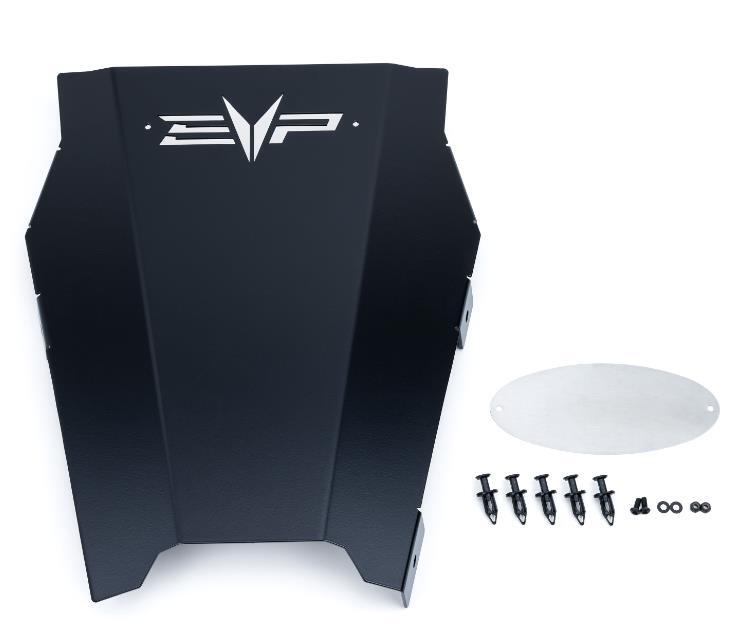
What's in the Box

Can-Am Maverick R kit contents
Included parts
Firewall Access Panel, Black Qty 1
Backer Plate, Raw Qty 1
M4 Screw Qty 2
M4 Washer Qty 2
M4 Nyloc Nut Qty 2
Push Darts Qty 5
Required tools
8, 13, 16, 18mm Socket
Cutting Device
Tape, Sharpie

Installation

1
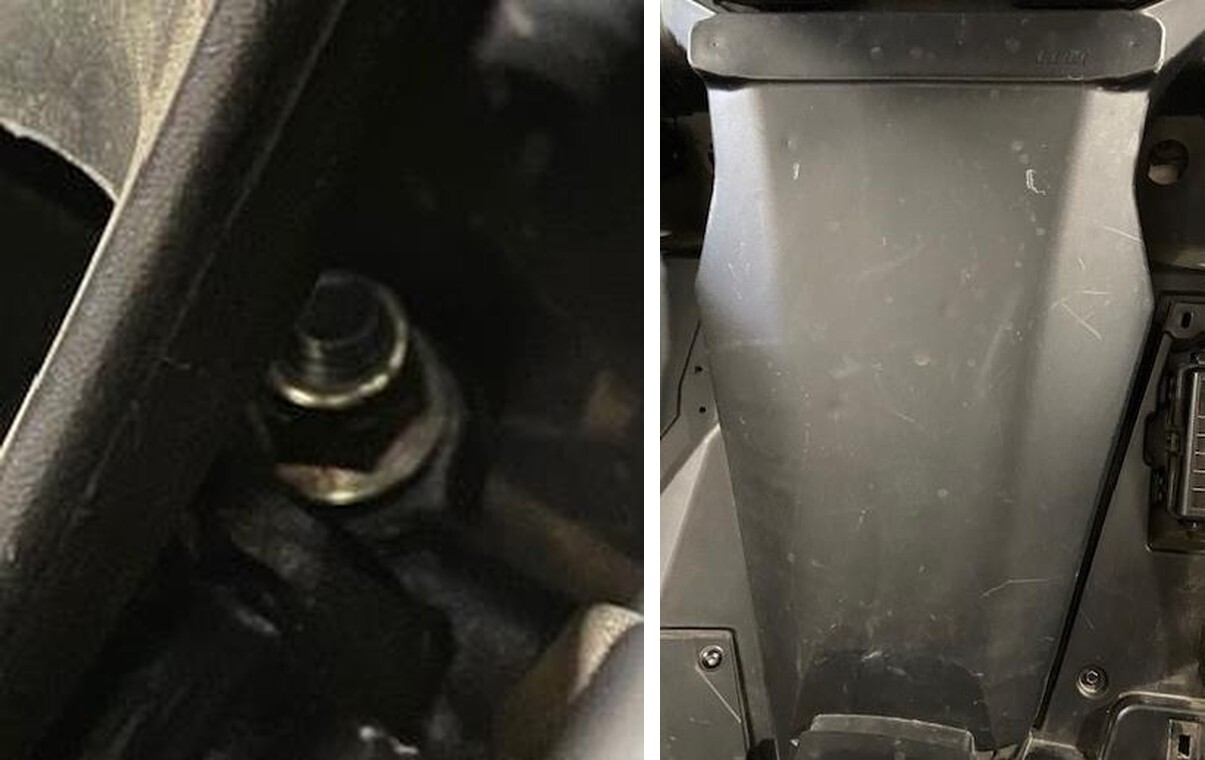
Remove both driver and passenger seats. (2) 13mm nut and bolts in the front, (2) 18mm nuts and spacers in the rear. Make sure to remove the bottom seat belt mounts, (2) 16mm screws. You must unplug the driver side seat belt connector.
2
Clean the firewall panel well with a parts cleaner or a degreaser.
Can-Am Maverick R installation
3
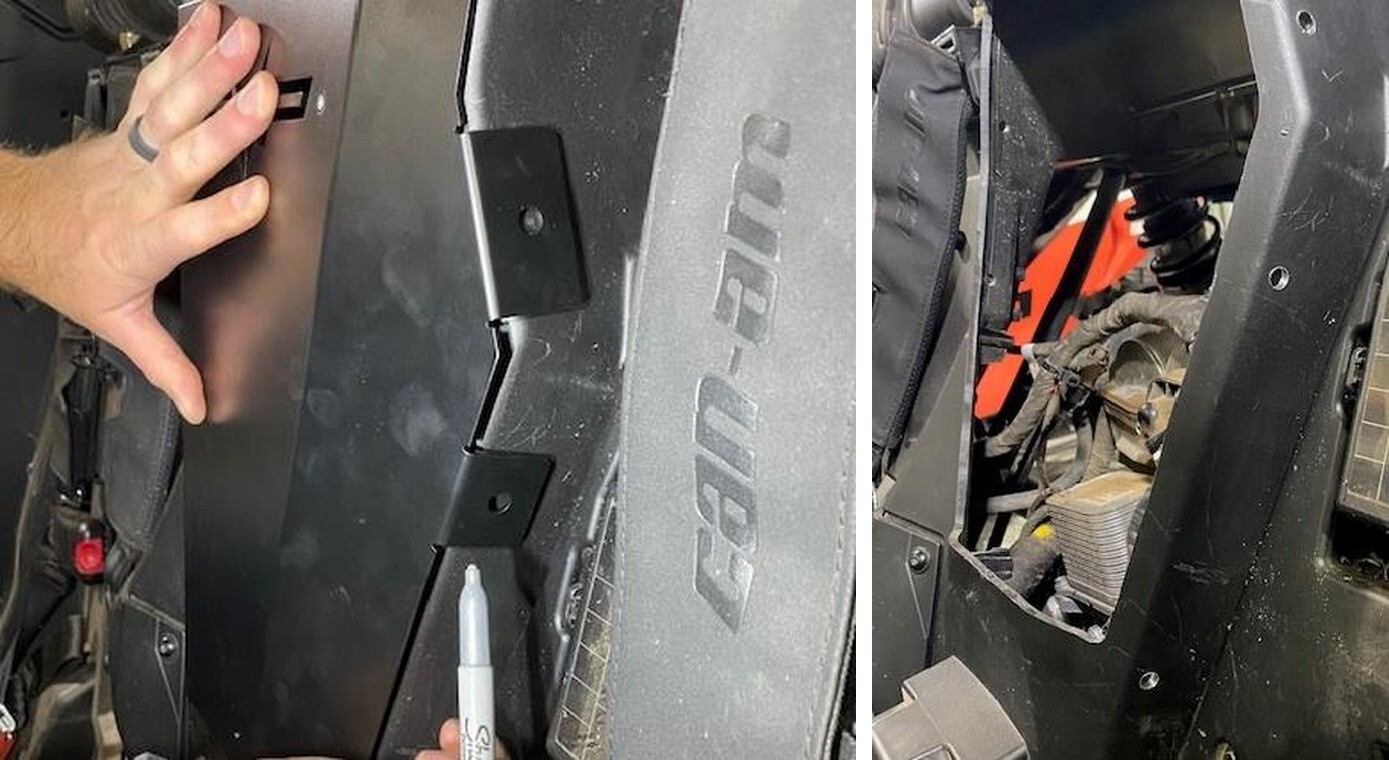
Hold the access panel up to the firewall, you can see it moves up and down a 1/4". You will want to split the difference later. This is just showing you movement.
4
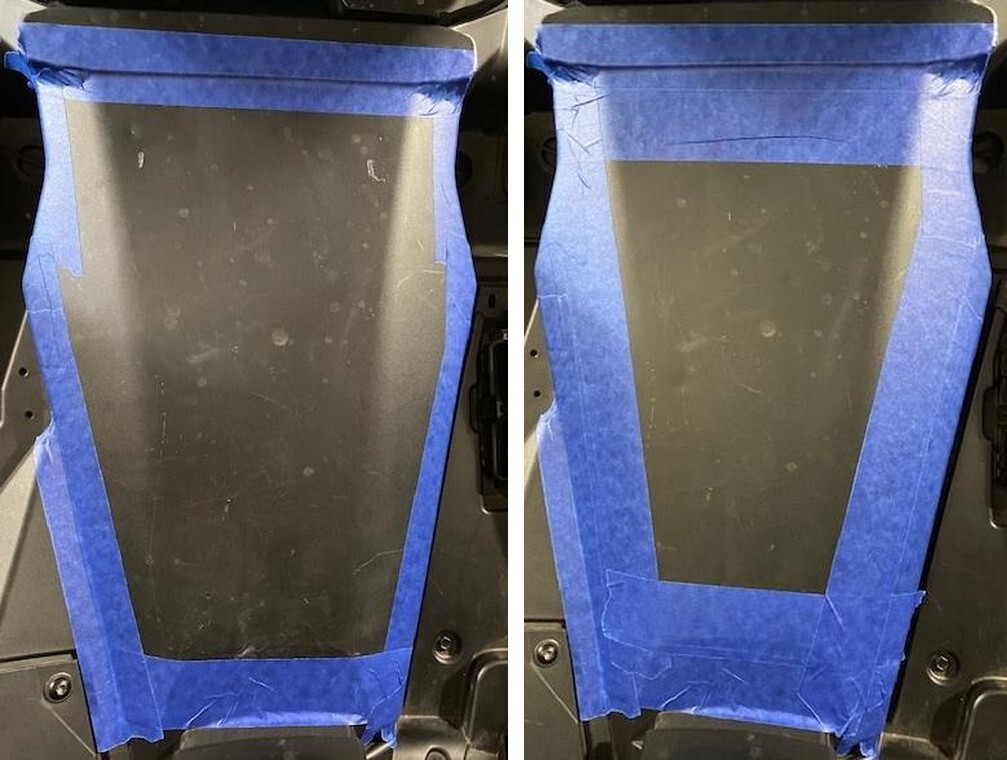
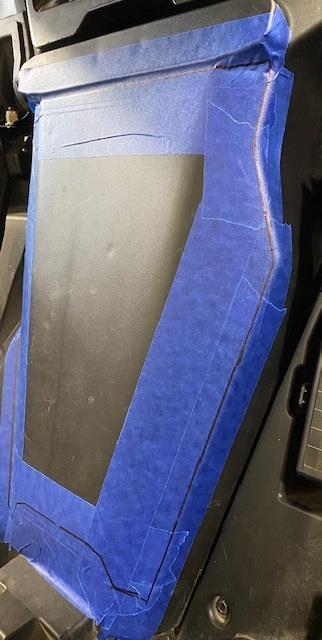
Once you see where the panel lays, tape off the outer perimeter of the firewall. Once outer perimeter is taped, tape off 1.0” into the inner perimeter.
Can-Am Maverick R installation
5
Remove the cupholders. This isn’t necessary but helps move the harness around.
6
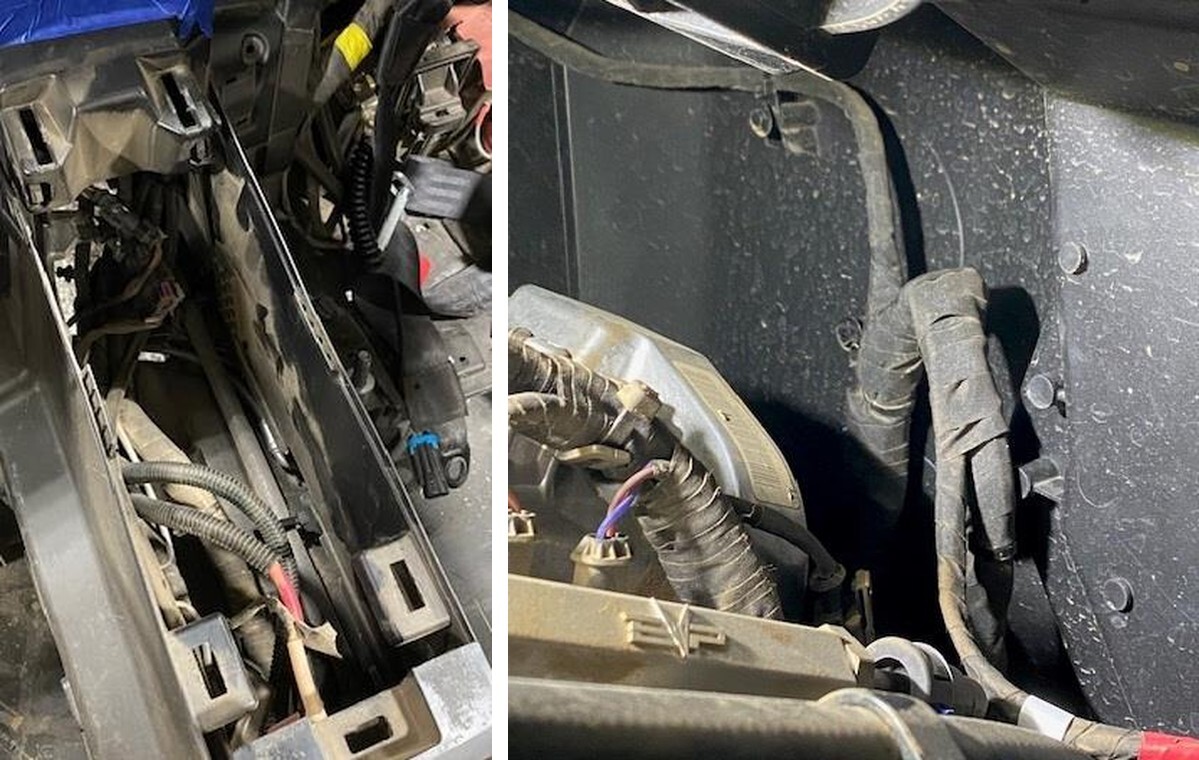
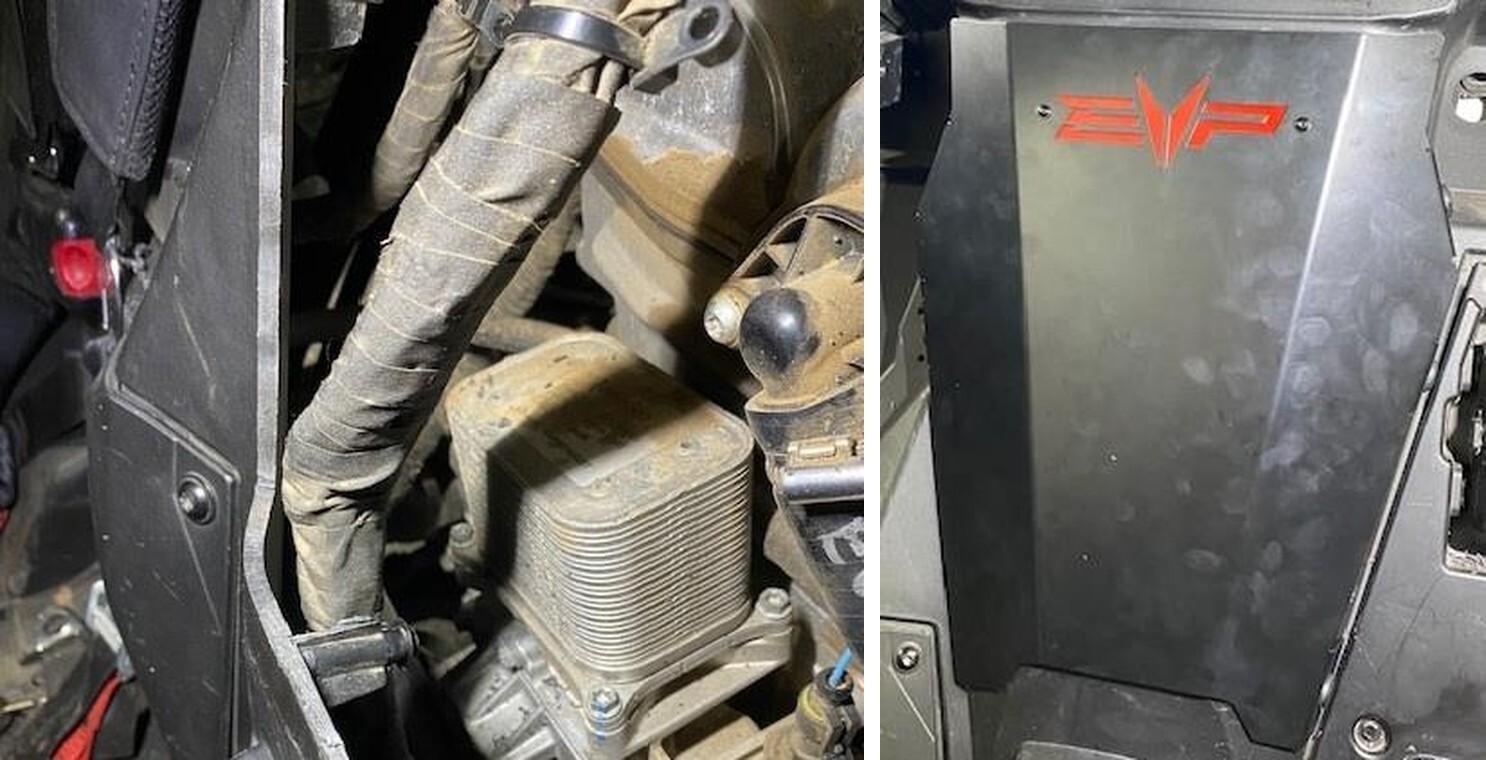
IMPORTANT STEP on the backside of the firewall, you must remove (4) M8 screws holding the harness to the firewall. There is (1) one you cannot access until later. Zip tie or strap the harness up against the engine. If this step is skipped, you will cut through the harness.
Can-Am Maverick R installation
7
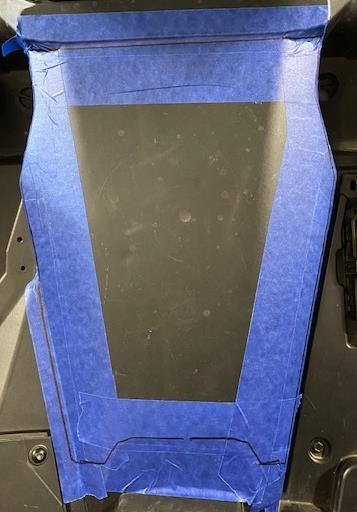
Hold the access panel up to the car, adjust the panel where you want it, outline the entire panel with a sharpie.
8
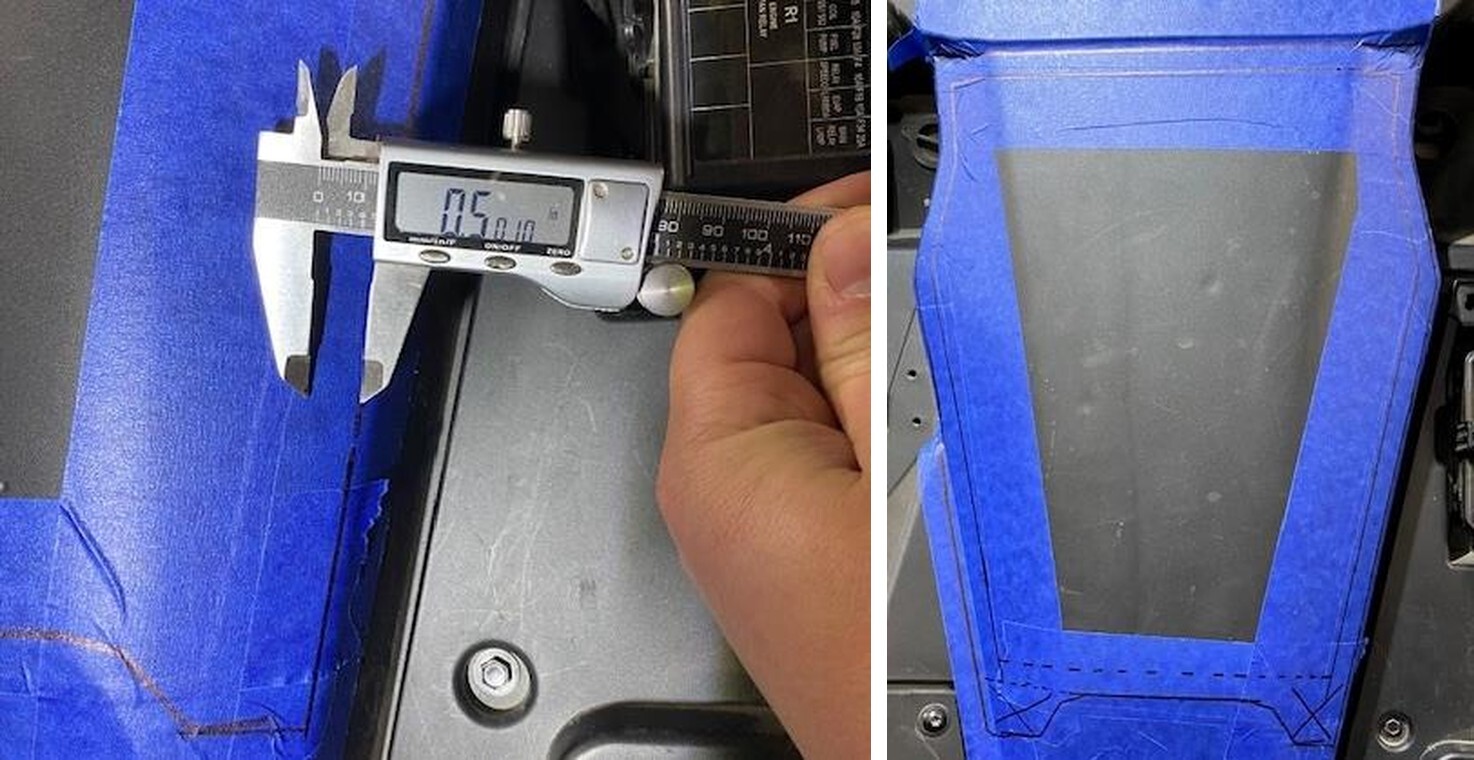
With a caliper and straight edge follow the outline and make an inner template 1/2" inside the outer template.
Can-Am Maverick R installation
9
Notice on the bottom portion (dotted line) just go straight across. There is another harness mount below that dotted line. It is important to be 1/2" above the outer template.
10
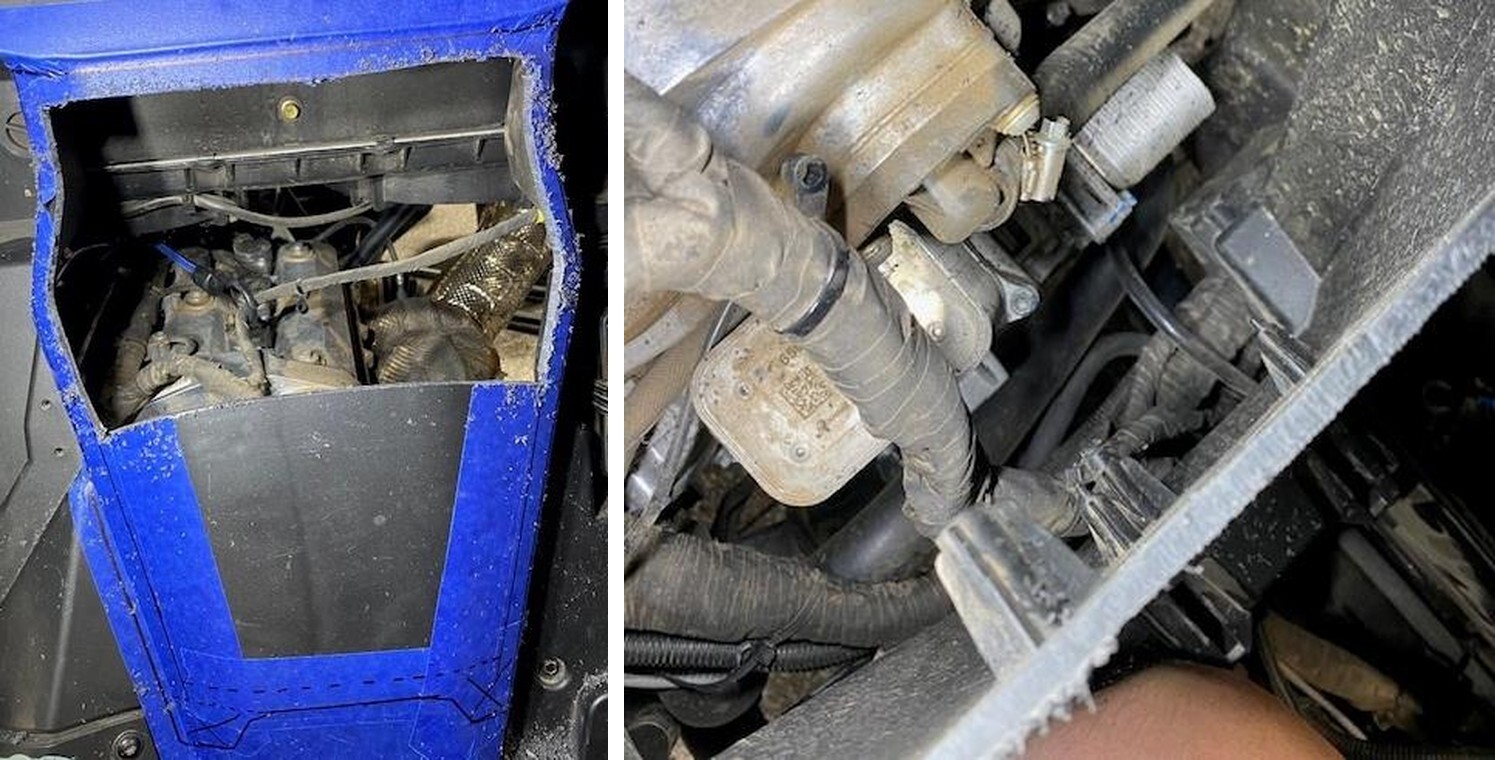
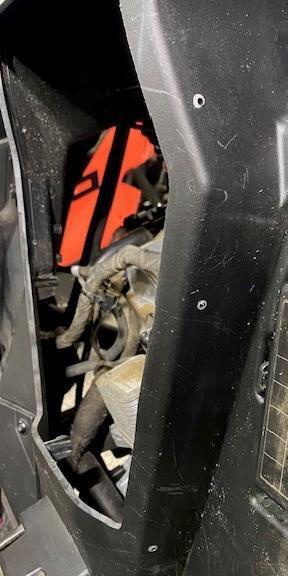
With a cutting device: Dremel, drill and drill bit, jig saw, or carbide bit cut out the inner template. Only cut the upper half out of the car.
Can-Am Maverick R installation
11
Through the cut out, you can access the final harness support. Remove the 8mm screw and zip tie the harness up.
12
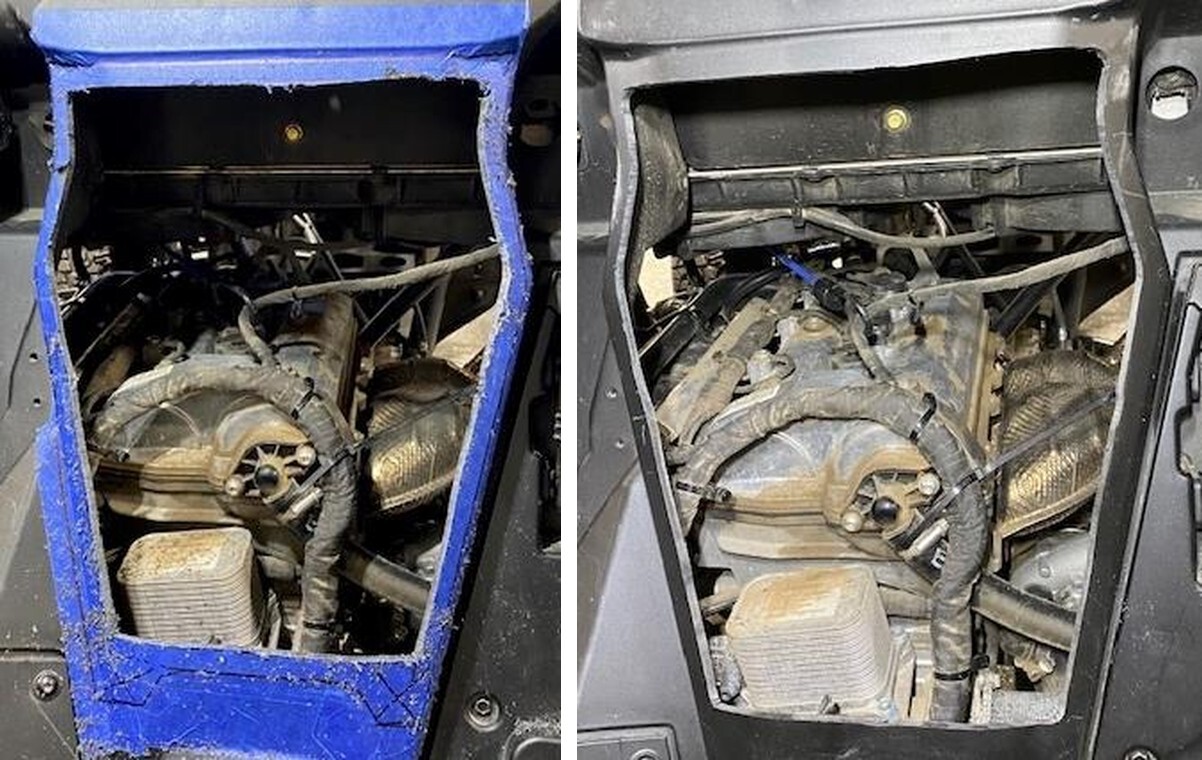
Continue cutting out the lower section of the cut out. Remove the tape, use sandpaper and a small flame to remove any edges.
Can-Am Maverick R installation
13
Hold the access panel up and press down evenly, center mark all the holes.
14
Drill out the center points with a 1/8” drill bit, finish with a 11/32” bit.
Can-Am Maverick R installation
15
Reinstall 2-3 harness support screws back into the firewall. Use a zip tie to hold the upper harness to itself.
16
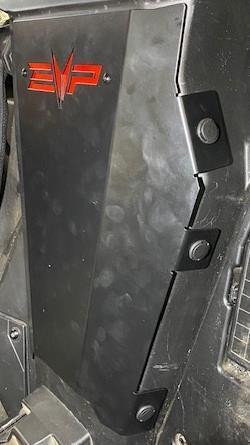
Install the backer plate and hardware. Install the access panel and fasten down with supplied push darts.
Can-Am Maverick R installation

Note: This product is exempt from the emission standards and related requirements of 40 C.F.R. § 1051 as provided by 40 C.F.R. § 1051.620, and California law [e.g., vehicle code§§ 27156 and 38391]. This product is sold only for use in connection with EPA certified, purpose-built, nonroad vehicles used solely for closed course, nonroad competition/racing and not used for any recreational purpose or on public highways or right of ways maintained by and open to the public. This product is sold only in connection with machines that do not fall under state and/or federal noise or emission standards/regulations. Purchasers who/that purchase this product represent and warrant that the product is purchased only in connection with EPA -certified, emission-regulations-exempt and noise- regulations-exempt competition/racing vehicles as interpreted under applicable state and/or federal law. Questions: Call Evolution Powersports at (715) 247-3862.