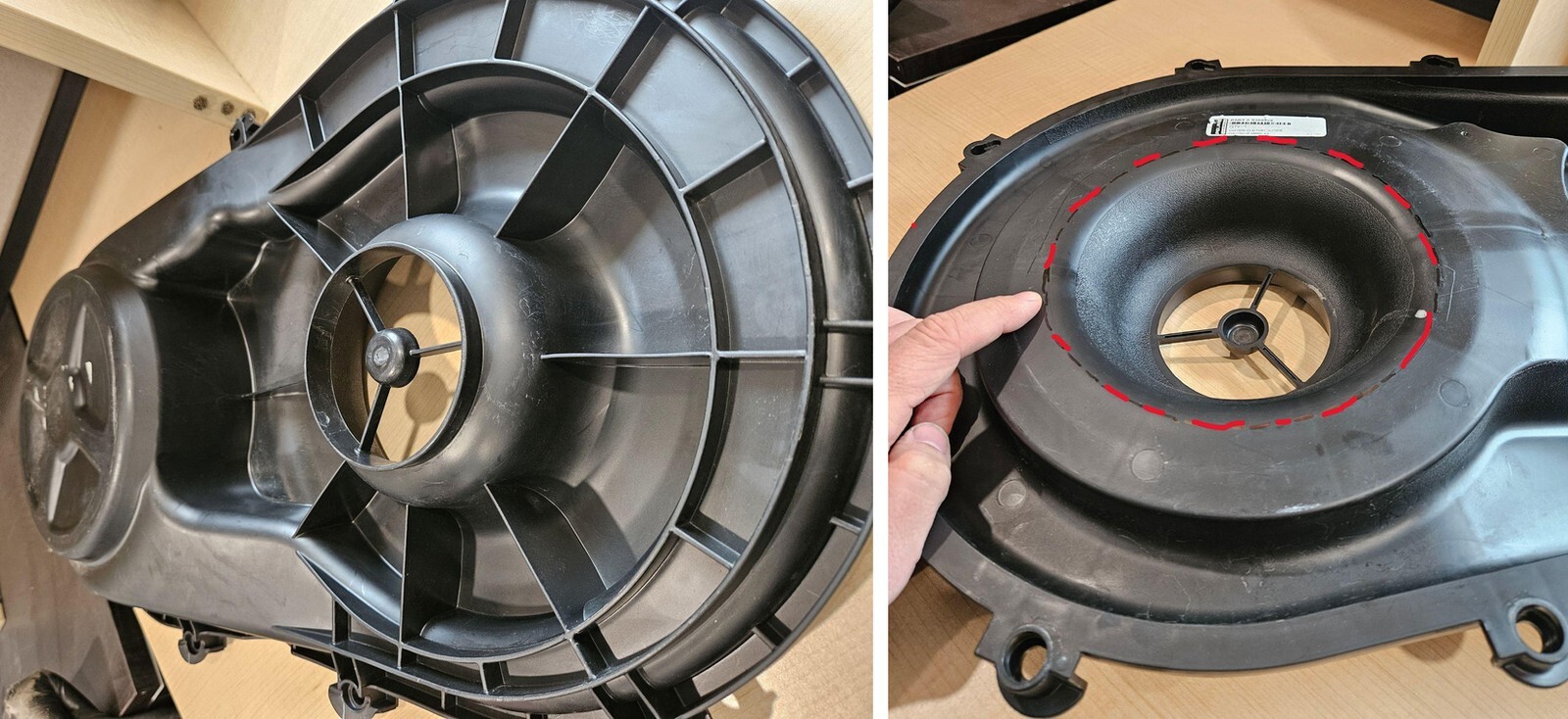
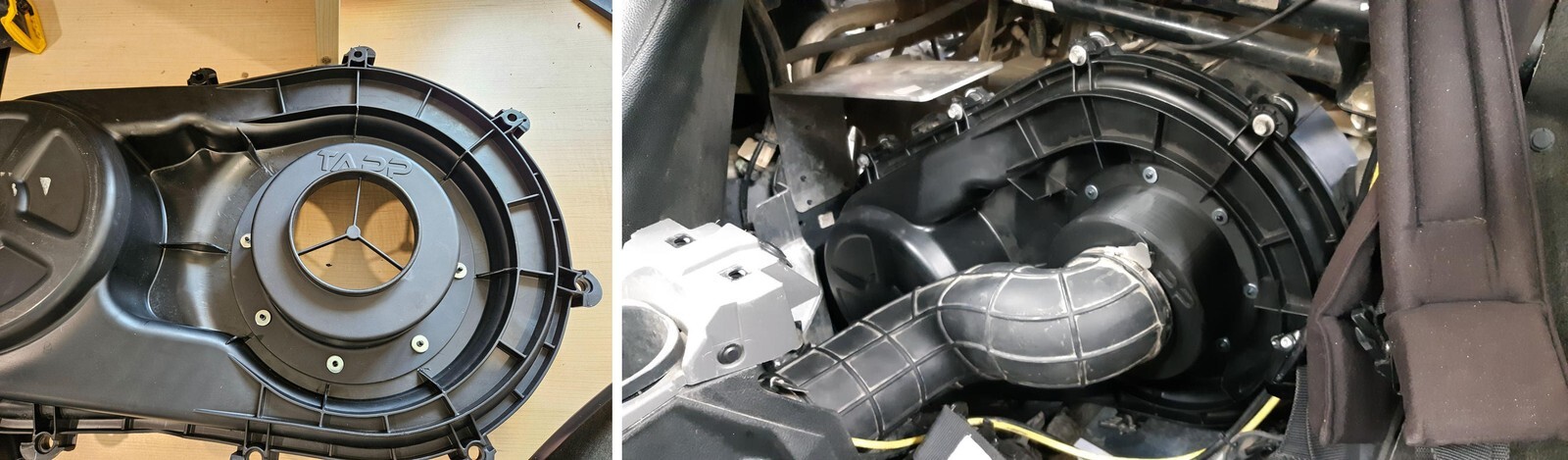
1) Remove factory stock clutch cover from your ProR 2) Cut a section out of the stock clutch cover Reference picture A This 9” diameter hole must be cut along the inside radius shoulder to flat transition. Mark line clearly. Reference picture B
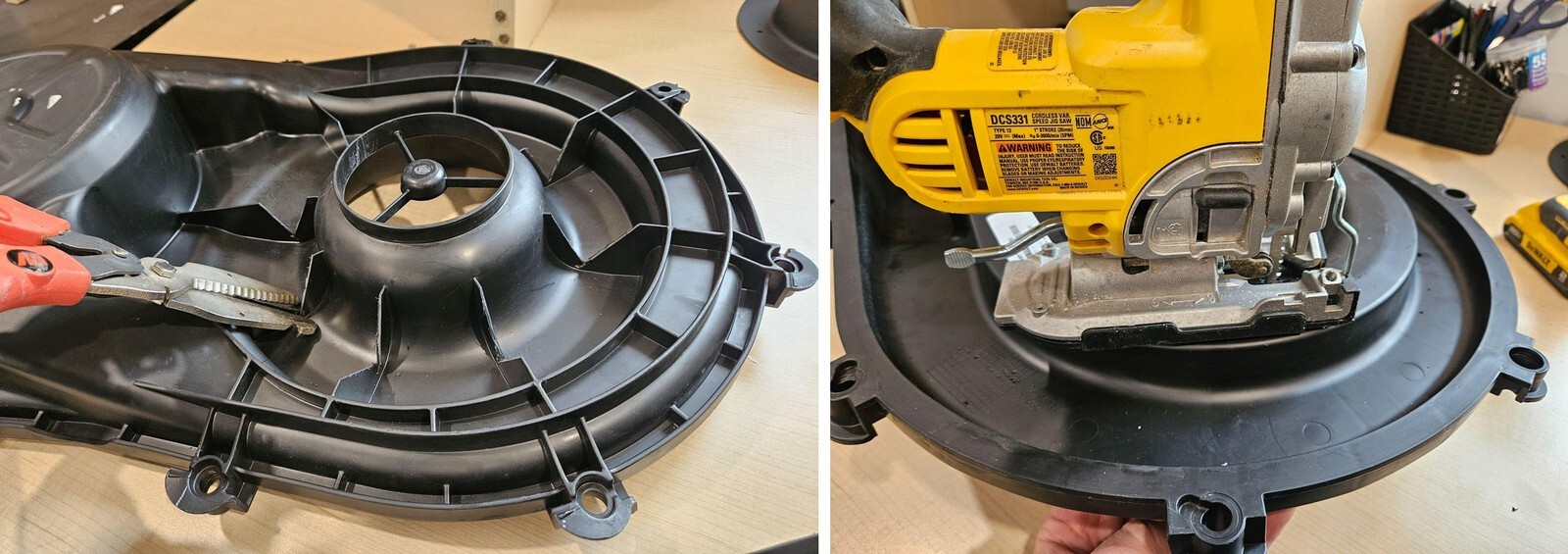
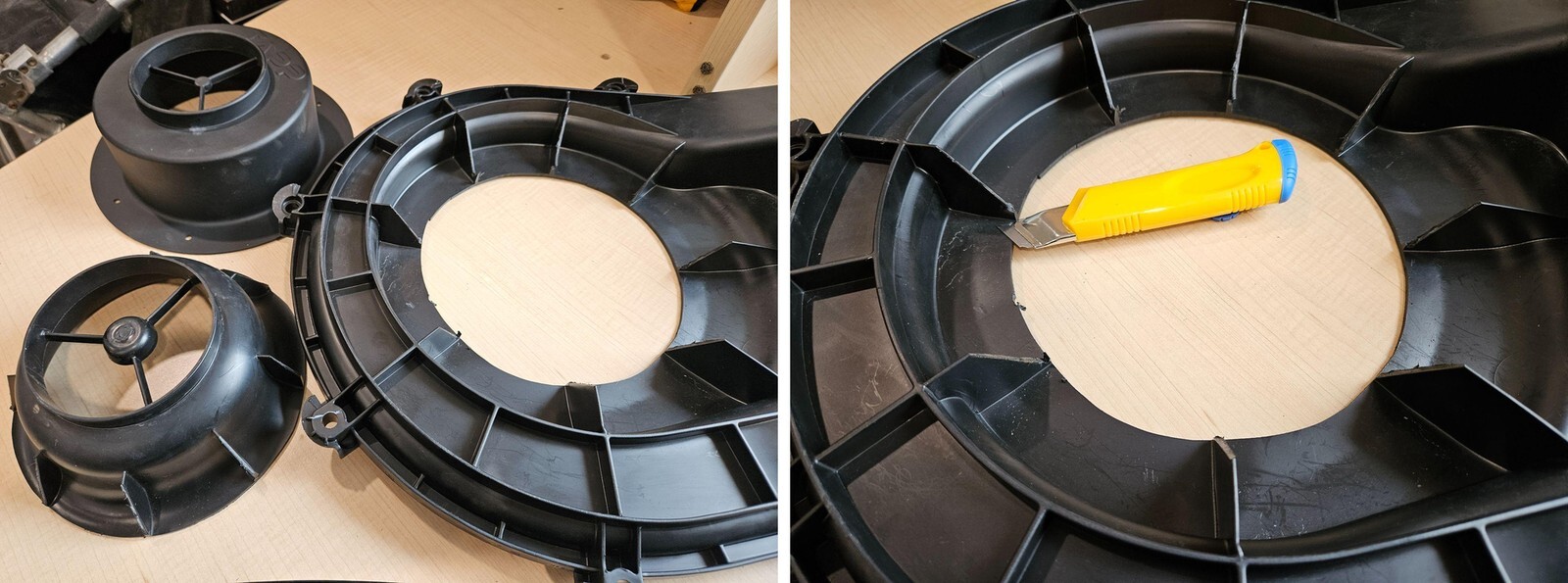
3) Use the Scissors or snips to Cut V shape in the rib to allow the jig saw to cut without damaging the blade. See image below 4) Drill pilot hole on inside of marking line, with the jig saw cut on marked line. With the utility knife cut away the ribs on the front side, see images below.
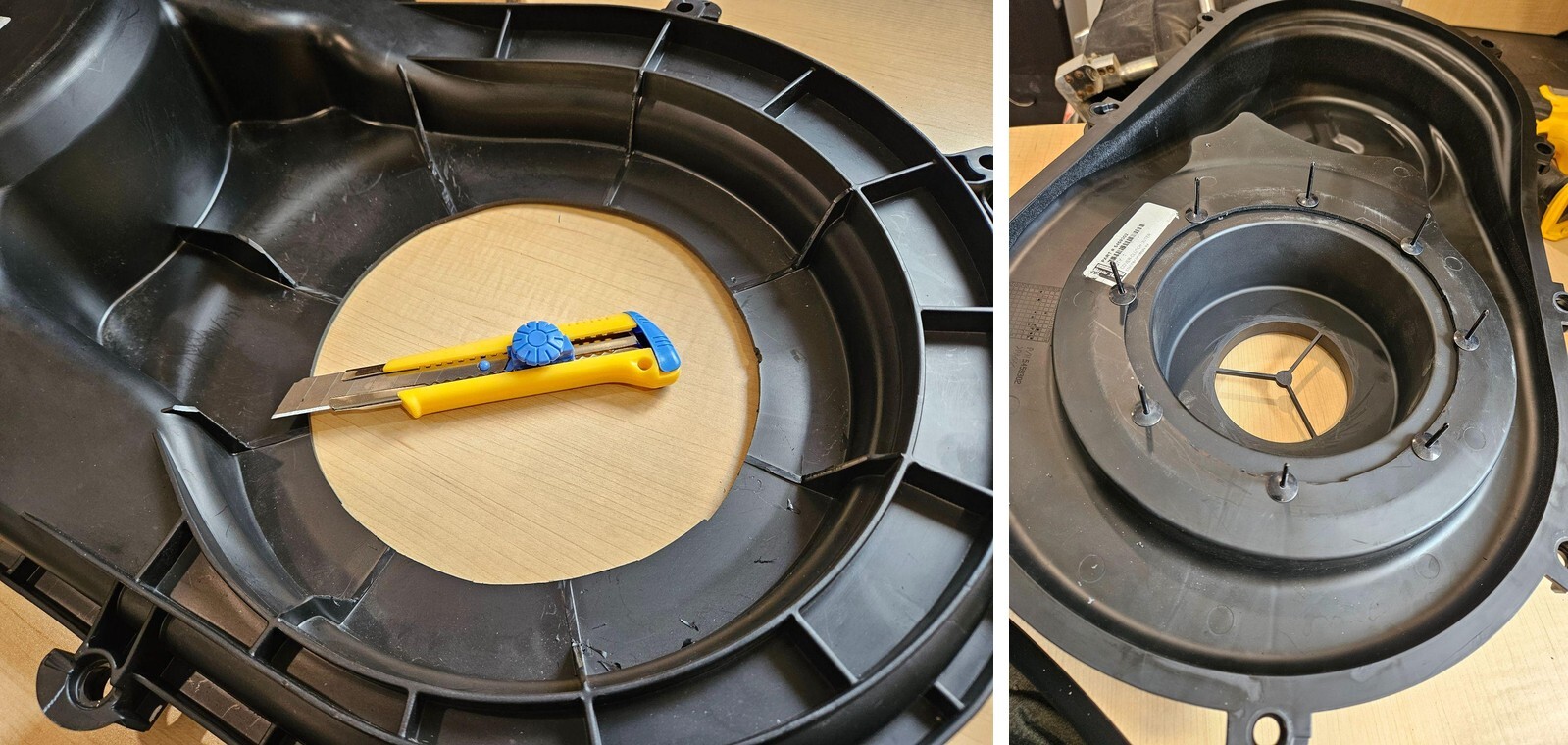
5) Mount the TAPP adapter on the outside of the clutch cover. Mount in the secondary clutch central position. Drill 3/16” holes for rivets. Install rivets from inside of the cover to out, using the supplied washers on the outside of the cover. See images below. 6) Rivets must be installed inside to out so the flush heads are inside the cover so as not to cause damage to secondary clutch; clearance is tight.
7) Reinstalled clutch cover using factory clamps and hose. See image below.